18
GB
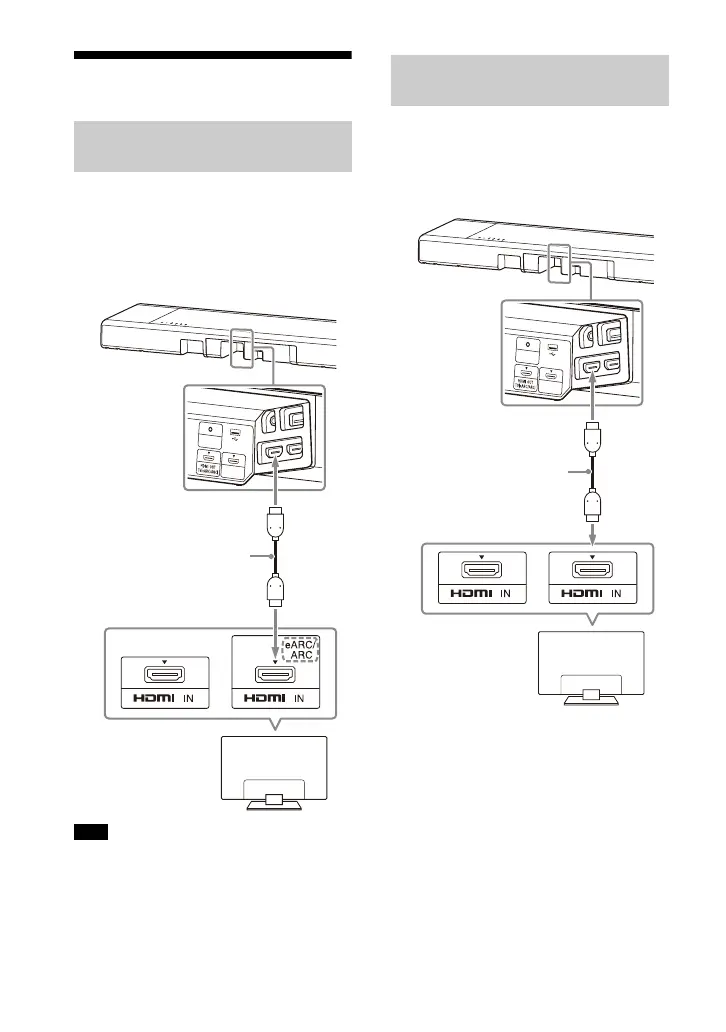
Connecting to a TV
1 Connect the HDMI IN jack
compatible with ARC/eARC on the
TV and HDMI OUT (TV (eARC/ARC))
jack on the speaker system with
the HDMI cable (supplied).
Make sure that the connectors are firmly
inserted.
1 Connect the HDMI IN jack on the TV
and HDMI OUT (TV (eARC/ARC))
jack on the speaker system with
the HDMI cable (supplied).
Connecting a TV Compatible
with ARC/eARC
Note
Connecting a TV That Is not
Compatible with ARC/eARC



 To Next Page