23
GB
Performing Initial
Settings
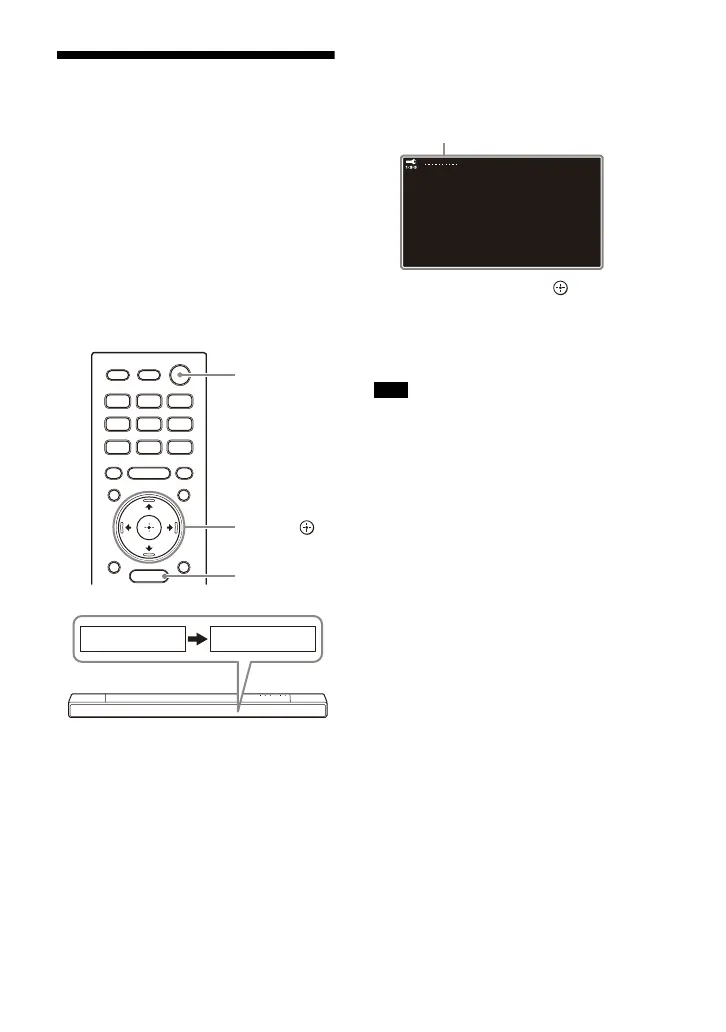
1 Press (power) on the remote
control supplied with the speaker
system to turn on the speaker
system.
Operate the remote control by
pointing it toward the front of the
bar speaker.
When the speaker system turns on,
[TV] appears in the front panel
display.
2 Turn on the TV.
3 Press HOME, then perform initial
settings by following the on-
screen instructions.
•Press /// and (enter) to
select the item as instructed on the
screen.
• Once [Setup is complete.] appears,
select [Finish].
Depending on the order in which you turn
on the TV and the speaker system, the
speaker system may be muted and
[MUTING] is displayed on the front panel
display of the speaker system. If this
happens, turn all devices off, then turn on
the speaker system after turning on the TV.
(power)
HOME
///,
(enter)
Note



 To Next Page