EnjoyIng
Blu-ray
DiscLDVD'
'j
> .
-;.
>
~
.-
•••
-_..
.~
• '
(One-Touch Play)
Play back a connected component.
The system and the TV are turned on
automatically and switch to the appropriate
HDMI input.
Enjoyi'llg,
theJV'
s8undC~;/
~roln'
t~e'sp8ak,rs'
(System Audio Control)
You can enjoy the TV sound from the speakers
of
the system
by
means
of
a simple operation.
For details, see the operating instructions
of
the
TV.
• Depending on the TV, the start
of
the content may not
be output.
• You can enjoy the Blu-ray DisclDVD player
(recorder) connected to the system, even
if
you turn
the system off. The POWER / ACTIVE STANDBY
indicator lights up
in
amber at this time.
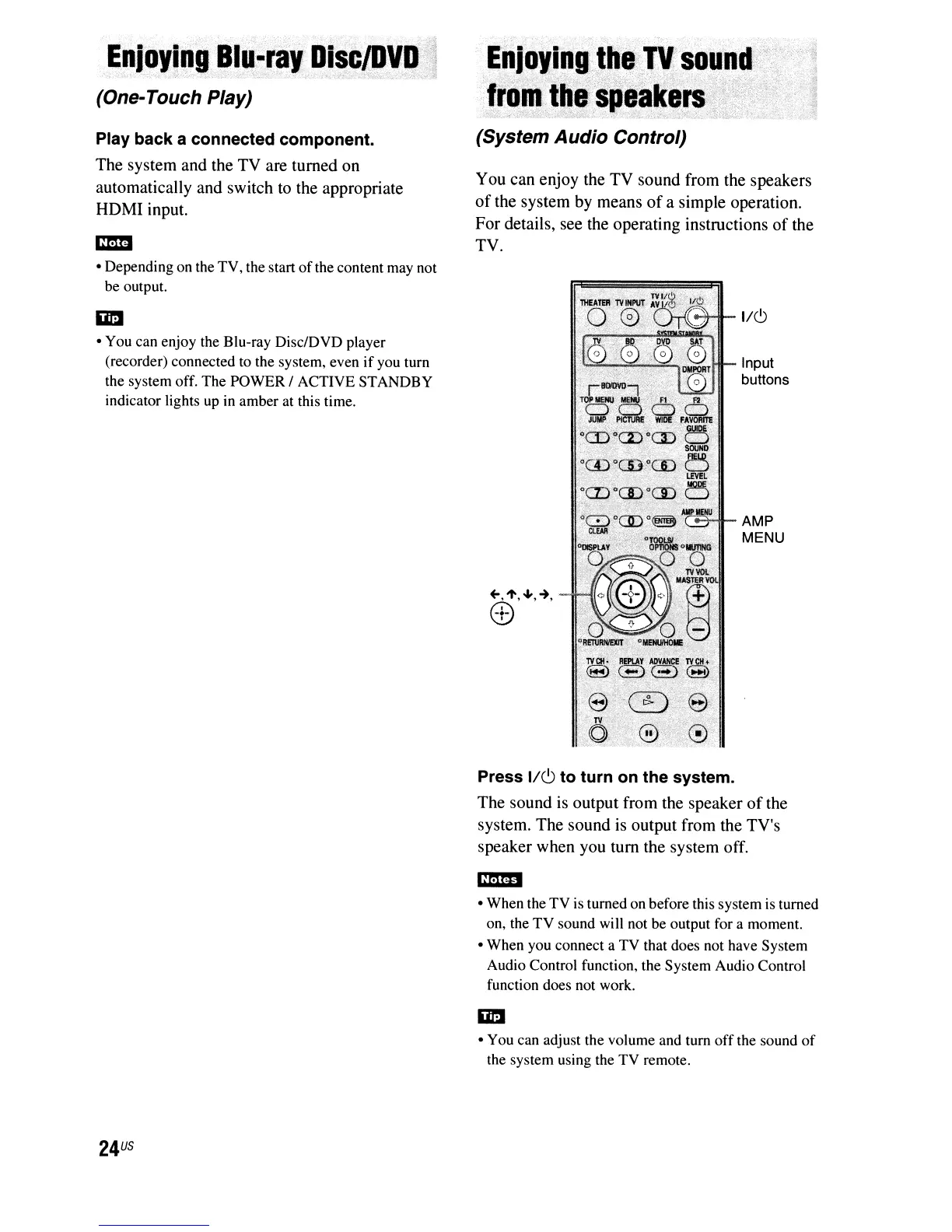
1/6
Input
buttons
AMP
MENU
24
US
Press 1/(9 to turn on the system.
The sound is output from the speaker
of
the
system. The sound
is
output from the TV's
speaker when you tum the system off.
• When the
TV
is turned on before this system is turned
on, the
TV
sound wiIl not be output for a moment.
• When you connect a TV that does not have System
Audio Control function, the System Audio Control
function does not work.
• You can adjust the volume and turn
off
the sound
of
the system using the
TV
remote.



 To Next Page