Enjoying
Dolby
Digital
sound
at
low
volume
(AUDIO
DRC)
Narrows the dynamic range
of
the sound track.
Useful for enjoying movies at low volume.
AUDIO DRC only applies to Dolby Digital
sources.
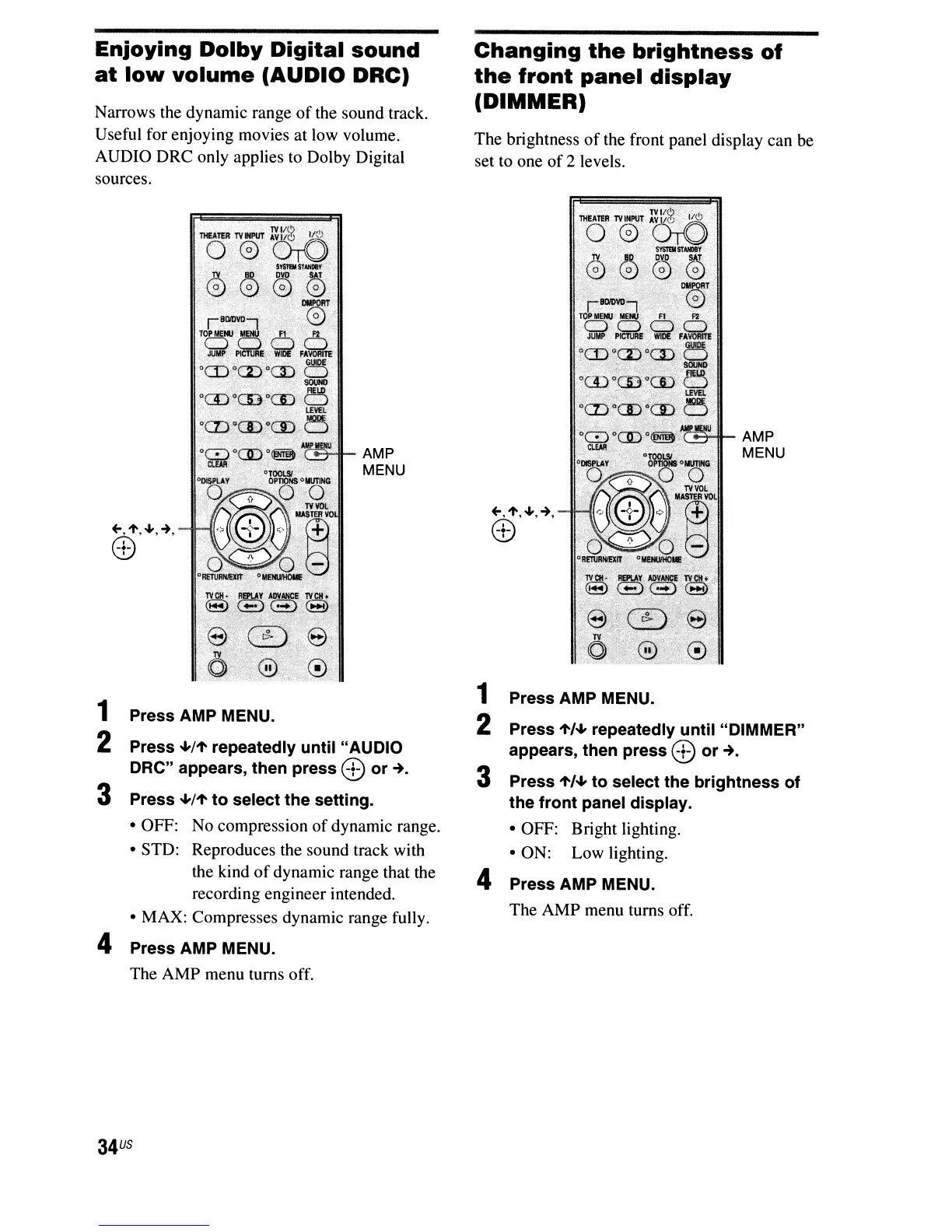
AMP
MENU
+-,1',~,-+,
8)
1 Press AMP MENU.
2 Press
-1-/1'
repeatedly until "AUDIO
ORe" appears, then press
8)
or-+.
3 Press
-1-/1'
to select the setting.
• OFF: No compression
of
dynamic range.
• STD: Reproduces the sound track with
the kind
of
dynamic range that the
recording engineer intended.
• MAX: Compresses dynamic range fully.
4 Press AMP MENU.
The AMP menu turns off.
34
US
Changing
the
brightness
of
the
front
panel
display
(DIMMER)
The brightness
of
the front panel display can be
set to one
of
2 levels.
r='---'.IL_
AMP
MENU
1 Press AMP MENU.
2 Press
1'/-1-
repeatedly until "DIMMER"
appears, then press
8)
or
-+.
3 Press
1'/-1-
to select the brightness of
the front panel display.
• OFF: Bright lighting.
• ON: Low lighting.
4 Press AMP MENU.
The AMP menu turns off.



 To Next Page