Changing
the
display
setting
(DISPLAY)
Using
the
sleep
timer
(SLEEP)
You can change the display setting.
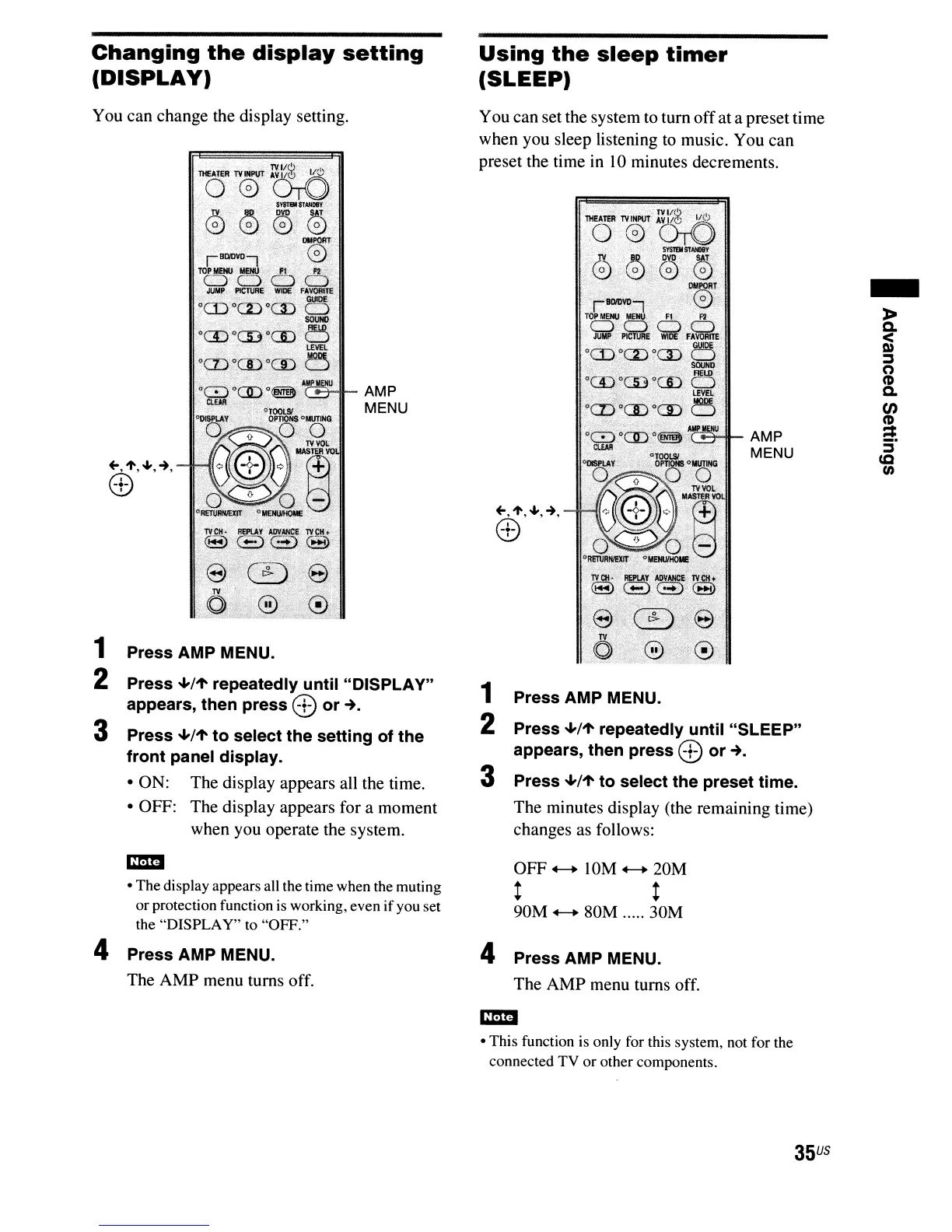
1 Press AMP MENU.
2 Press
..a./1"
repeatedly until "DISPLAY"
appears, then press (B or
...
3 Press
..a./1"
to select the setting of the
front panel display.
• ON: The display appears all the time.
• OFF: The display appears for a moment
when you operate the system.
-
»
c.
~
:::J
o
CD
c.
en
~
S·
ea
t/)
.,--;;;.o~_
AMP
MENU
",1',"',~,
(B
1 Press AMP MENU.
2 Press
..a./1"
repeatedly until "SLEEP"
appears, then press
(B or
...
3 Press
..a./1"
to select the preset time.
The minutes display (the remaining time)
changes as follows:
You can set the system to tum offat a preset time
when you sleep listening to music. You can
preset the time in 10 minutes decrements.
AMP
MENU
• The display appears all the time when the muting
or protection function
is
working, even ifyou set
the "DISPLAY" to "OFF."
4 Press AMP MENU.
The AMP menu turns off.
OFF
4-+
10M
4-+
20M
t t
90M
4-+
80M ..... 30M
4 Press AMP MENU.
The AMP menu turns off.
• This function is only for this system, not for the
connected TV or other components.
35
US



 To Next Page