8
GB
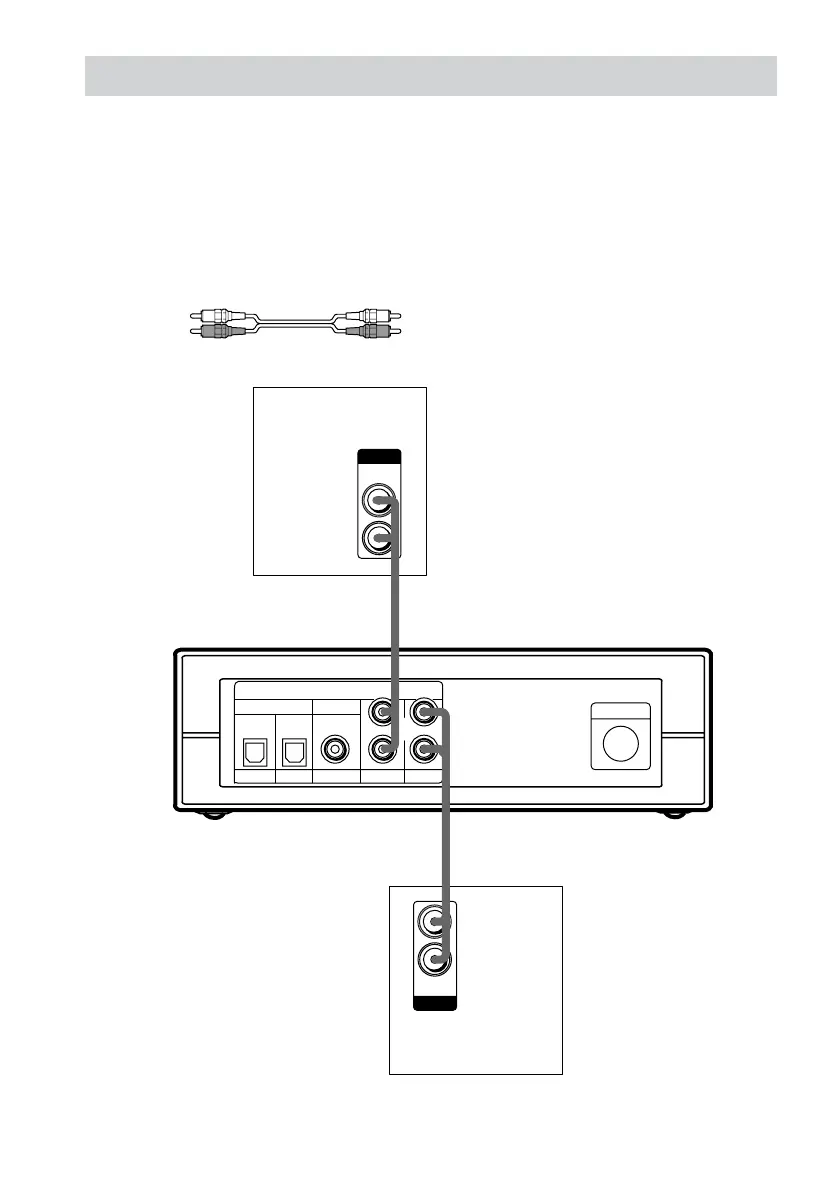
4: Connecting video components
Required cords
Audio cord (not supplied)
When connecting a cord, be sure to match the color-coded pins to the appropriate jacks on the
components; white (left) to white; and red (right) to red.
Note
You cannot input the video signal to this system. When you connect video components (VCR, TV, etc.), connect
the video output jack of the video component to the video input jack of your TV.
White (L)
Red (R)
DVD
CONTROL
SAT AUX
INPUT
COAXIALOPTICAL
TVVIDEO
L
R
L
R
OUTPUT
AUDIO
OUT
R
L
OUTPUT
AUDIO
OUT
TV monitor
VCR
Control center



 To Next Page