To Next Page
T
Thomas VasquezSep 12, 2025
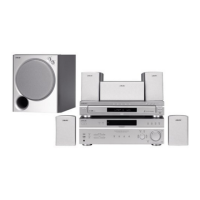
How to fix color irregularity observed on my Sony HT-M5 Home Theater System?
- RRichard OrrSep 12, 2025
Turn off the TV set, then turn it on again after 15 to 30 minutes.

How to fix color irregularity observed on my Sony HT-M5 Home Theater System?
Turn off the TV set, then turn it on again after 15 to 30 minutes.
Why does my Sony Home Theater System receiver turn off automatically?
“AUTO.STBY” is set to “STBY ON” or The Sleep Timer function is working.
Why does “READING” display for an extended time, or why does playback take a long time to start on my Sony HT-M5?
The reading process can take a long time if there are many folders or files on the USB device, the file structure is extremely complex, the memory capacity is excessive, or the internal memory is fragmented. It is recommended to have 100 or fewer total folders (including the “ROOT” folder) and 100 or fewer files per folder.
Why no 3D image appears on the TV with my Sony Home Theater System?
Depending on the TV or the video equipment, 3D images may not be displayed.
Why radio stations cannot be tuned in on my Sony HT-M5 Home Theater System?
To address this, check that the antennas are securely connected. Adjust the antennas and connect an external antenna if needed. If automatic tuning has weak signal strength, use direct tuning. Ensure you set the tuning scale correctly when tuning in AM stations with direct tuning. If no stations have been preset or have been cleared, preset the stations. Press DISPLAY repeatedly so that the frequency appears on the display panel.
Why the USB device cannot be connected into the (USB) port of Sony Home Theater System?
The USB device is being connected upside down. Connect the USB device in the correct orientation.
Why is there no sound from my Sony HT-M5, or is the sound very low?
First, ensure that all connecting cords are correctly inserted into the input/output jacks of the receiver, speakers, and equipment. Then, verify that both the receiver and all connected equipment are powered on. Check that the MASTER VOLUME is not set to “VOL MIN”. Also, press MUTING on the remote to deactivate the muting function. Try selecting your equipment by pressing the input button on the remote or turning the INPUT SELECTOR on the receiver. If you want to listen to the sound from the TV speaker, set the “AUDIO.OUT” to “TV+AMP” in the HDMI menu; otherwise, set it to “AMP”.
How to improve poor FM reception on my Sony HT-M5?
To fix this, use a 75-ohm coaxial cable (not supplied) to connect the receiver to an outdoor FM antenna.
Why is the Control for HDMI function not working on my Sony HT-M5?
To resolve this, check the HDMI connection. Ensure “CTRL.HDMI” is set to “CTRL ON” in the HDMI menu. Confirm that the connected equipment is compatible with the Control for HDMI function and check its Control for HDMI settings. If you unplugged the HDMI cable or changed the connection, repeat the procedures of “Preparing for the “BRAVIA” Sync”.
Why no image appears on the TV with my Sony HT-M5 Home Theater System?
To fix this, select the appropriate input using the input buttons. Set your TV to the correct input mode. Also, move your audio equipment away from the TV.
Instructions for installing batteries into the remote control.
Details and diagrams of the front panel components.
Diagrams and labels for the rear panels of HT-M7 and HT-M5.
Diagrams and labels for the rear panel of the HT-M3.
Details on operating the remote control, including button functions and models.
Explanation of receiver operation using the remote control buttons.
Instructions for controlling a Sony TV using the remote.
Step-by-step guide for initial setup and connecting equipment.
Guide to installing front, surround, and subwoofer speaker systems.
Diagrams for connecting speakers to the HT-M7 receiver.
Diagrams for connecting speakers to the HT-M5 receiver.
Diagrams for connecting speakers to the HT-M3 receiver.
Guide to connecting the TV using HDMI, component, or video signals.
Instructions and features for connecting video equipment via HDMI.
Guide to connecting equipment using optical, coaxial, component, and video jacks.
Diagrams for connecting VCRs and DVD recorders.
Guide to connecting CD players and portable audio devices.
Instructions for connecting a USB device to the receiver.
Guide to connecting FM and AM antennas to the receiver.
Instructions for setting the voltage selector on the receiver.
Steps for connecting the AC power cord to a wall outlet.
Procedure for resetting the receiver to factory default settings.
Guide to selecting optimal surround speaker placement.
Using test tone to adjust speaker levels and balance.
Steps for selecting and playing audio/video sources.
List of compatible Sony USB devices and file format support.
Instructions for controlling USB playback using the remote.
How to view receiver status and applied sound fields on the display.
Steps for recording audio/video from connected equipment.
Guide to tuning into FM and AM radio stations.
Instructions for saving favorite radio stations as presets.
Guide to choosing optimized sound fields for different content.
Procedure to reset sound fields to their original default settings.
Explanation of the BRAVIA Sync function and its benefits.
Guide to setting up BRAVIA Sync for TVs compatible with HDMI-Easy Setting.
How to automatically play connected equipment with one touch.
Using System Audio Control to output TV sound through receiver speakers.
How to automatically turn off the receiver when the TV is turned off.
Switching sound fields based on selected TV scenes.
Guide to selecting between digital and analog audio input.
Navigating and customizing receiver settings via the menu.
Details of available menus, parameters, settings, and default values.
Guide to adjusting individual speaker levels and balance.
Setting surround speaker position and speaker distance.
Adjusting bass and treble levels for front speakers.
Instructions for naming preset radio stations.
Adjusting audio delay to match video synchronization.
Selecting audio languages for digital broadcasts.
Setting the audio input mode (AUTO, COAX, OPT, ANALOG).
Enabling or disabling the Control for HDMI function.
Configuring HDMI signal pass-through settings.
Adjusting the brightness of the receiver's display panel.
Configuring the receiver to automatically enter standby mode.
Important safety, power source, heat, and placement precautions for the receiver.
Troubleshooting steps for the receiver turning off automatically.
Troubleshooting steps for no image or 3D image display problems.
Troubleshooting steps when no image is output while the receiver is in standby.
Troubleshooting steps when recording fails.
Troubleshooting steps for no sound or very low sound output.
Troubleshooting steps for interference causing hum or noise.
Troubleshooting steps for unbalanced or reversed audio output.
Troubleshooting steps when sound is missing from a particular device.
Troubleshooting steps for weak FM radio signal reception.
Troubleshooting steps when radio stations cannot be tuned.
Problems encountered with unsupported USB devices.
Troubleshooting steps for noise, skipping, or distorted sound with USB devices.
Troubleshooting steps when the USB device is not detected.
Troubleshooting steps when USB playback does not start.
Troubleshooting steps for unsupported audio file formats.
Explanation and resolution for the PROTECT error message.
Explanation and resolution for the USB FAIL error message.
Technical specifications for the amplifier section, including power output.
Tuning ranges and antenna requirements for FM and AM tuners.
Specifications for video inputs and outputs.
Details on front speaker units for HT-M7/HT-M5 and HT-M3.
Details on subwoofer units for HT-M7/HT-M5 and HT-M3.
Details on center speaker units for HT-M7/HT-M5/HT-M3.
Details on surround back/surround speaker units.
 General
| Brand | Sony |
|---|---|
| Model | HT-M5 |
| Category | Home Theater System |
| Language | English |