17
GB
Selecting the Sound Effect
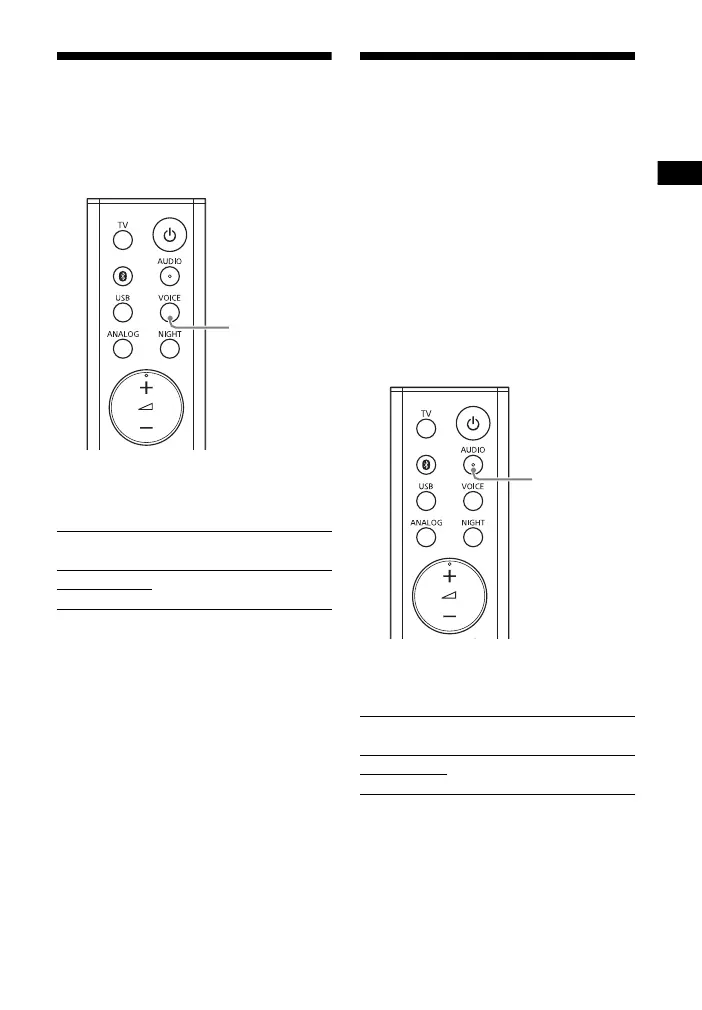
Making Dialogues
Clearer (VOICE)
You can make dialogs clearer by setting
the voice mode to on.
Press VOICE to set the function to on
or off.
Making Sound with Low
Volume Easy to Hear by
Compressing Dynamic
Range
This function works only when playing
the Dolby Digital signal of the device
that is connected to the TV IN (OPTICAL)
jack. When you set Dolby DRC (Dynamic
Range Control) to on, dynamic range of
the audio signal (range between the
maximum and minimum volume) is
compressed and sound with low
volume is easy to hear.
Hold down AUDIO for 5 seconds to set
the function to on or off.
Voice mode on
The MOVIE and MUSIC indicators flash twice.
Voice mode off
The MOVIE indicator flashes twice.
Dolby DRC on
The USB and ANALOG indicators flash twice.
Dolby DRC off
The USB indicator flashes twice.



 To Next Page