26
GB
Setting the Attenuation
Function for the ANALOG
IN and TV IN (OPTICAL)
Jacks
Distortion may occur when you listen to
a device connected to the ANALOG IN
and TV IN (OPTICAL) jacks. You can
prevent distortion by attenuating the
input level on the system.
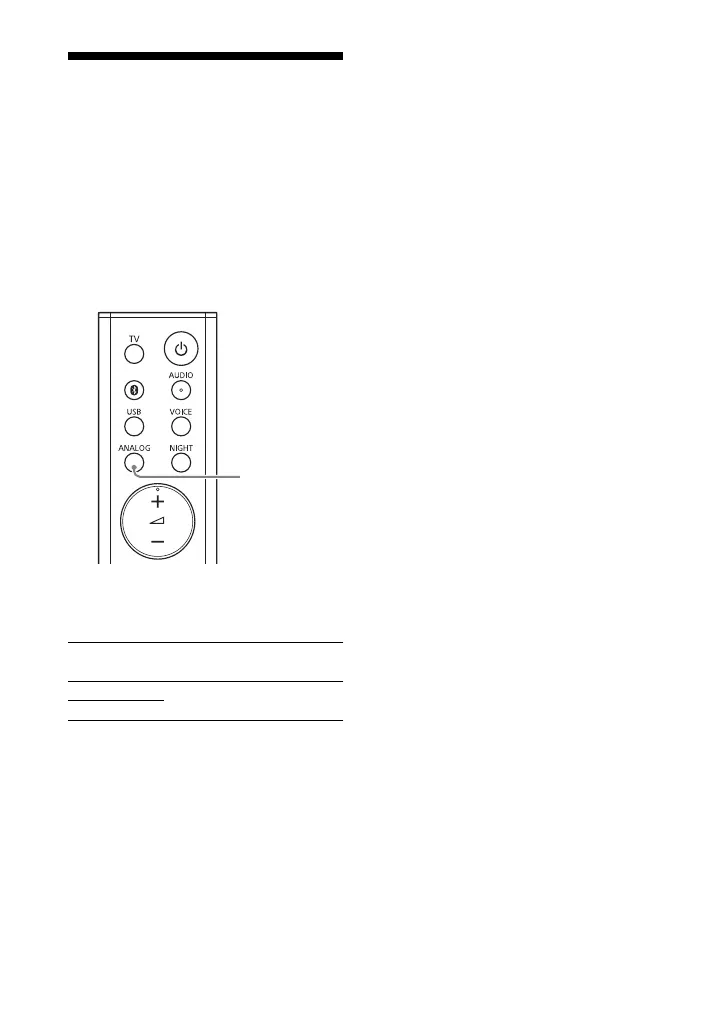
Hold down ANALOG for 5 seconds to
set the function to on or off.
Attenuation on
The USB and ANALOG indicators flash twice.
Attenuation off
The USB indicator flashes twice.



 To Next Page