20
GB
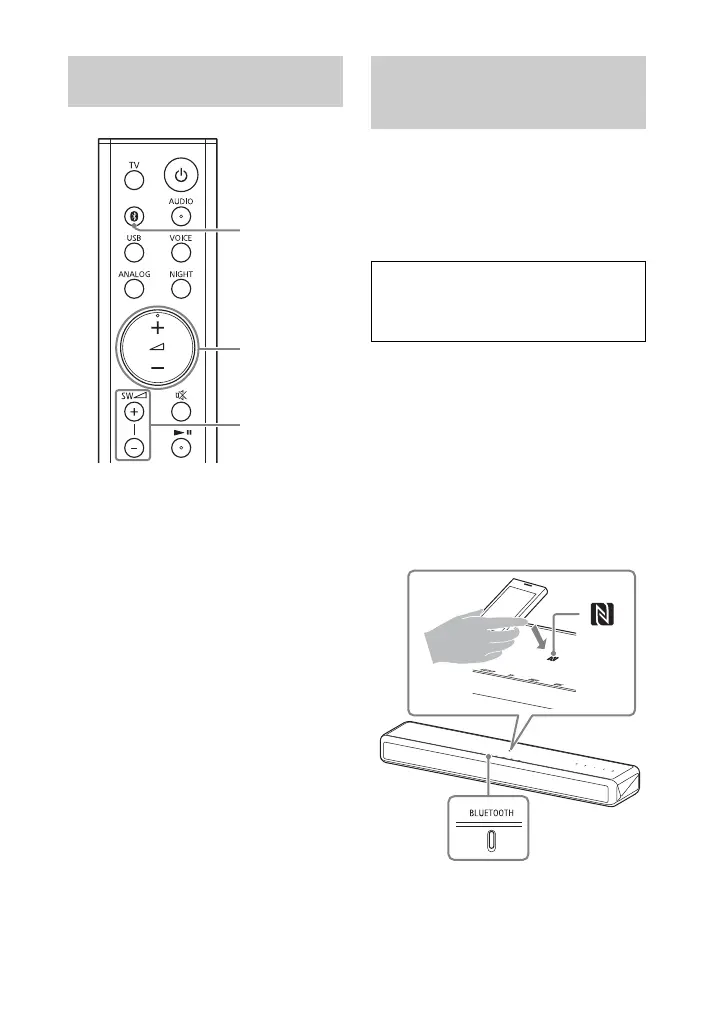
1 Turn the BLUETOOTH function of
the mobile device to on.
2 Press BLUETOOTH.
The system automatically
reconnects to the BLUETOOTH
device it was most recently
connected to.
3 Make sure that the BLUETOOTH
indicator lights in blue.
A connection between the system
and mobile device has been
established.
4 Start audio playback with the
music app on the connected
mobile device.
Sound is output from the main unit.
5 Adjust the volume.
• Adjust the volume by pressing
+/– on the remote control.
• Adjust the subwoofer volume by
pressing SW +/– on the remote
control (page 18).
By holding an NFC-compatible mobile
device such as a smartphone or tablet
near the N mark on the main unit, the
system is turned on automatically, then
pairing and BLUETOOTH connection are
performed automatically.
1 Turn on the NFC function of the
mobile device.
2 Touch the N mark on the main unit
with the mobile device.
Keep touching until the mobile
device vibrates and message
appears on the mobile device.
Follow the on-screen instructions to
complete pairing of the main unit
and mobile device.
Listening to Music from the
Paired Mobile Device
Connecting to a Mobile
Device by One-Touch
Function (NFC)
Compatible devices
Smartphones, tablets, and music players
with the NFC function built-in
(OS: Android™ 2.3.3 or later, excluding
Android 3.x)



 To Next Page