44
Adjustments and Settings
Chapter 3 Shooting
5 Set the DISPLAY/MENU switch to OFF to exit menu
mode.
Notes
• The level indicator and the effect area marker cannot be
displayed simultaneously, whichever you set to ON later is
preferentially displayed.
• The area marker and the aspect safety marker cannot be
displayed simultaneously, whichever you set to ON later is
preferentially displayed.
• When displaying the focus assist indicators, check that the
flange focal length has been precisely adjusted.
See “Adjusting the Flange Focal Length” (page 32) for the
flange focal length.
Setting the Camera Outputs
You can specify video signals directly output from the camera,
with menu operations.
Note
The MAIN (camera picture), RET (return video), or VF (the
same picture as that displayed in the viewfinder) setting is
common to SD-SDI and VBS. Different signals cannot be
output.
The menu pages used for the output settings have been
registered to the USER menu at the factory.
• <POWER SAVE> (U10)
• <OUTPUT FORMAT> (U15)
• <TEST OUT> (U16)
• <DOWN CONVERTER> (U17)
Set the menu items on the above menu pages to the settings
shown in the following tables.
For details on menu operations and the USER menu, see
“Basic Menu Operations” (page 50).
Outputting the signal being shot (camera picture)
The same textual information as that displayed in the
viewfinder can be added to the output signal by setting
CHARACTER to ON on the <SDI OUT> or <TEST OUT>
page.
To output as HD-SDI
To output as SD-SDI
To output as VBS
Constantly outputting a return video
• When a CCU is connected, one of the signals being
supplied to the CCU can be output from the camera.
• The last selected return signal is output.
To output as HD-SDI
Outputting the same image as that in the viewfinder
With HD-SDI, you can obtain a signal that includes the same
information as that being displayed in the viewfinder according
to the settings for VF MARKER, CHARACTER, VF DETAIL,
ZEBRA, etc. The ON/OFF or other settings for adding
information are common to those for the viewfinder. The
output is synchronized with switching among Y, R, G, and B or
switching to a return signal.
To output as HD-SDI
To output as TEST OUT
Note
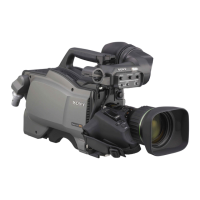
VF signal format (a Y signal only) output from the TEST OUT
connector varies depending on which of the following
viewfinders are connected to the VF connector (20-pin,
round).
No viewfinder: SD component (Y) signal
DXF-C50WA viewfinder: HD component (Y) signal
Viewfinders other than DXF-C50WA: SD component (Y)
signal
Outputting a prompter signal
The VBS signal supplied to the PROMPTER connector of the
CCU is output from the PROMPTER/GENLOCK connector of
the camera.
Adjusting the Audio Level
When the camera is used with the HXCU-D70
The input levels from audio sources connected to the AUDIO
1 IN and AUDIO 2 IN connectors can be adjusted using a
remote control panel connected to the CCU or the
CONFIGURATION menu on the CCU.
When the audio input select switch is set to MIC, the level can
be adjusted between 20 dB and 60 dB in steps of 10 dB.
When the audio input select switch is set to LINE, the level
cannot be adjusted.
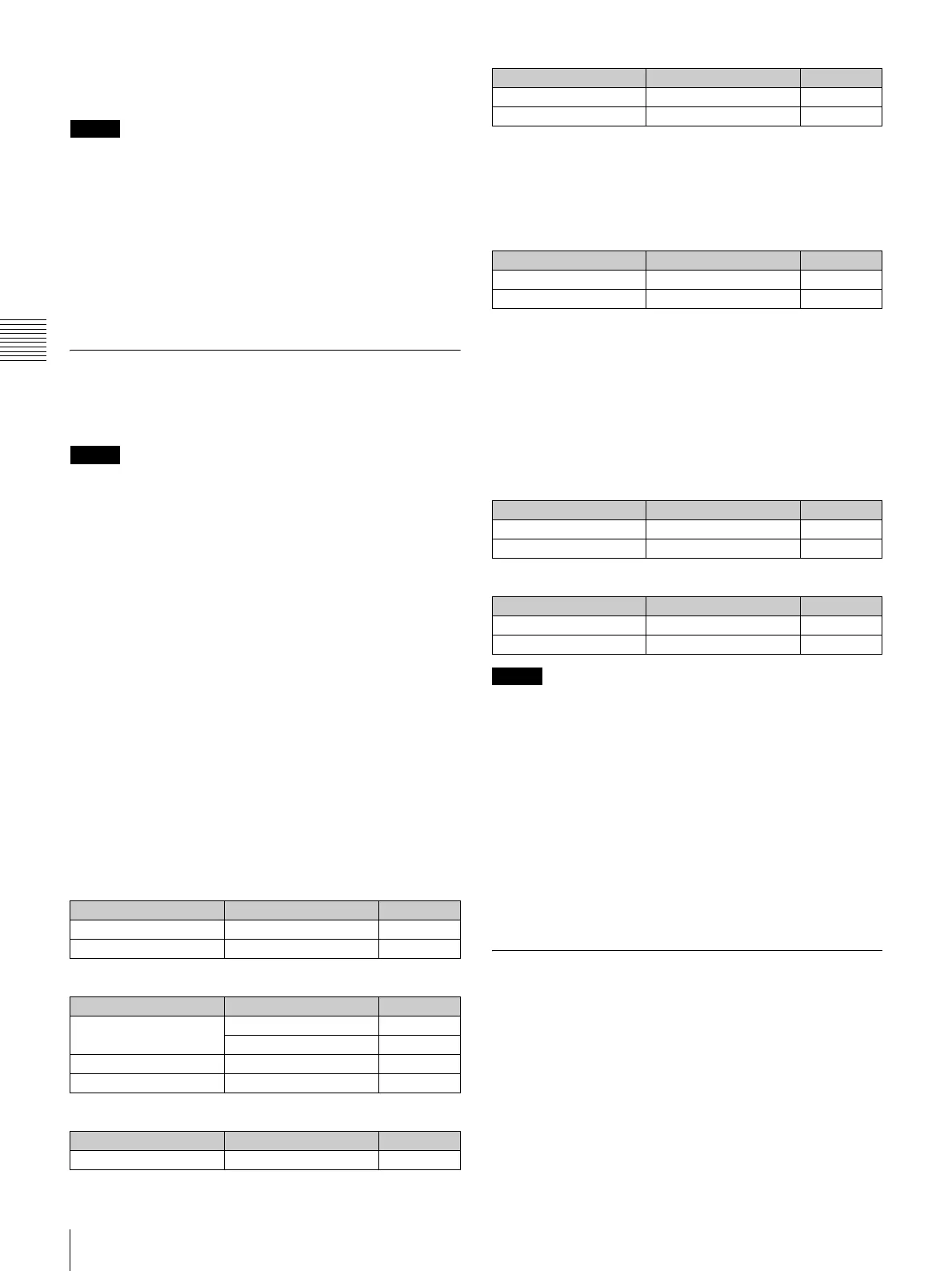
Menu page Item Setting
<POWER SAVE> SDI OUT ACTIVE
<SDI OUT> OUTPUT MAIN
Menu page Item Setting
<POWER SAVE> SDI OUT ACTIVE
DOWN CONVERTER ACTIVE
<DOWN CONVERTER> OUTPUT SIGNAL MAIN
<SDI OUT> OUTPUT SD-SDI
Menu page Item Setting
<POWER SAVE> DOWN CONVERTER ACTIVE
<DOWN CONVERTER> OUTPUT SIGNAL MAIN
<TEST OUT> OUTPUT VBS
Menu page Item Setting
<POWER SAVE> SDI OUT ACTIVE
<SDI OUT> OUTPUT RET
Menu page Item Setting
<POWER SAVE> SDI OUT ACTIVE
<SDI OUT> OUTPUT VF
Menu page Item Setting
<POWER SAVE> DOWN CONVERTER ACTIVE
<TEST OUT> OUTPUT VF
Menu page Item Setting


 To Next Page