
 Need help?
Do you have a question about the Sony HXR-NX5R and is the answer not in the manual?
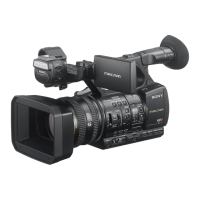
Details about the camcorder's physical components and their labels.
Verifies that all necessary items are included with the camcorder upon purchase.
Lists the types of memory cards compatible with the camcorder.
Basic instructions for starting and stopping movie recording on memory cards.
Explains how to record continuously across multiple memory cards.
Details on recording simultaneously on two memory cards.
Temporary manual or auto focus adjustments using specific buttons.
Details on the camcorder's face detection and automatic focusing feature.
Guides on choosing file formats and recording settings like bit rate and frame rate.
How to manually adjust the iris to control light entering the lens.
Explains how to adjust the gain to increase image brightness in low light.
Guides on setting shutter speed to control exposure and motion blur.
Instructions for setting white balance to match ambient lighting conditions.
Instructions for recording audio using the camcorder's built-in microphone.
Guides on connecting and recording audio from external sources.
Basic instructions for playing back recorded movies on the camcorder.
Instructions for installing the mobile app for remote camcorder control.
Guides on controlling camcorder functions remotely via a smartphone.
Steps for NFC-based connection between Android devices and the camcorder.
Guides on connecting the camcorder to a Wi-Fi network by selecting an access point.
Instructions for registering a Wi-Fi access point using the WPS button method.
Steps to register a Wi-Fi access point using its PIN code.
Guides on manually configuring Wi-Fi access point settings.
Instructions on setting up and saving streaming configurations.
Guides on distributing a movie stream over the network while shooting.
Steps for setting up user information for USTREAM authentication.
Guides on configuring USTREAM settings like image size and server recording.
Instructions for initiating USTREAM streaming after configuration.
Guides on setting up an FTP server for transferring files.
Instructions on performing file transfers using the connected network.
Steps for importing a root certificate required for secure FTP or USTREAM.
Procedure for a thorough data erasure of the memory card.
Settings for selecting video output destination and signal format.
Settings for Wi-Fi connection, including access point configuration.
Troubleshooting steps for power, LCD, and remote commander issues.
Troubleshooting common playback issues with recorded media.
Troubleshooting issues when connecting the camcorder to a TV.
Troubleshooting camcorder recognition and data transfer issues with computers.
Lists and provides solutions for common error messages during network operations.
Troubleshooting problems encountered during the recording process.
Troubleshooting messages related to memory card errors and inconsistencies.
Lists functions supported or not supported for AVCHD, XAVC S HD, and DV formats.
Precautions and guidelines for using memory cards with the camcorder.
Details about the 'InfoLITHIUM' battery pack and its features.
General guidelines for using and caring for the camcorder.
Precautions and advice for handling the camcorder and its accessories.
Details on all audio, video, SDI, HDMI, USB, and other connectors.
 General
| Camcorder type | Handheld camcorder |
|---|---|
| Minimum illumination | 1 lx |
| Supported aspect ratios | 4:3, 16:9 |
| Product color | Black |
| DC-in jack | Yes |
| PictBridge | No |
| Composite video out | 1 |
| USB 2.0 ports quantity | USB 2.0 ports have a data transmission speed of 480 Mbps, and are backwards compatible with USB 1.1 ports. You can connect all kinds of peripheral devices to them. |
| Component video (YPbPr/YCbCr) out | 0 |
| Storage temperature (T-T) | -20 - 60 °C |
| Operating temperature (T-T) | 0 - 40 °C |
| Battery voltage | 7.2 V |
| Battery capacity | - mAh |
| Battery life (max) | 7.2 h |
| Battery technology | - |
| Video resolutions | 720 x 576, 1280 x 720, 1440 x 1080, 1920 x 1080 pixels |
| Maximum frame rate | 50 fps |
| Video formats supported | AVC, AVCHD, H.264, MPEG4 |
| Maximum video resolution | 1920 x 1080 pixels |
| Analog signal format system | NTSC, PAL |
| Bitrate at maximum video resolution | 50 Mbit/s |
| Sensor type | CMOS |
| Total megapixels | 2.07 MP |
| Optical sensor size | 1/2.8 \ |
| Memory slots | 2 |
| Camcorder media type | Memory card |
| Compatible memory cards | MS PRO Duo, SD, SDHC, SDXC |
| Maximum memory card size | 64 GB |
| Internal storage capacity | - GB |
| Audio system | Dolby Digital |
| PCM digital audio | 16-bit/48 kHz |
| Audio formats supported | PCM |
| Filter size | 72 mm |
| Digital zoom | 40 x |
| Optical zoom | 20 x |
| Focal length range | 4.1 - 82 mm |
| Maximum aperture number | 3.4 |
| Minimum aperture number | 1.6 |
| Focal length (35mm film equivalent) | 28.8 - 576 mm |
| Focus adjustment | Auto/Manual |
| Closest focusing distance | 0.01 m |
| Camera shutter speed | 1/3 - 1/10000 s |
| Viewfinder type | Electronic |
| Wi-Fi standards | 802.11b, 802.11g, Wi-Fi 4 (802.11n) |
| Cables included | AC, USB |
| Maximum image resolution | - pixels |
| Display diagonal | 8.8 \ |
 Weight and Dimensions
| Depth | 385 mm |
|---|---|
| Width | 176 mm |
| Height | 199.5 mm |
| Weight | 2110 g |



 To Next Page