25
Getting Started
Step 5: Turning on the camcorder and setting
the date and time
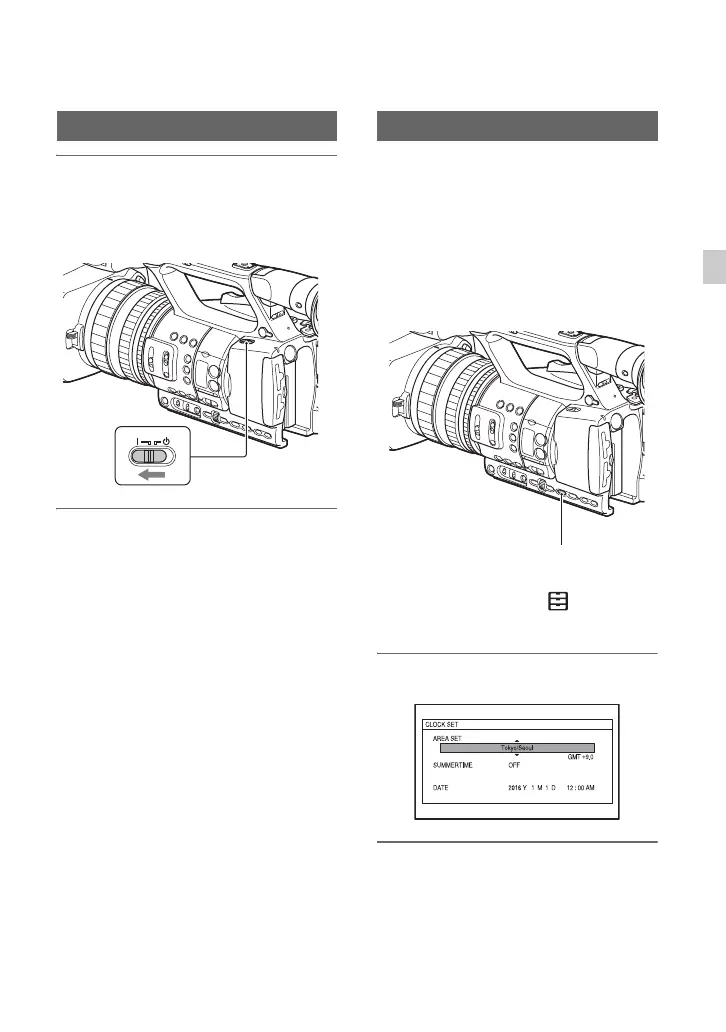
Set the ON/STANDBY switch to ON
(❙).
When you use your camcorder for the first
time, the [CLOCK SET] screen appears.
To turn off the power
Set the ON/STANDBY switch to
STANDBY (1).
b Note
• If a warning message is displayed, follow the
instructions.
Set the date and time when you use your
camcorder for the first time.
z Tip
• If you do not use your camcorder for about 3
months, the built-in rechargeable battery gets
discharged and the date and time settings may
be cleared from the memory. In that case,
charge the rechargeable battery and then set the
date and time again (p. 137).
To set the date and time again, press the
MENU button, and select (OTHERS)
t [CLOCK SET].
1 Set the area.
2 Set [SUMMERTIME], [Y], [M], [D],
hour, and minute.
Turning on the camcorder Setting the date and time
MENU button
Continued ,



 To Next Page
 Loading...