72
Menu List
Chapter 4 Menu and Detailed Settings
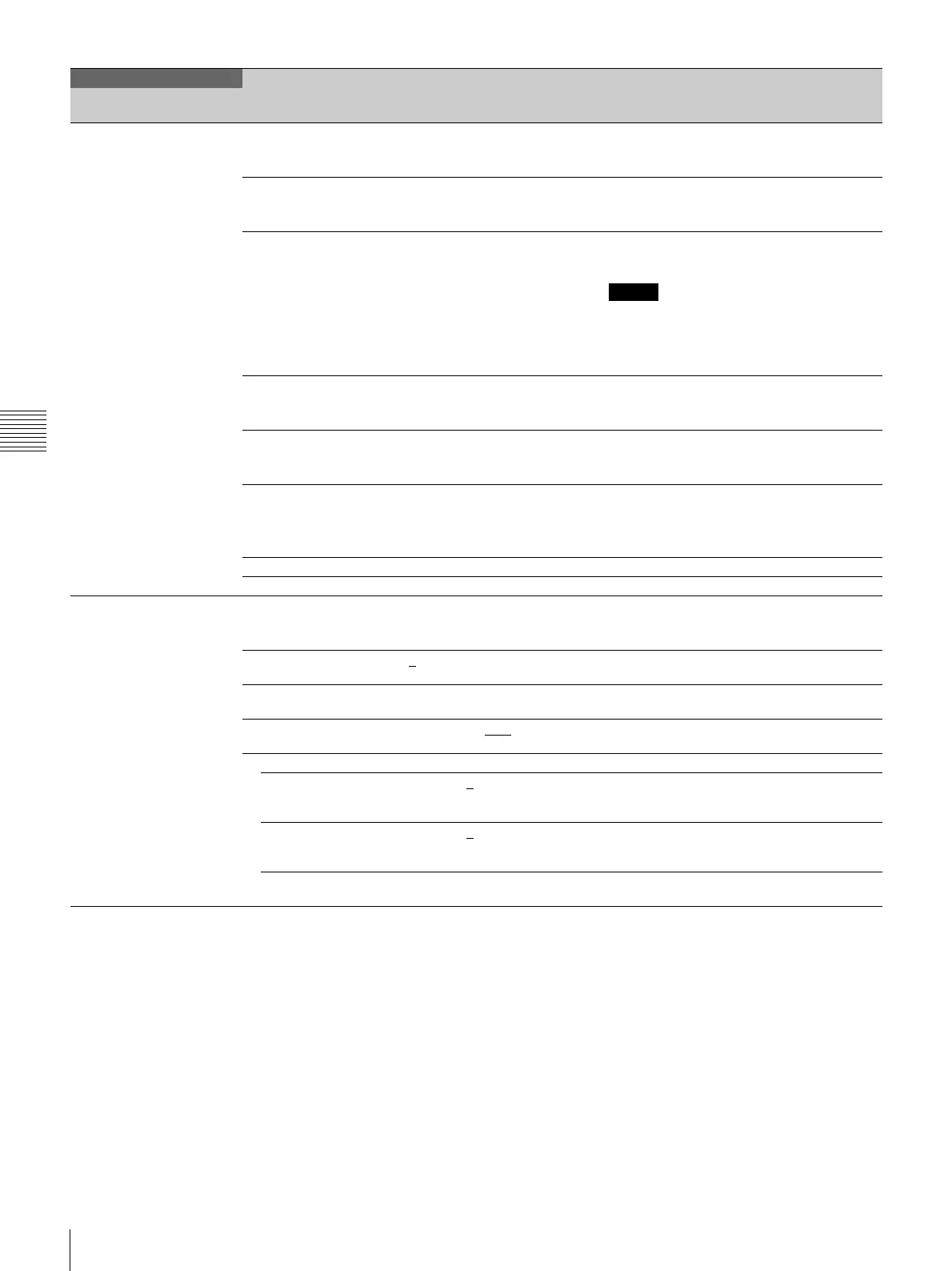
<REFERENCE>
F03
STORE FILE Stores the current settings in the reference file
to the camera’s internal memory.
(Execute by ENTER.)
STANDARD Reads the standard values in the reference file
from the internal memory.
(Execute by ENTER.)
ALL PRESET Returns the camera settings to the factory
preset. (Execute by ENTER.)
Note
The area settings are cleared when this function
is executed.
Restart the unit after completing the area
settings.
READ (MStCAM) Loads a reference file from a “Memory Stick
Duo.”
(Execute by ENTER.)
WRITE (CAMtMS) Writes the current settings in the reference file
to a “Memory Stick Duo.”
(Execute by ENTER.)
FILE ID Enters a reference file name, using up to 16
characters, to be written to a “Memory Stick
Duo.”
See “To specify a character string” on page 52.
CAM CODE Displays the camera code. (Display only)
DATE Displays the date. (Display only)
<LENS FILE>
F04
STORE FILE Stores the current settings in the lens file to the
camera’s internal memory.
(Execute by ENTER.)
No. 1
to 17 1 to 16: When using a non-serial lens
17: When using a serial lens
NAME Lens file name (Changeable only when using a non-serial
lens.)
F NO F1.0 to F3.4 F1.7
(Changeable only when using a non-serial
lens.)
CENTER MARKER Sets and store the center marker position.
H POS -20 to 20 0
Adjusts the marker position in the horizontal
direction. (Increasing the value moves it to the
right.)
V POS -20 to 20 0
Adjusts the marker position in the vertical
direction. (Increasing the value moves it
downwards.)
STORE Stores the center marker position. (Execute by
ENTER.)
FILE
Page title
Page No.
Item Settings Description


 To Next Page