ICD-P630F GB 3-295-271-11 (1)
49
GB
Using the IC Recorder with Your Computer
For Windows Vista
1 Click [Start] – [Control Panel]
– [Programs], and then select and
click [Uninstall a Program] from the
category.
2 Select [Digital Voice Editor 3] from the
list and click [Uninstall].
3 Click [Continue] in the [User Account
control] window.
4 Follow the instructions on the screen.
Note
If you wish to move the software to another
drive or directory after it is installed, you must
uninstall the software first, and then re-install
it. The software does not work properly if you
just move the software files.
Tip
Uninstallation does not remove the message
files.
Connecting the IC recorder
to your computer
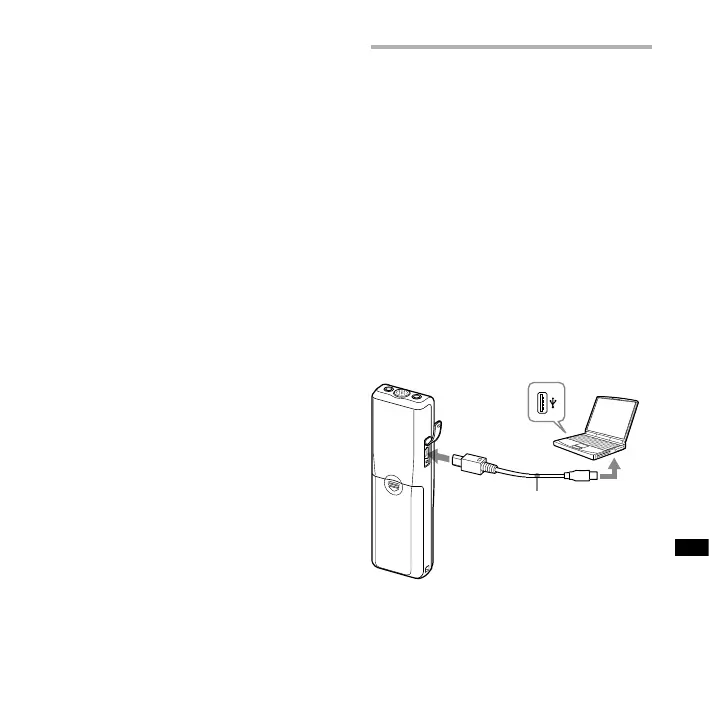
You can transfer the IC recorder data
onto your computer by connecting the
IC recorder to the computer.
Use the USB connecting cable supplied
with the IC recorder to connect the USB
connectors of the IC recorder and your
computer.
The IC recorder is recognized by
the computer as soon as the cable
is connected. You can connect or
disconnect the cable when the IC
recorder and the computer are turned
on or o.
To USB
connector of
IC recorder
To USB
connector
of your
computer
Connecting cable
(supplied)



 To Next Page