GB
56
Inserting a memory card (sold
separately)
To remove the memory card
Make sure that the access lamp (page 20) is not lit, then push the memory
card in once.
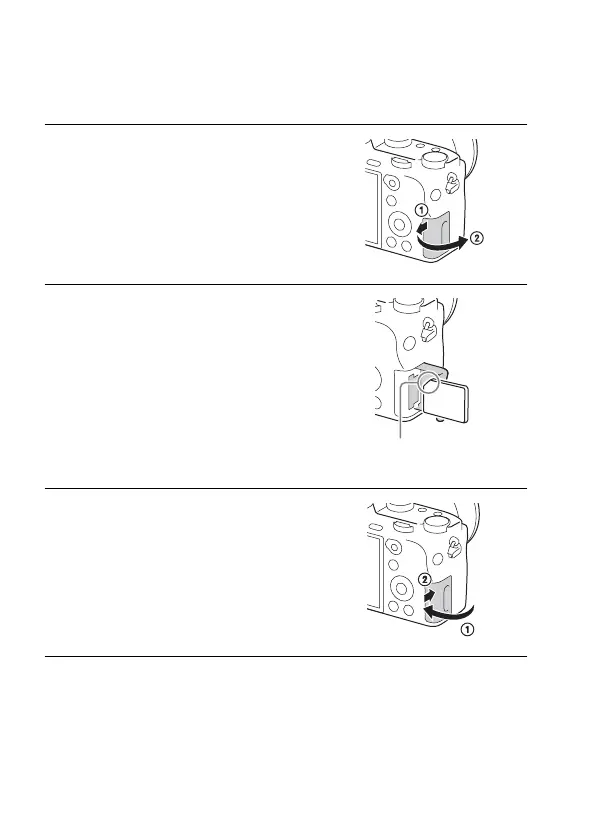
1 Slide the memory card cover to
open it.
2 Insert the memory card.
• With the notched corner facing as
illustrated, insert the memory card until
it clicks into place.
Ensure the notched corner faces
correctly.
3 Close the cover.


 To Next Page