Various functions
GB
77
Various functions
Using the various functions
This manual mainly provides an introduction on the use of the camera and a
list of functions. To learn more about the camera, refer to “Help Guide”
(page 2), which offers in-depth instructions on the many functions.
The larger the image size, the more detail will be reproduced when the
image is printed on large-format paper. The smaller the image size, the
more images can be recorded.
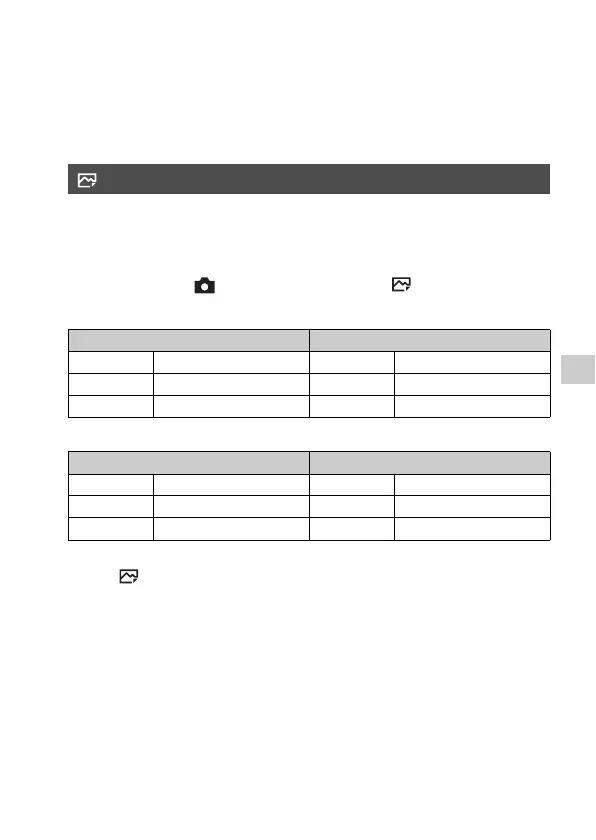
MENU button t (Camera Settings) t [ Image Size] t
Select the desired setting.
When [APS-C/Super 35mm] is set to [On]
Notes
• When [ Quality] is set to [RAW] or [RAW & JPEG], the image size for RAW
images corresponds to [L].
Image Size (still image)
When [Aspect Ratio] is 3:2 When [Aspect Ratio] is 16:9
L: 12M 4240 × 2832 pixels L: 10M 4240 × 2384 pixels
M: 5.1M 2768 × 1848 pixels M: 4.3M 2768 × 1560 pixels
S: 3.0M 2128 × 1416 pixels S: 2.6M 2128 × 1200 pixels
When [Aspect Ratio] is 3:2 When [Aspect Ratio] is 16:9
L: 5.1M 2768 × 1848 pixels L: 4.3M 2768 × 1560 pixels
M: 3.0M 2128 × 1416 pixels M: 2.6M 2128 × 1200 pixels
S: 1.3M 1376 × 920 pixels S: 1.1M 1376 × 776 pixels


 To Next Page