35
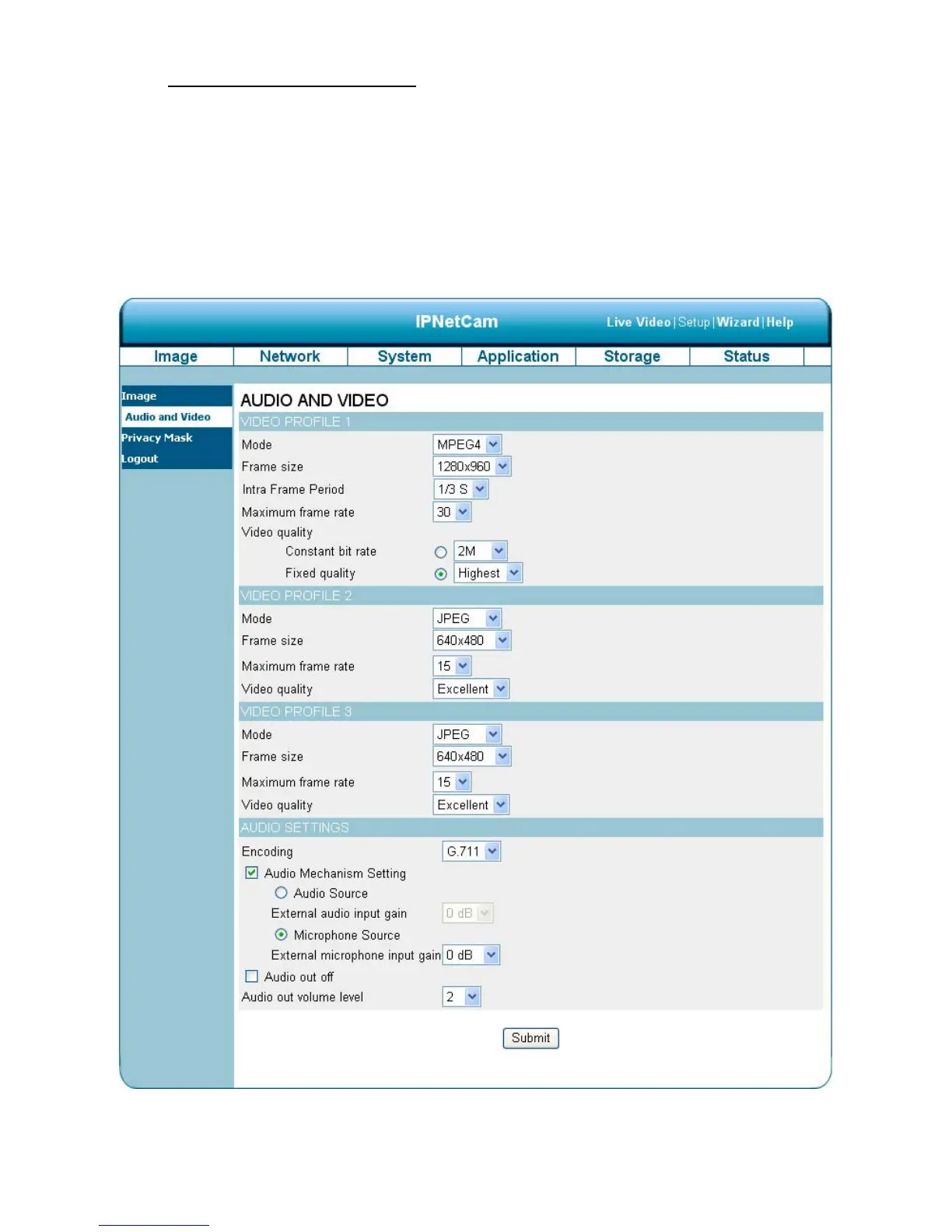
The Audio and Video setting page
1. Click on the Audio and Video button to enter the Audio and video page to set the details of
the device. You may configure video profiles with different settings for your camera. Hence,
you may setup different profiles for your computer and mobile displays. In addition, you may
also configure your audio setup for your camera. Click Submit to activate and save your
changes.
2. Set the “Mode”, “Frame size”, “Maximum frame rate” and “Video quality” of the Video Profile as
necessary.



 To Next Page