Help Guide
Wireless Noise Canceling Gaming Headset/Wireless Gaming Headset
INZONE H9/INZONE H7
Listening to ambient sound while playing games (Ambient Sound Mode) (INZONE H9
only)
You can hear ambient sound through the microphones embedded in the left and right units of the headset while enjoying
games.
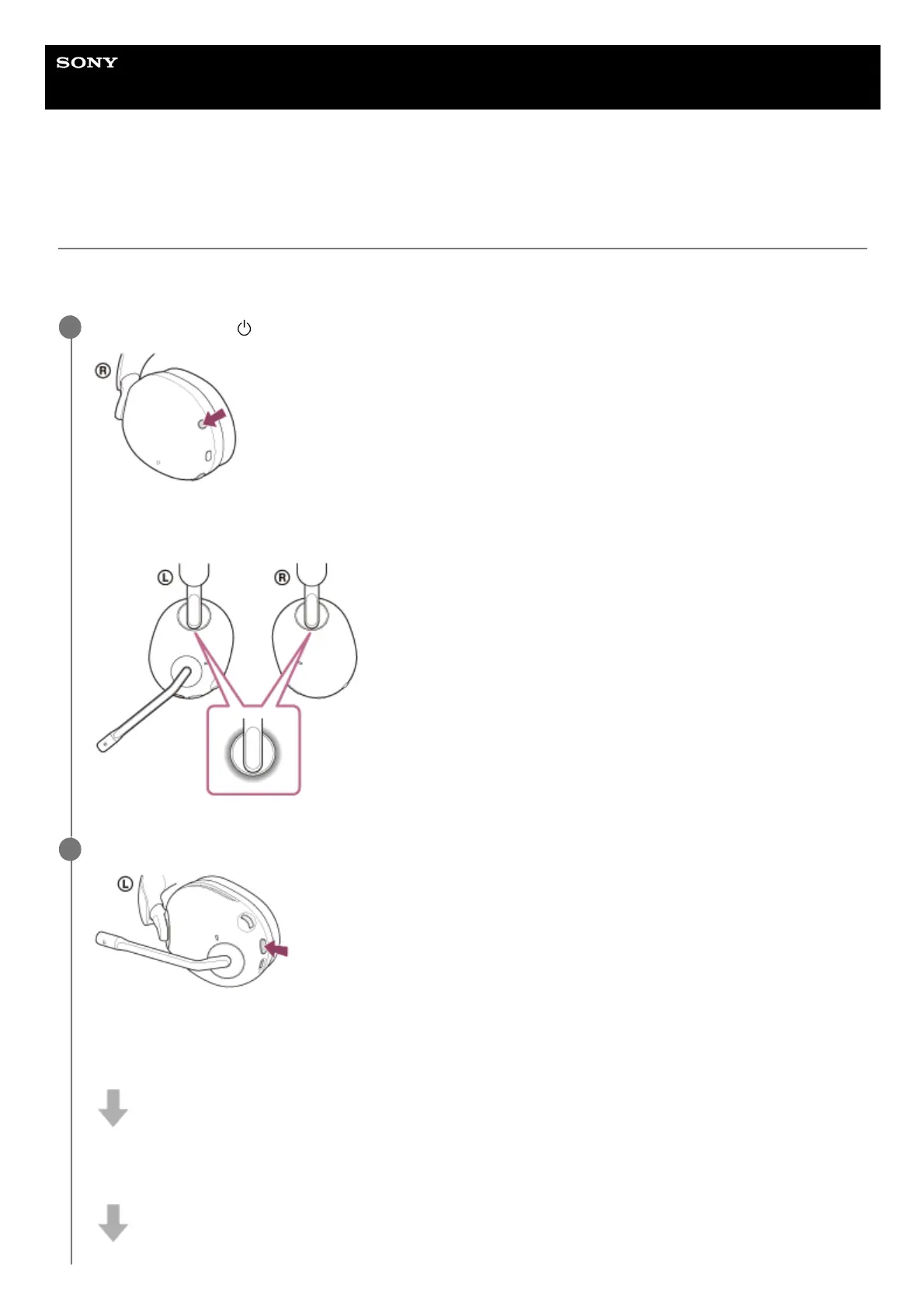
Press and hold the
(power) button for about 2 seconds or more to turn on the headset.
The left and right ring indicators (white or blue) light up for about 5 seconds.
You will hear a notification sound indicating that the headset is turned on.
1
Press the NC/AMB button to switch to the Ambient Sound Mode.
Each time the button is pressed, the function switches as follows.
Noise canceling function: ON
You will hear a notification sound indicating that the noise canceling function is turned on.
Ambient Sound Mode: ON
You will hear a notification sound indicating that the Ambient Sound Mode is turned on.
2



 To Next Page