55
SEC 2. ADJUSTMENT
HOW TO ENTER SERVICE MODE
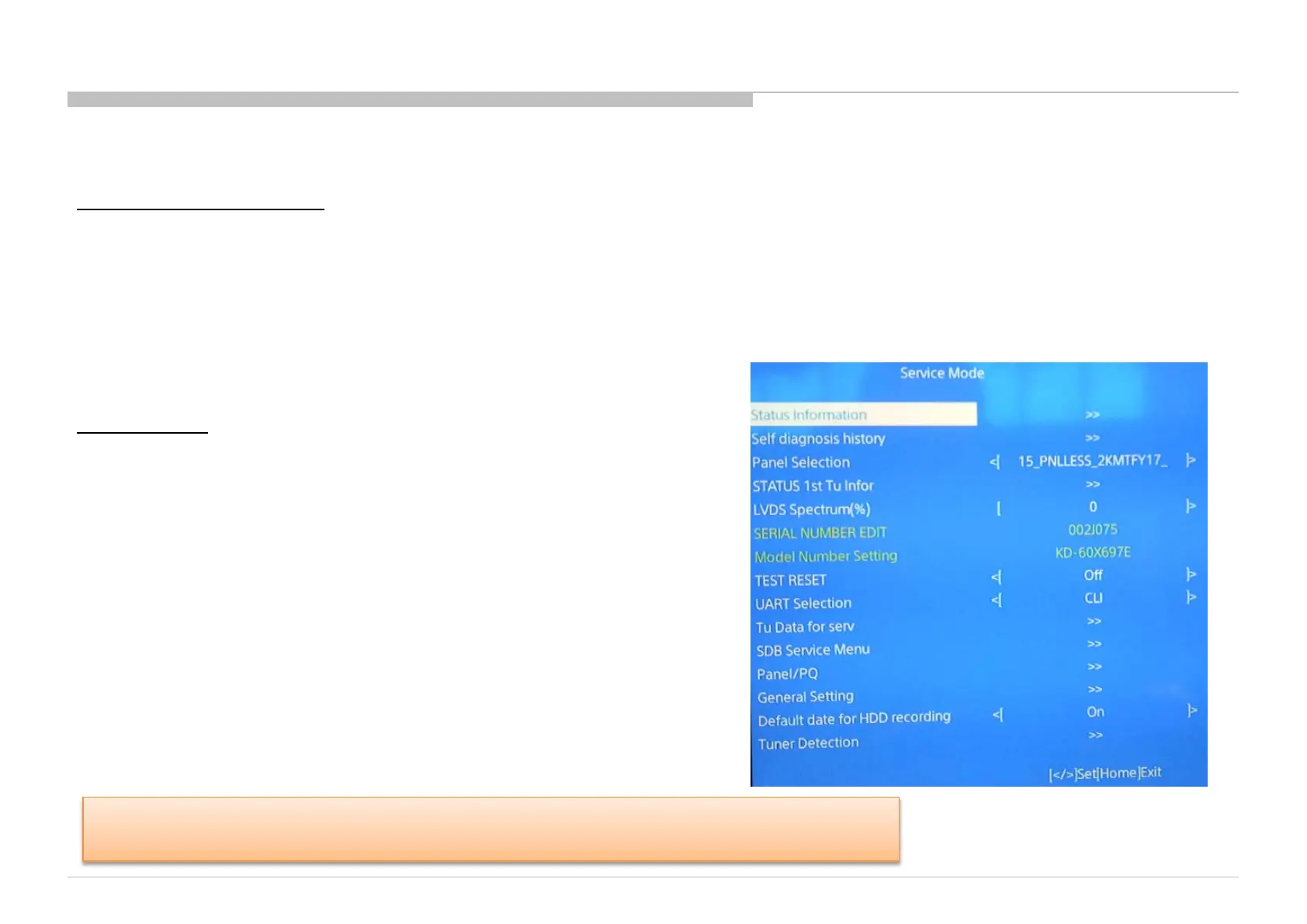
TV Under Standby Mode
1) Turn on the main power switch to place this set in standby mode.
2) Press the buttons on the remote commander as below, and enter service mode.
Info(DISPLAY) (Digit key) 5 Volume “+” Power On
3) TV will power on, and then Service menu will display.
TV Power On
1) Turn on the TV.
2) Press the buttons on the remote commander as below,
and enter service mode.
Left Right Mute Enter Mute Volume “+”
3) Service mode display.
When replace Main Board or panel, please confirm " SERIAL NUMBER EDIT " and "Model
Number Setting" in service menu, and set to the correct name according to your info.
KD-60X690E/KD-70X690E(UC2/LA1)/KD-60X695E(AR4/LA8)/KD-60X697E(CO1)/KD-60X6700E/KD-70X6700E(AZ1/ME6/EA4)







 To Next Page