Connecting the TV
42
KDF-E42A10/KDF-E50A10
2-597-544-12(1)
D:\WINNT\Profiles\noriko\Desktop\Troy EN2\2597544121\01US04INS.fm
masterpage:3 columns Right
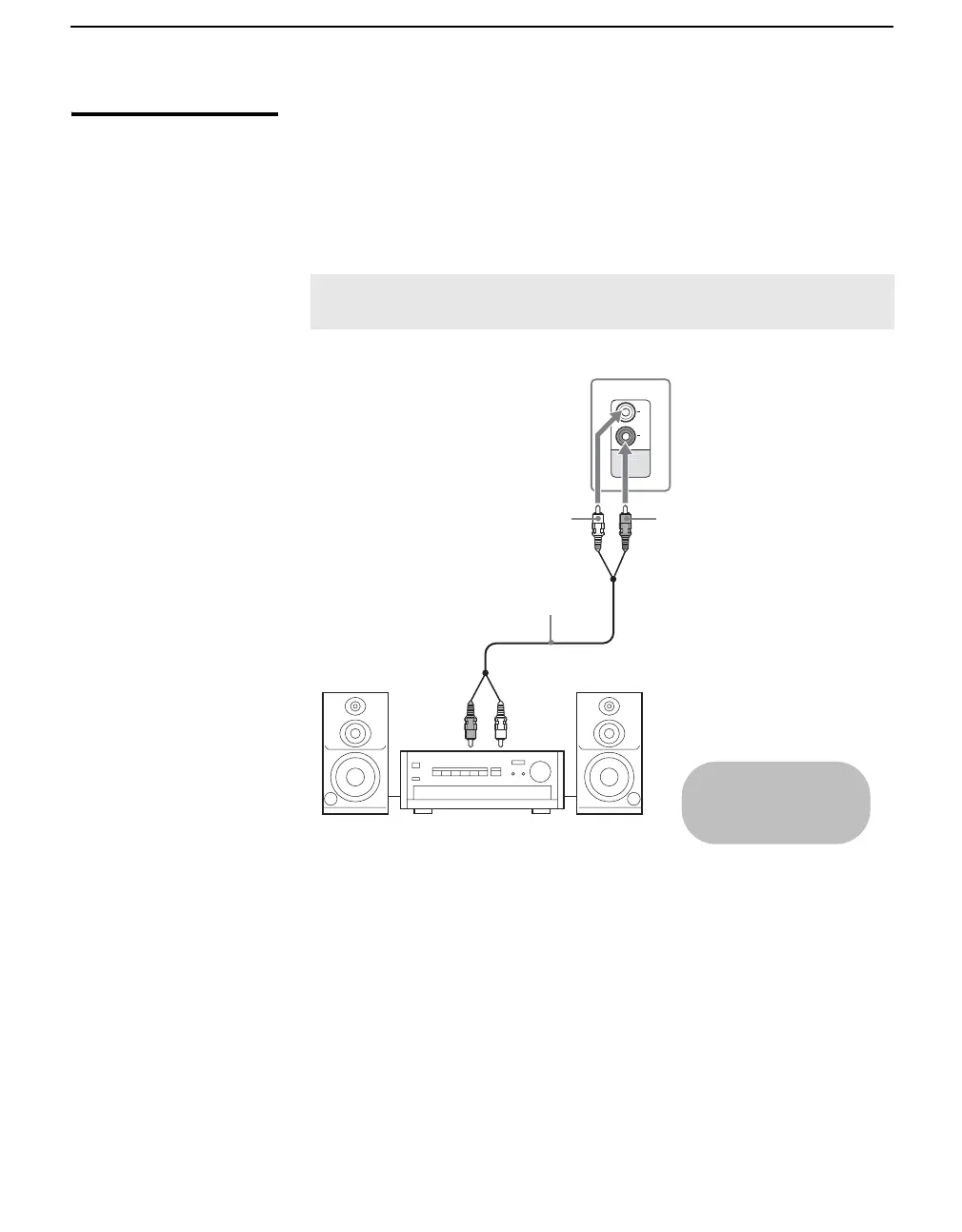
Audio Receiver For improved sound quality, you may want to play the TV’s audio through
your stereo system (see page 67).
Disconnect all power sources before making any connections.
Using an audio cable, connect the TV’s AUDIO OUT (VAR/FIX) jacks to
the audio receiver’s audio LINE IN jacks.
✍ AUDIO OUT jacks are operable only when the TV’s Speaker is set to
Off.
Rear of TV
AUDIO-L AUDIO-R
Audio cable
Line
input
Cables are often
color-coded to connectors.
Connect red to red,
white to white, etc.
Audio receiver






 To Next Page