G:\#sagyou\Sony\1208\4297517141\4297517141KDL32BX310UC\01US0
6WEL.fm
masterpage:Left
20
KDL-32BX310
4-297-517-14(1)
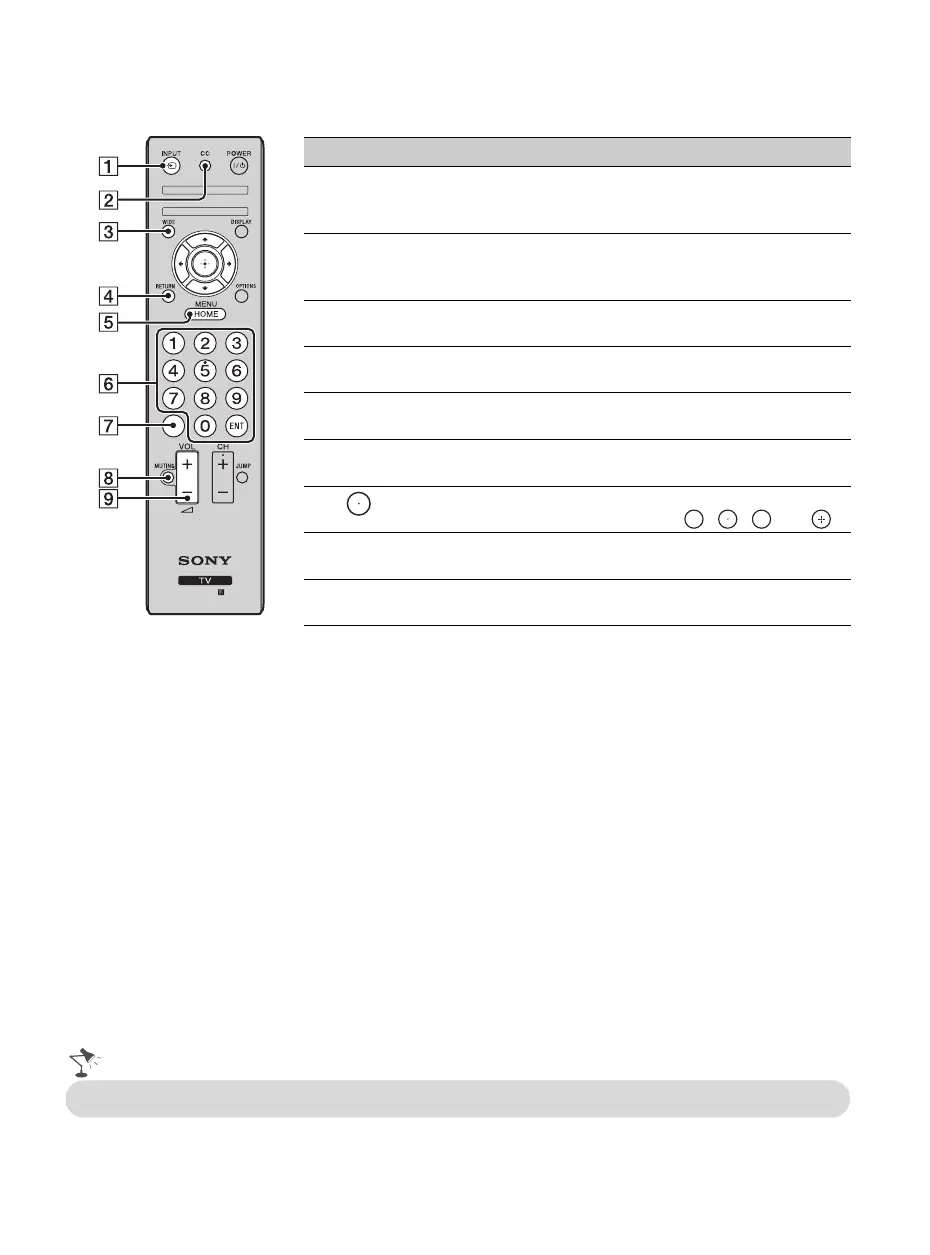
Remote Control Button Description
Button Description
1 INPUT Press to display the list of External Inputs and TV
mode. Press repeatedly to toggle through the inputs.
See page 24.
2 CC Press to cycle through the available settings for
Closed Captions (CC)
:
On
,
Off
, and
On when
Muting
.
3 WIDE Press repeatedly to cycle through the available Wide
Mode settings. See page 23.
4 RETURN Press to go back to the previous screen or exit from the
screen when displaying menu items and settings.
5 HOME/
MENU
Press to display the menu with TV functions and
settings. See “Using the Menus” on page 26.
6 0-9 ENT Press 0-9 to select a channel. Press
ENT
to change
channels immediately.
7 Use with 0-9 to select digital channels.
For example, to enter 2.1, press , , and .
8 MUTING Press to mute the sound. Press again or press VOL + to
restore the sound.
9 VOL (2)
+/–
Press to adjust the volume.
2 1
•The 5 and CH + buttons have a tactile dot. Use them as a reference when operating the TV.
01US0 Cov-UC.book Page 20 Thursday, December 8, 2011 5:43 PM




 To Next Page