G:\#sagyou\Sony\1208\4297517141\4297517141KDL32BX310UC\01US0
6WEL.fm
masterpage:Left
22
KDL-32BX310
4-297-517-14(1)
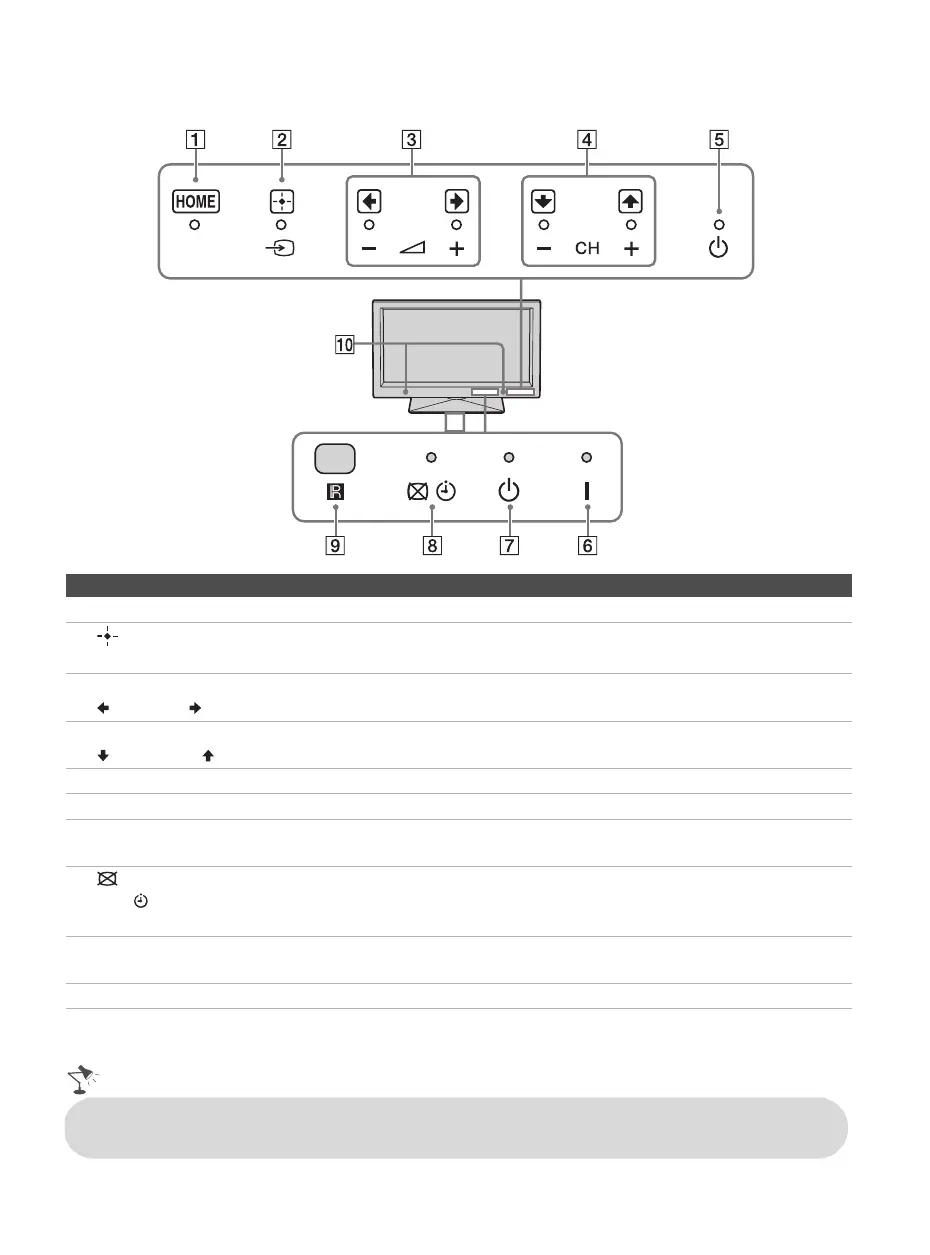
TV Controls and Indicators
Item Description
1 HOME
Press to display
menu
with TV functions and settings (see “Using the Menus” on page 26).
2
t (Input)
Press to display the list of external inputs. Press repeatedly to toggle through the inputs.
In the menu screen, this button serves as confirming the selection or setting.
3 – 2 +
Press to adjust the volume. In the
menu
screen, these buttons serve as left/right buttons.
4 – CH + Press to scan through channels. To scan quickly through channels, press and hold down
either CH –/+. In the menu screen, these buttons serve as up/down buttons.
5 1 (Power) Press to turn on and off the TV.
6 " (Power) LED Lights up in green when the TV is turned on.
7 1 (Standby)
LED
Lights up in red when the TV is in standby mode.
8 (Picture
Off)/
(Timer) LED
Lights up in orange when the sleep timer is set.
Lights up in green when the Power Saving is set to Picture Off.
9 (IR) Infrared
Receiver
Receives IR signal from the remote control. Do not put anything over the sensor, doing
so may affect its function.
0 Speaker Outputs audio signal.
• For more information about setting up the external inputs labels and the Skip feature, see page 35.
• Make sure that the TV is completely switched off before unplugging the power cord.
01US0 Cov-UC.book Page 22 Thursday, December 8, 2011 5:43 PM




 To Next Page