KDL-32/40EX720,721,723,724(AEP/UK)
94
<32/40 inch>
2.Peel off the double sided tape
To peel off the double sided tape between the bezel assembly and the panel, push the bezel down and pull the panel up.
To prevent breaking the panel it is prohibited to push the panel from the front.
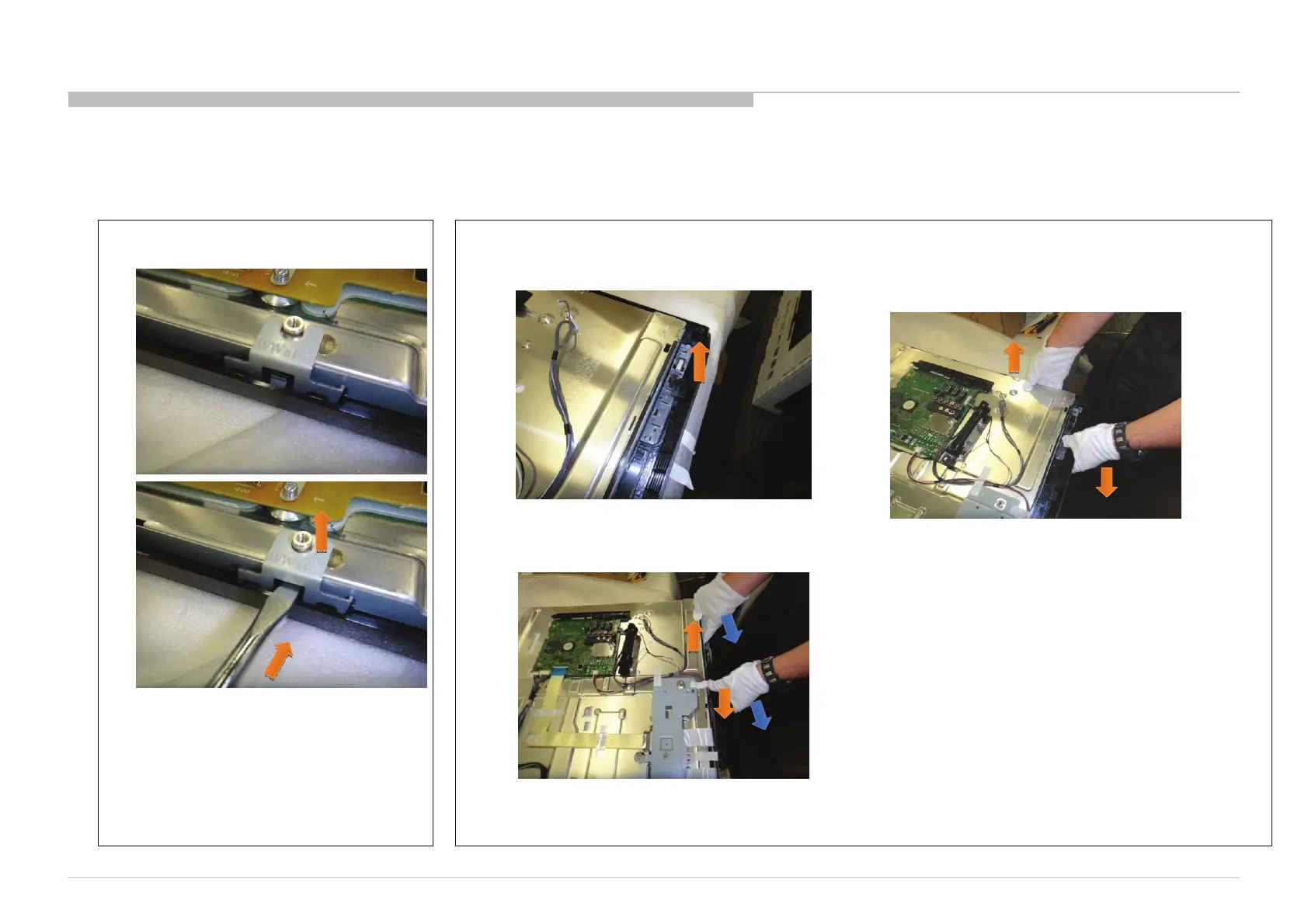
1.Take off “Bracket, Panel”
Take off “Bracket, Panel” by pushing bezel hook.
The positions are shown on the following pages.
Pushinghook
Putoff
(1)Take off LED board to assist with tape peel off. (2)Put hand between bezel and panel, pull panel up and
push bezel down as shown in the picture.
Shouldpullup
metalarea,
shouldnotcellarea.
(3)Moving hands along, peeling off tape, pull up and push down near the tape as you go along.
Movinghands
stepbystep
APPENDIX-2
1. PROCEDURE TO REMOVE THE LCD PANEL FROM THE BEZEL ASSY
Peel off the double sided tape between the bezel assembly and the LCD panel when exchanging the LCD panel, etc, follow the instructions below.




 To Next Page