22
GB
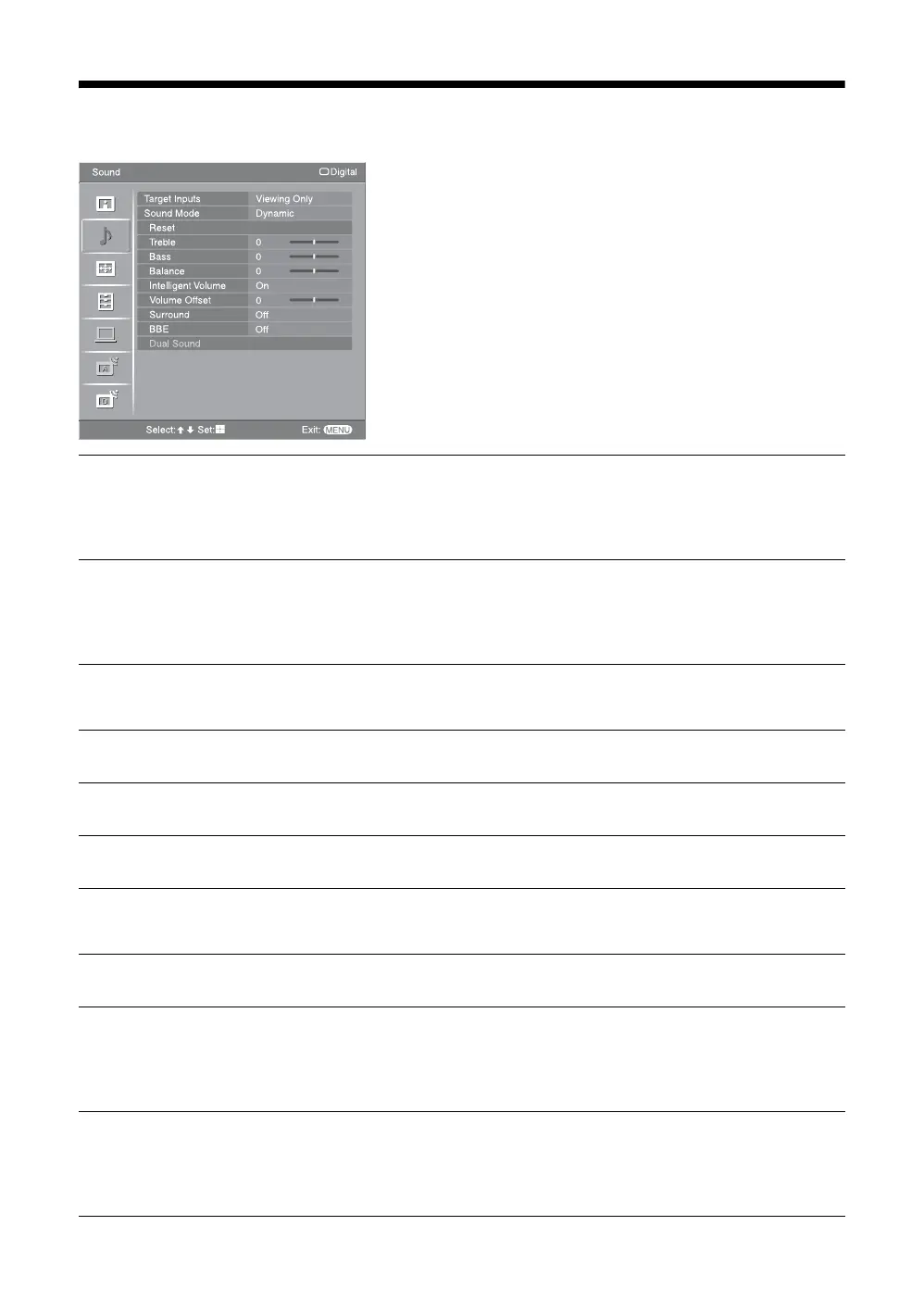
Sound menu
You can select the options listed below on the Sound
menu. To select options in “Settings”, refer to “Picture
menu” (page 20).
Target Inputs
Selects whether to apply settings made in the Sound menu to all inputs, or only to the
input currently being watched.
“All”: Applies settings to all inputs.
“Viewing Only”: Applies settings only to the current input.
Sound Mode
Selects the sound mode.
“Dynamic”: Enhances treble and bass.
“Standard”: For standard sound. Recommended for home entertainment.
“Custom”: Flat response. Also allows you to store your preferred settings.
Reset
Resets all the “Sound” settings except “Target Inputs”, “Sound Mode” and “Dual
Sound” to the factory settings.
Treble
Adjusts higher-pitched sounds.
Bass
Adjusts lower-pitched sounds.
Balance
Emphasizes left or right speaker balance.
Intelligent Volume
Keeps a constant volume level even when volume level gaps occur (e.g. adverts tend
to be louder than programs).
Volume Offset
Increases or decreases the sound level.
Surround
Selects the surround mode.
“TruSurround XT”: For surround sound (for stereo program only).
“Simulated Stereo”: Adds a surround-like effect to mono programs.
“Off”: For normal stereo or mono reception.
BBE
Gives sound more impact by compensating for phase effects in speakers using the
“BBE High Definition Sound System”.
To reproduce sounds with impact, select “High” (more impact) or “Low” (less
impact). Otherwise select “Off”.









 To Next Page