34
GB
Connecting optional equipment
Using Optional Equipment
You can connect a wide range of optional equipment to your TV. Connecting cables are not supplied.
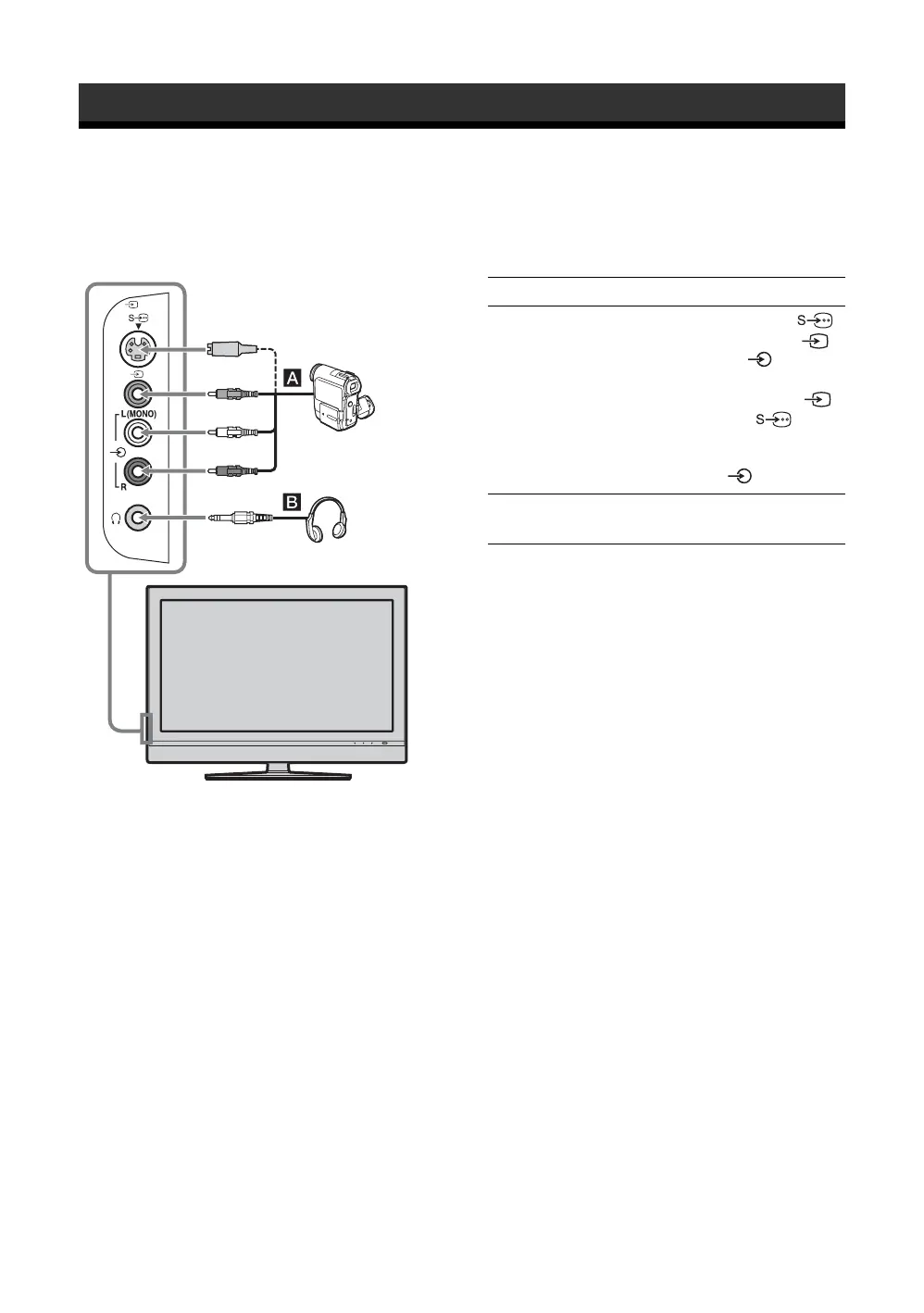
Connecting to the TV (side)
2
Headphones
S VHS/Hi8/DVC
camcorder
To connect Do this
S VHS/Hi8/DVC
camcorder A
Connect to the S video jack 2
or the composite video jack 2,
and the audio jacks 2. To avoid
picture noise, do not connect the
camcorder to the video jack 2
and the S video jack 2 at the
same time. If you connect mono
equipment, connect to the
L(MONO) jack 2.
Headphones B Connect to the i jack to listen to
sound from the TV on headphones.





 To Next Page