EasyManua.ls Logo

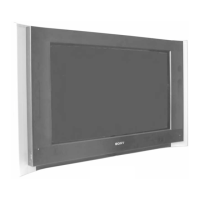
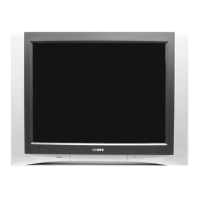
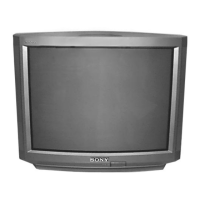
Sony KV-32HQ100B - User Manual

Sony KV-32HQ100B
32 pages
Print Icon
To Next Page IconTo Next Page
Loading...
R
Trinitron Colour
Television
Operating Instructions
KV-32HQ100B
KV-36HQ100B
© 2003 by Sony Corporation
GB
4-095-835-53
Before operating the TV, please read the 'Safety Information' section of this manual.
Retain this manual for future reference.
B(03) cover.fm Page 1 Monday, October 27, 2003 2:21 PM

Other manuals for Sony KV-32HQ100B

Questions and Answers

  • A
    Andrea PhillipsAug 13, 2025
    How to fix a Sony TV with no picture and sound?
    • H
      Heidi LarsonAug 13, 2025
      If your Sony TV shows no picture and no sound, first, ensure the TV is plugged into a working power outlet. If it is, and still not working, check if the TV is in standby mode. If so, press the power button on the front of the TV to turn it on. Also, check the aerial connection.
  • A
    Ashley CooperAug 17, 2025
    Why is there good picture but no sound on my Sony KV-32HQ100B?
    • D
      dromeroAug 17, 2025
      If your Sony TV has good picture but no sound, first, press the + button on the remote control to increase the volume. If this does not work, check the ‘Sound Adjustment’ menu to ensure that the TV speakers are set to ‘On’.
  • M
    Michael RobinsonAug 20, 2025
    How to fix poor picture quality on Sony KV-32HQ100B TV?
    • J
      jamie25Aug 20, 2025
      If your Sony TV picture is poor or dark but the sound is good, go to the ‘Picture Adjustment’ menu and adjust the brightness, picture, and colour levels.
  • H
    hgriffinAug 25, 2025
    Why is there no colour on my Sony TV?
    • J
      janice72Aug 25, 2025
      If your Sony TV has no colour on colour programmes, access the ‘Picture Adjustment’ menu and adjust the colour setting.
  • J
    judithwalkerAug 28, 2025
    Why are some channels blank on my Sony KV-32HQ100B TV?
    • K
      kortegaAug 28, 2025
      If some channels on your Sony TV are blank, it may be due to the channel being scrambled or subscription-only, in which case you should subscribe to the pay-per-view broadcaster. Channels may also be used only for data or not being transmitted.
  • L
    Lisa GeorgeSep 1, 2025
    Why is the picture distorted when changing programmes on my Sony KV-32HQ100B?
    • J
      Joanna AllenSep 1, 2025
      If you see a distorted picture on your Sony TV when changing programmes or selecting teletext, it could be due to inputs from external equipment not being switched off. Try switching off all additionally connected equipment.
  • A
    Andrew MorganSep 4, 2025
    What to do if Sony TV remote control does not function?
    • B
      Brian RubioSep 4, 2025
      If your Sony TV remote control is not working, first, try replacing the batteries. If that doesn't solve the issue, verify that the remote control is in the correct mode for the equipment you are trying to control by pressing the > or . button.
  • C
    crawforddevonSep 8, 2025
    What does it mean when the standby indicator is flashing on my Sony KV-32HQ100B?
    • P
      Phillip MooreSep 8, 2025
      If the standby indicator on your Sony TV is flashing irregularly, do not attempt to open the TV. Refer to qualified personnel for assistance. If the standby indicator is flashing regularly, it may be obtaining EPG data, so wait until the flashing stops. It may also mean that a timer record event has been set, so wait until the recording has ended.

Sony KV-32HQ100B Specifications

General IconGeneral
BrandSony
ModelKV-32HQ100B
CategoryTV
LanguageEnglish

Related product manuals