EasyManua.ls Logo

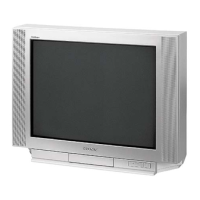
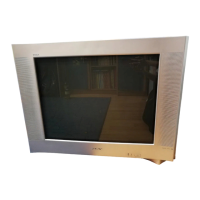
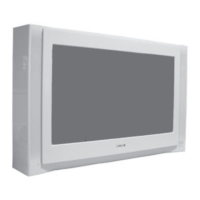
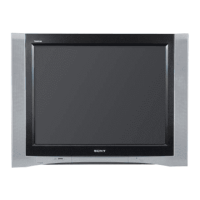
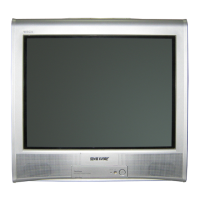
Sony KV-HA14 - User Manual

Sony KV-HA14
15 pages
Print Icon
To Next Page IconTo Next Page
Loading...
Sony KV-HA21L80_(GB)_4-085-449-12 (1) Group Q1
Trinitron Color TV
Operating Instructions
Before operating the unit, please read this manual thoroughly and
retain it for future reference.
KV-HA21
KV-HA14
© 2001 Sony Corporation
4-085-449-12 (1)
L80
M81
M80
GB

Questions and Answers

Summary

Getting Started

Warning

Securing the TV

TV Front and Rear Panels

Connecting Optional Components

Connecting to Video Input Terminal

Connect camcorders, video game equipment, or VCRs to the TV's video input.

Connecting to Monitor Output Terminal

Connect audio systems or VCRs to the TV's monitor output for audio.

Troubleshooting

Specifications

Remote Control Overview

Setting Timers

Setting the Wake Up Timer

Configure the TV to turn on automatically at a set time.

Setting the Sleep Timer

Configure the TV to turn off automatically after a set period.

Presetting Channels

Automatic Channel Presetting

Automatically preset TV channels from a specified program number.

Manual Channel Presetting

Manually preset desired channels and channels that cannot be preset automatically.

Customizing Picture and Sound

Selecting Picture Mode

Choose picture modes like Dynamic, Standard, or Soft for different viewing experiences.

Selecting Sound Mode

Choose sound modes like Dynamic, Drama, or Soft for optimal audio.

Adjusting Picture and Sound Settings

Adjust picture settings (Picture, Color, Brightness) and sound settings (Balance, Treble, Bass, Sharpness).

Adjusting Picture Position

Viewing Teletext

Summary

Getting Started

Warning

Securing the TV

TV Front and Rear Panels

Connecting Optional Components

Connecting to Video Input Terminal

Connect camcorders, video game equipment, or VCRs to the TV's video input.

Connecting to Monitor Output Terminal

Connect audio systems or VCRs to the TV's monitor output for audio.

Troubleshooting

Specifications

Remote Control Overview

Setting Timers

Setting the Wake Up Timer

Configure the TV to turn on automatically at a set time.

Setting the Sleep Timer

Configure the TV to turn off automatically after a set period.

Presetting Channels

Automatic Channel Presetting

Automatically preset TV channels from a specified program number.

Manual Channel Presetting

Manually preset desired channels and channels that cannot be preset automatically.

Customizing Picture and Sound

Selecting Picture Mode

Choose picture modes like Dynamic, Standard, or Soft for different viewing experiences.

Selecting Sound Mode

Choose sound modes like Dynamic, Drama, or Soft for optimal audio.

Adjusting Picture and Sound Settings

Adjust picture settings (Picture, Color, Brightness) and sound settings (Balance, Treble, Bass, Sharpness).

Adjusting Picture Position

Viewing Teletext

Sony KV-HA14 Specifications

General IconGeneral
BrandSony
ModelKV-HA14
CategoryCRT TV
LanguageEnglish

Related product manuals