EasyManua.ls Logo

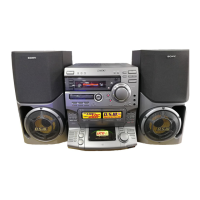
Sony LBT-VR70 - User Manual

Sony LBT-VR70
60 pages
Print Icon
To Next Page IconTo Next Page
Loading...
©1999 by Sony Corporation
Operating Instructions
3-865-554-12(1)
Compact Hi-Fi
Stereo System
LBT-VR70
LBT-VR50

Table of Contents

Question and Answer IconNeed help?

Do you have a question about the Sony LBT-VR70 and is the answer not in the manual?

Summary

System Disc Compatibility

Understanding the Manual

Model Display Examples

Illustrates wide and normal display views for LBT-VR70 and LBT-VR50 models.

VIDEO CD Playback Options

Explains playback for VIDEO CDs with and without PBC functions.

Getting Started: Initial System Hookup

Getting Started: Connecting Antennas and Video

Antenna and Video Connections

Connecting antennas and video output, and setting the color system.

Setting TV Color System

Configuring the system's color output (PAL/NTSC) for the TV.

Getting Started: Power and Demo Mode

Power and Demonstration Mode Setup

Setting voltage, connecting power, and deactivating demonstration mode.

Remote Control: Setting the Time

Radio Operations: Presetting Stations

Radio Operations: Managing Presets

Erasing Radio Presets

Instructions for removing individual or all preset radio stations.

Adjusting AM Tuning Interval

Changing the AM tuning interval between 9 kHz and 10 kHz.

Basic Operations: Playing VIDEO CDs

Basic Operations: VIDEO CD Controls

Playback and Search Functions

Controls for stop, pause, track selection, and finding points in a VIDEO CD.

Basic Operations: Playing Audio CDs

Basic Operations: Recording CDs

CD Synchro Recording

Synchronized recording of audio from CDs to tape.

Basic Operations: CD Recording Details

CD Synchro Recording Tips

Tips for CD synchro recording, including side selection and Dolby NR.

Basic Operations: Radio and Tape Playback

Listening to the Radio

Tuning and playing preset or manual radio stations.

Basic Operations: Radio Recording

Recording Radio Programs

Recording radio broadcasts onto tape using preset stations.

Basic Operations: Tape Playback

Playing Audio Tapes

Playing tape cassettes, including deck selection and AMS functions.

Basic Operations: Tape Playback Controls

Advanced Tape Playback Features

Using directional play, relay play, and track search (AMS).

Basic Operations: Tape Dubbing

High-Speed Tape Dubbing

Duplicating tapes using high-speed dubbing between tape decks.

VIDEO CD;CD Player: PBC Playback

VIDEO CD;CD Player: Display Functions

Using the CD Display

Checking track and time information on the system's display.

VIDEO CD;CD Player: On-Screen Display Modes

On-Screen Display Modes

Displaying system status and disc info superimposed on the TV.

VIDEO CD;CD Player: On-Screen Display Examples

On-Screen Display Examples

Examples of various on-screen displays for audio and VIDEO CDs.

VIDEO CD;CD Player: Stop Mode Display

On-Screen Display in Stop Mode

On-screen display information when the system is in stop mode.

VIDEO CD;CD Player: Disc Navigation

Locating Specific Parts of a Disc

Using special menu features to search for specific scenes on VIDEO CDs.

VIDEO CD;CD Player: Disc Navigation Tools

Time Search and Disc Digest

Features for finding specific parts or tracks on discs by time or digest.

VIDEO CD;CD Player: Track Navigation

Track Digest for Sectioning

Dividing tracks into sections and viewing the first frame of each.

VIDEO CD;CD Player: Resume Play

VIDEO CD;CD Player: Picture Settings

Setting Picture Sharpness

Adjusting image sharpness using the Active Picture function.

CD Player: Playback Modes

Repeat Play Modes

Repeating single tracks, current CD, or all CDs during playback.

Shuffle Play Mode

Playing tracks randomly from one or all CDs.

CD Player: Program Play

Programming Custom Track Sequences

Creating custom playback sequences by selecting up to 32 tracks.

CD Player: Program Play Management

Managing Programmed Tracks

Checking program order, adding tracks, and canceling Program Play.

CD Player: Non-Stop Play

CD Non-Stop Playback

Enabling continuous playback without pauses between tracks.

Tape Deck: Manual Recording

Tape Deck: Programmed Recording

Recording CDs by Track Order

Recording specific CD tracks to tape by defining the desired order.

Tape Deck: Recording Setup

Tape Recording and Length Selection

Completing track order recording and automatically selecting tape length.

DJ Effects

CD Loop Function

Repeating a selected part of a CD during playback.

CD Flash Function

Applying a flashing effect to CD sound during playback.

Sound Adjustment: Bass and Volume

Adjusting Bass and Super Woofer

Enhancing bass with Super Woofer and SYNC BASS, and using headphones.

Sound Adjustment: Audio Emphasis

Selecting Audio Emphasis

Choosing sound characteristics and using the Synchronized Equalizer.

Sound Adjustment: Equalizer Settings

Adjusting Graphic Equalizer

Modifying sound levels for specific frequency ranges.

Sound Adjustment: Surround Effect

Activating Surround Effect

Enabling the surround sound effect for immersive audio.

Sound Adjustment: Personal Audio Files

Making Personal Audio Files

Creating and storing custom sound profiles.

Additional Features: Karaoke

Karaoke Singing Function

Singing along with music by reducing original vocals.

Additional Features: Karaoke and Recording

Karaoke Adjustments

Adjusting microphone echo and key for karaoke.

Mixing and Recording Sounds

Recording mixed sounds from microphones and music onto tape.

Additional Features: Sleep Timer

Additional Features: Daily Timer

Additional Features: Timer Recording

Additional Features: Timer Recording Management

Connecting AV Components: Audio

Connecting Audio Components

Connecting turntables and MD decks for audio input and output.

Connecting AV Components: Audio and Video

Connecting Analog MD Decks

Connecting MD decks for analog audio recording.

Connecting Video Components

Connecting VCRs, camcorders, or video game consoles.

Connecting AV Components: Video and Antennas

Connecting Video Devices

Connecting camcorders or video games to the system.

Connecting Outdoor Antennas

Connecting FM and AM antennas for improved radio reception.

Additional Information: Precautions

Operating Precautions

Guidelines for safe operation, placement, and handling of the system.

CD Care and Handling

Tips for cleaning CDs and protecting them from damage.

Troubleshooting: General Issues

Troubleshooting: Player and Speaker Issues

Troubleshooting Speakers and Microphones

Addressing sound imbalances, microphone issues, hum, and feedback.

Troubleshooting Video and CD Players

Resolving picture problems, CD playback errors, and tray issues.

Troubleshooting: Tape and Tuner Issues

Troubleshooting Tape Decks and Tuners

Resolving tape recording/playback issues and tuner hum/noise.

Technical Specifications: Power and CD Player

Amplifier and CD;VIDEO CD Player Specs

Detailed specifications for amplifier power and CD/VIDEO CD player functions.

Technical Specifications: Speakers and General

Speaker System and General Specs

Specifications for speaker systems and general electrical/physical data.

Glossary of Terms

Key Function Definitions

Definitions for Auto Pause, Menu Playback, PBC, and VIDEO CD.

Summary

System Disc Compatibility

Understanding the Manual

Model Display Examples

Illustrates wide and normal display views for LBT-VR70 and LBT-VR50 models.

VIDEO CD Playback Options

Explains playback for VIDEO CDs with and without PBC functions.

Getting Started: Initial System Hookup

Getting Started: Connecting Antennas and Video

Antenna and Video Connections

Connecting antennas and video output, and setting the color system.

Setting TV Color System

Configuring the system's color output (PAL/NTSC) for the TV.

Getting Started: Power and Demo Mode

Power and Demonstration Mode Setup

Setting voltage, connecting power, and deactivating demonstration mode.

Remote Control: Setting the Time

Radio Operations: Presetting Stations

Radio Operations: Managing Presets

Erasing Radio Presets

Instructions for removing individual or all preset radio stations.

Adjusting AM Tuning Interval

Changing the AM tuning interval between 9 kHz and 10 kHz.

Basic Operations: Playing VIDEO CDs

Basic Operations: VIDEO CD Controls

Playback and Search Functions

Controls for stop, pause, track selection, and finding points in a VIDEO CD.

Basic Operations: Playing Audio CDs

Basic Operations: Recording CDs

CD Synchro Recording

Synchronized recording of audio from CDs to tape.

Basic Operations: CD Recording Details

CD Synchro Recording Tips

Tips for CD synchro recording, including side selection and Dolby NR.

Basic Operations: Radio and Tape Playback

Listening to the Radio

Tuning and playing preset or manual radio stations.

Basic Operations: Radio Recording

Recording Radio Programs

Recording radio broadcasts onto tape using preset stations.

Basic Operations: Tape Playback

Playing Audio Tapes

Playing tape cassettes, including deck selection and AMS functions.

Basic Operations: Tape Playback Controls

Advanced Tape Playback Features

Using directional play, relay play, and track search (AMS).

Basic Operations: Tape Dubbing

High-Speed Tape Dubbing

Duplicating tapes using high-speed dubbing between tape decks.

VIDEO CD;CD Player: PBC Playback

VIDEO CD;CD Player: Display Functions

Using the CD Display

Checking track and time information on the system's display.

VIDEO CD;CD Player: On-Screen Display Modes

On-Screen Display Modes

Displaying system status and disc info superimposed on the TV.

VIDEO CD;CD Player: On-Screen Display Examples

On-Screen Display Examples

Examples of various on-screen displays for audio and VIDEO CDs.

VIDEO CD;CD Player: Stop Mode Display

On-Screen Display in Stop Mode

On-screen display information when the system is in stop mode.

VIDEO CD;CD Player: Disc Navigation

Locating Specific Parts of a Disc

Using special menu features to search for specific scenes on VIDEO CDs.

VIDEO CD;CD Player: Disc Navigation Tools

Time Search and Disc Digest

Features for finding specific parts or tracks on discs by time or digest.

VIDEO CD;CD Player: Track Navigation

Track Digest for Sectioning

Dividing tracks into sections and viewing the first frame of each.

VIDEO CD;CD Player: Resume Play

VIDEO CD;CD Player: Picture Settings

Setting Picture Sharpness

Adjusting image sharpness using the Active Picture function.

CD Player: Playback Modes

Repeat Play Modes

Repeating single tracks, current CD, or all CDs during playback.

Shuffle Play Mode

Playing tracks randomly from one or all CDs.

CD Player: Program Play

Programming Custom Track Sequences

Creating custom playback sequences by selecting up to 32 tracks.

CD Player: Program Play Management

Managing Programmed Tracks

Checking program order, adding tracks, and canceling Program Play.

CD Player: Non-Stop Play

CD Non-Stop Playback

Enabling continuous playback without pauses between tracks.

Tape Deck: Manual Recording

Tape Deck: Programmed Recording

Recording CDs by Track Order

Recording specific CD tracks to tape by defining the desired order.

Tape Deck: Recording Setup

Tape Recording and Length Selection

Completing track order recording and automatically selecting tape length.

DJ Effects

CD Loop Function

Repeating a selected part of a CD during playback.

CD Flash Function

Applying a flashing effect to CD sound during playback.

Sound Adjustment: Bass and Volume

Adjusting Bass and Super Woofer

Enhancing bass with Super Woofer and SYNC BASS, and using headphones.

Sound Adjustment: Audio Emphasis

Selecting Audio Emphasis

Choosing sound characteristics and using the Synchronized Equalizer.

Sound Adjustment: Equalizer Settings

Adjusting Graphic Equalizer

Modifying sound levels for specific frequency ranges.

Sound Adjustment: Surround Effect

Activating Surround Effect

Enabling the surround sound effect for immersive audio.

Sound Adjustment: Personal Audio Files

Making Personal Audio Files

Creating and storing custom sound profiles.

Additional Features: Karaoke

Karaoke Singing Function

Singing along with music by reducing original vocals.

Additional Features: Karaoke and Recording

Karaoke Adjustments

Adjusting microphone echo and key for karaoke.

Mixing and Recording Sounds

Recording mixed sounds from microphones and music onto tape.

Additional Features: Sleep Timer

Additional Features: Daily Timer

Additional Features: Timer Recording

Additional Features: Timer Recording Management

Connecting AV Components: Audio

Connecting Audio Components

Connecting turntables and MD decks for audio input and output.

Connecting AV Components: Audio and Video

Connecting Analog MD Decks

Connecting MD decks for analog audio recording.

Connecting Video Components

Connecting VCRs, camcorders, or video game consoles.

Connecting AV Components: Video and Antennas

Connecting Video Devices

Connecting camcorders or video games to the system.

Connecting Outdoor Antennas

Connecting FM and AM antennas for improved radio reception.

Additional Information: Precautions

Operating Precautions

Guidelines for safe operation, placement, and handling of the system.

CD Care and Handling

Tips for cleaning CDs and protecting them from damage.

Troubleshooting: General Issues

Troubleshooting: Player and Speaker Issues

Troubleshooting Speakers and Microphones

Addressing sound imbalances, microphone issues, hum, and feedback.

Troubleshooting Video and CD Players

Resolving picture problems, CD playback errors, and tray issues.

Troubleshooting: Tape and Tuner Issues

Troubleshooting Tape Decks and Tuners

Resolving tape recording/playback issues and tuner hum/noise.

Technical Specifications: Power and CD Player

Amplifier and CD;VIDEO CD Player Specs

Detailed specifications for amplifier power and CD/VIDEO CD player functions.

Technical Specifications: Speakers and General

Speaker System and General Specs

Specifications for speaker systems and general electrical/physical data.

Glossary of Terms

Key Function Definitions

Definitions for Auto Pause, Menu Playback, PBC, and VIDEO CD.

Sony LBT-VR70 Specifications

General IconGeneral
BrandSony
ModelLBT-VR70
CategoryStereo System
LanguageEnglish

Related product manuals