4-2 (E)
MAV-555
Adjustment Procedure
1. Connect the MAV-555 with a personal computer via
Ethernet.
2. Start up the terminal program such as Tera Term.
n
Set IP address to the 192.168.0.1.
3. Enter “rlogin EM” to connect the EM board.
4. Set “H” to bit1 of the register 0x02020004 by operat-
ing the menu display as shown.
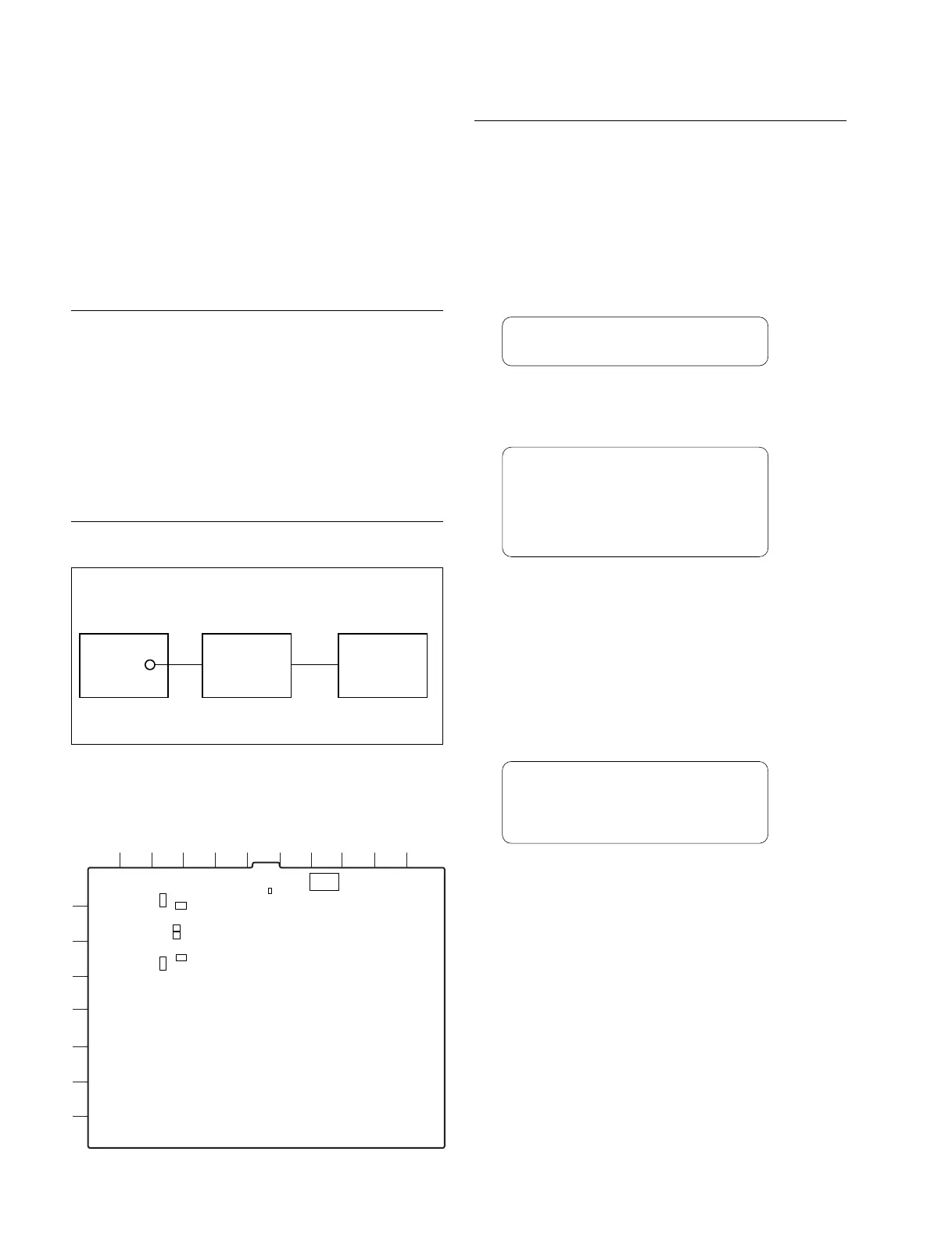
5. Equipment : Frequency counter, oscilloscope
Test point : TP755 (F-1) /EM-1 board
Adj. point : 1RV1604 (C-6) /EM-1 board
Spec. : 27.00 ±0.27 MHz
6. Return the setting to the former position by operating
the setup menu display as shown.
4-2. EM-1 Board Adjustment
n
Specification values in the adjustment procedure are ones
with EM-1 board extended by the extension board (EX-
693).
4-2-1. SDI ENC Free-run Adjustment
Preparation
. S300 (H-1)/EM-1 board → OFF
. COR900 (C-2)/EM-1 board → 20
. COR901 (C-2)/EM-1 board → UTY
. COR902 (C-1)/EM-1 board → +4
. COR950 (C-3)/EM-1 board → 20
. COR951 (C-2)/EM-1 board → UTY
. COR952 (C-3)/EM-1 board → +4
Connection
4-2. EM-1 Board Adjustment
TP
MAV-555 Oscilloscope Frequency counter
CH-2
IN
CH-2
OUT
rlogin
\
EM
"
EM>
1
1
1
S300
COR902
COR900
COR901
COR951
COR950
COR952
TP755
RV1602
RV1601
RV1604
1
2
3
4
5
6
7
8
ABCDEFGHJK L
EM-1 board (A side)
EM>
dbg
"
Grydar
DBG_EM>
e
\
02020004
"
02020004:xx-
c2
"
02020005:xx-
q
"
DBG_EM>
xx : Don’t care
DBG_EM>
e
\
02020004
"
02020004:xx-
c0
"
02020005:xx-
q
"
DBG_EM>
xx : Don’t care


 To Next Page