59
EN
Mixdown
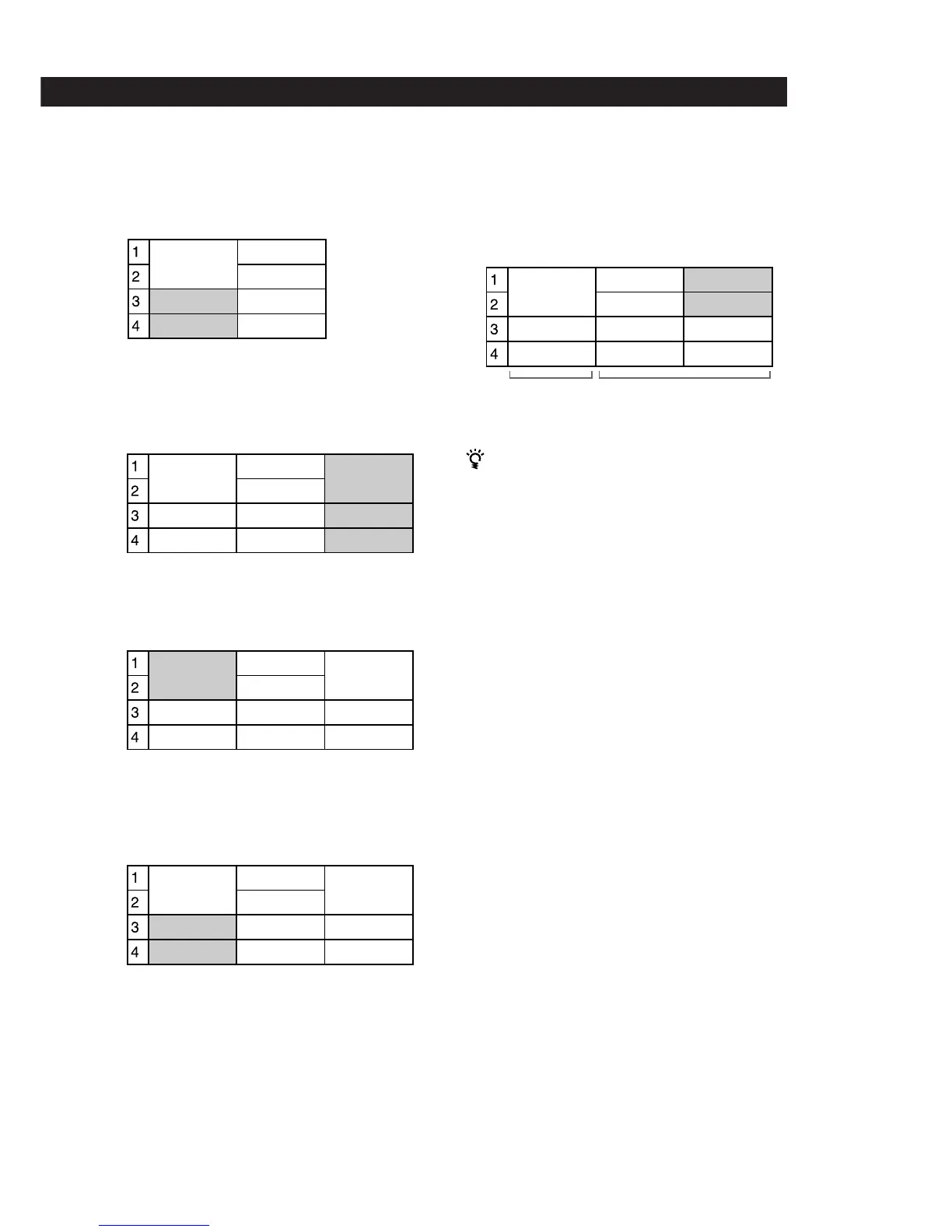
4 Overdub the keyboard in stereo to tracks 3 and 4
while listening to the playback from tracks 1 and
2. (Song 1)
5 Use the Song Copy edit function to back up the
keyboard part.
The backup becomes Song 3.
6 Use bounce recording to mixdown all four parts
to tracks 1 and 2. (Song 1)
7 Overdub the vocals to tracks 3 and 4 while
listening to the playback from tracks 1 and 2.
(Song 1)
8 Use the Song Copy edit function to back up the
vocals, then copy tracks 3 and 4 to tracks 1 and 2.
This process allows you mixdown while to
preserving the sound of all the original parts.
• For future reference, we recommend naming each song in
a way that helps you remember the content of the
individual tracks. (Use the Song Name edit operation).
• Later, you can use the backed up songs to create remixes.
With the method described in the previous example, you
can use [Song Copy] to create a new copy of the tracks in
songs 2 and 3 as song 4. This allows you to create new
mixes later.
Song 1
Dr (L)
Dr (R)
K (L)
K (R)
Song 2
Dr (L)
Dr (R)
B
G
+B+G
Song 1
Dr (L)
Dr (R)
K (L)
K (R)
Song 3
Dr (L)
Dr (R)
K (L)
K (R)
Song 2
Dr (L)
Dr (R)
B
G
+B+G +B+G
Song 1
Dr+K(L)
Dr+K(R)
Song 3
Dr (L)
Dr (R)
K (L)
K (R)
Song 2
Dr (L)
Dr (R)
B
G
+B+G
+B+G
Song 1
Dr+K(L)
Dr+K(R)
Vo 1
Vo 2
Song 3
Dr (L)
Dr (R)
K (L)
K (R)
Song 2
Dr (L)
Dr (R)
B
G
+B+G
+B+G
Song 1
Dr+K(L)
Dr+K(R)
Vo 1
Vo 2
Song 3
Vo 1
Vo 2
K (L)
K (R)
Song 2
Dr (L)
Dr (R)
B
G
+B+G
Completed
mix
Backup of individual parts



 To Next Page