10GB
F:\0918\4548379111\4548379111MEXN5100BTUC\01GB-MEXN5100BTUC\040CD.fm masterpage: Left
MEX-N5100BT/MEX-N4100BT
4-548-379-11(1)
Connecting Other Portable
Audio Device
1 Turn off the portable audio device.
2 Turn down the volume on the unit.
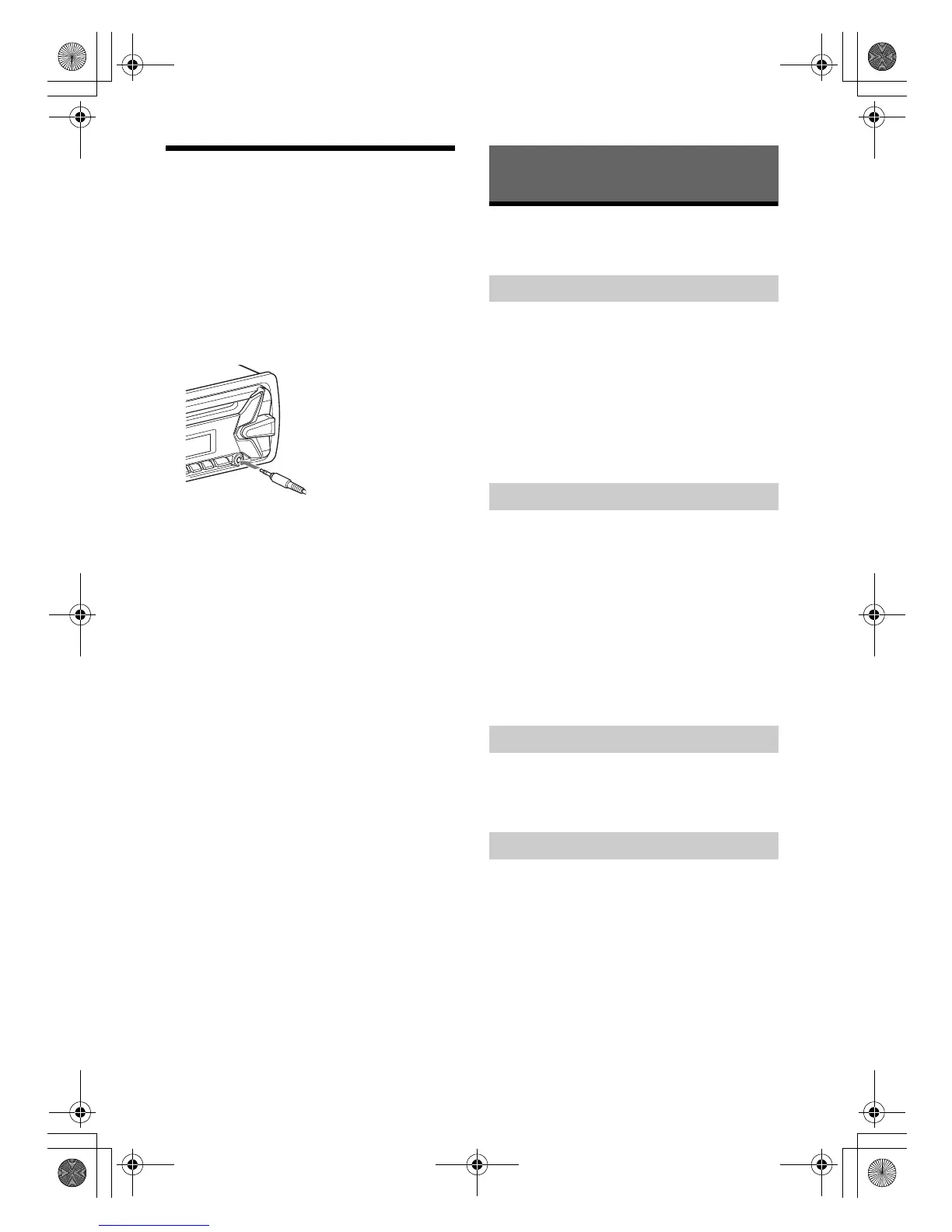
3 Connect the portable audio device to the
AUX input jack (stereo mini jack) on the
unit with a connecting cord (not
supplied)*.
* Be sure to use a straight type plug.
4 Press SRC to select [AUX].
To match the volume level of the connected
device to other sources
Start playback of the portable audio device at a
moderate volume, and set your usual listening
volume on the unit.
Press MENU, then select [SET SOUND] [SET AUX
VOL] (page 20).
Listening to the Radio
To listen to the radio, press SRC to select [TUNER].
1 Press MODE to change the band (FM1,
FM2, FM3, AM1 or AM2).
2 Press MENU, rotate the control dial to
select [SET GENERAL], then press it.
3 Rotate the control dial to select [SET
BT
M], then press it.
The unit stores stations in order of frequency on
the number buttons.
1 Press MODE to change the band (FM1,
FM2, FM3, AM1 or AM2).
2 Perform tuning.
To tune manually
Press and hold SEEK +/– to locate the
approximate frequency, then press SEEK +/–
repeatedly to fine adjust to the desired
frequency.
To tune automatically
Press SEEK +/–.
Scanning stops when the unit receives a station.
1 While receiving the station that you want
to store, press and hold a number button
(1 to 6) until [MEM] appears.
1 Select the band, then press a number
button (1 to 6).
Listening to the Radio
Storing automatically (BTM)
Tuning
Storing manually
Receiving the stored stations
010COV.book Page 10 Thursday, September 18, 2014 10:49 AM



 To Next Page