EasyManua.ls Logo

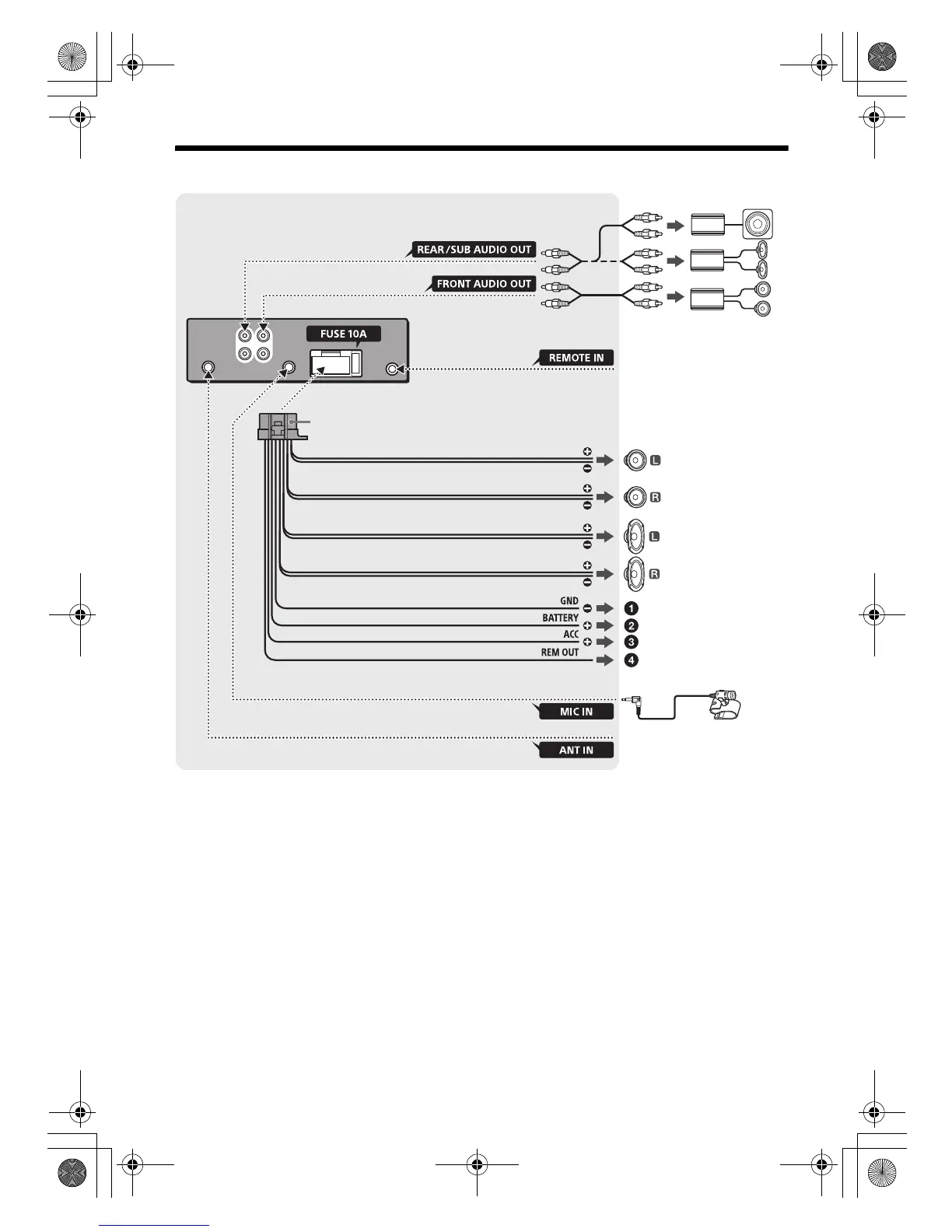
Sony MEX-N4100BT - Connection Diagram: MEX-N4100 BT

Sony MEX-N4100BT
38 pages
Print Icon
To Next Page IconTo Next Page
To Previous Page IconTo Previous Page
Loading...
33GB
F:\0918\4548379111\4548379111MEXN5100BTUC\01GB-MEXN5100BTUC\040CD.fm masterpage: Right
MEX-N5100BT/MEX-N4100BT
4-548-379-11(1)
Connection (For MEX-N4100BT)
*1 Not supplied
*2 Speaker impedance: 4 – 8 Ω × 4
*3 RCA pin cord (not supplied)
*4 Depending on the type of car, use an adaptor for a
wired remote control (not supplied).
*5 Whether in use or not, route the microphone input
cord such that it does not interfere with driving
operations. Secure the cord with a clamp, etc., if it is
installed around your feet.
*6 AUDIO OUT can be switched SUB or REAR.

from a wired remote control
(not supplied)*
4
White
White/black striped
Gray
Black
Ye l l o w
Red
Blue/white striped (MAX 0.4A)
from a car antenna
(aerial)
Front speaker*
1
*
2
Rear speaker*
1
*
2
Gray/black striped
Green
Green/black striped
Purple
Purple/black striped
*
3
*
3
Subwoofer*
1
Power amplifier*
1
For details, see “Making
connections” (page 34).
Microphone
XA-MC10*
1
*
5
*
6
010COV.book Page 33 Thursday, September 18, 2014 10:49 AM

Related product manuals