EasyManua.ls Logo

Sony MHC-2200CD - Page 7

Sony MHC-2200CD
31 pages
Print Icon
To Next Page IconTo Next Page
To Previous Page IconTo Previous Page
Loading...
Audio
Adjustment
Volume
Adjustment
Turn
VOLUME
clockwise
to
increase
the
sound
level,
or
counterclockwise
to
decrease
it.
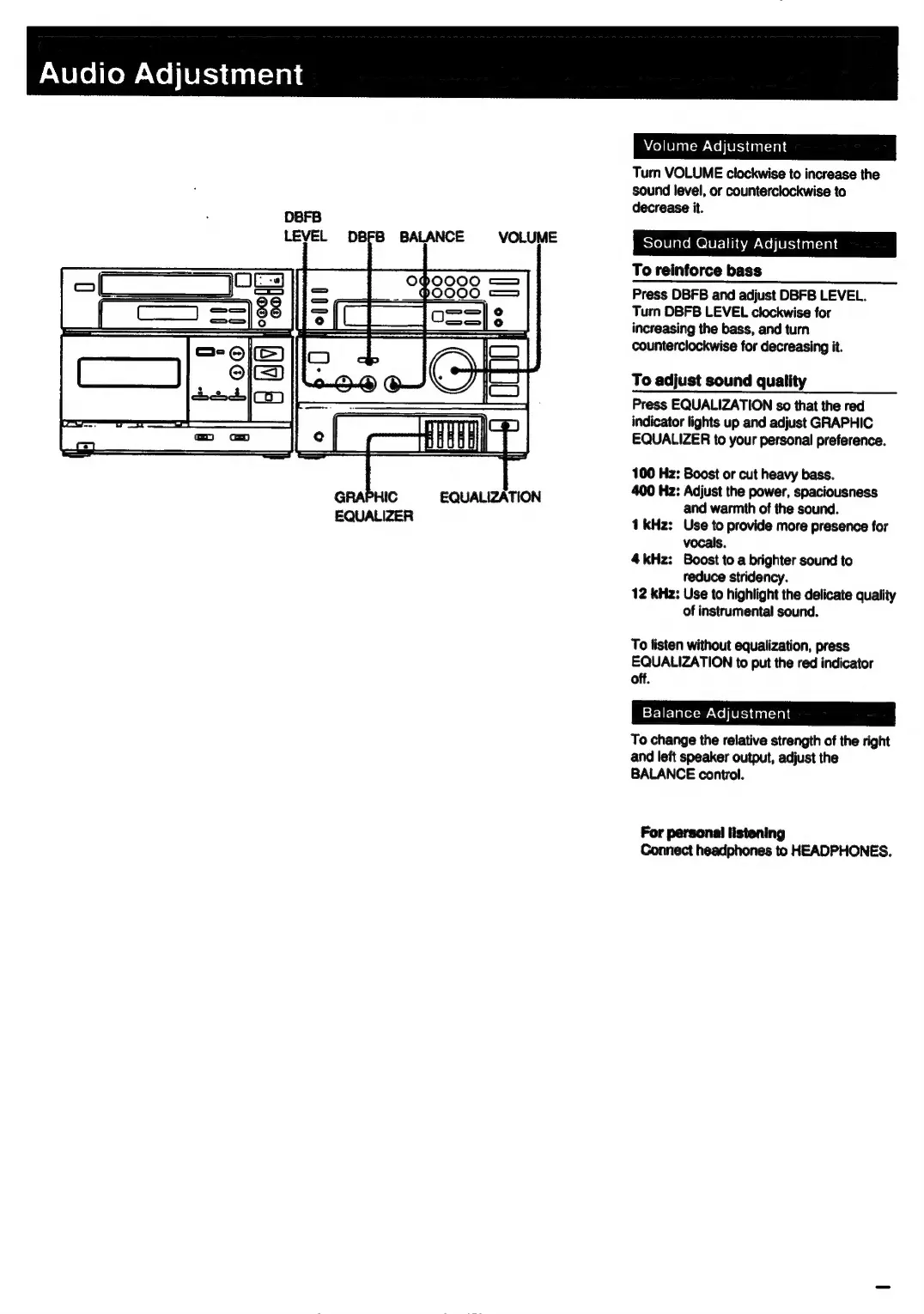
DBFB
LEVEL
DBFB
BALANCE
VOLUME
Sound
Quality
Adjustment
To
reinforce
bass
Press
DBFB
and
adjust
DBFB
LEVEL.
Turn
OBFB
LEVEL
clockwise
for
increasing
the
bass,
and
turn
counterclockwise
for
decreasing
it.
To
adjust
sound
quality
Press
EQUALIZATION
so
that
the
red
indicator
lights
up
and
adjust
GRAPHIC
EQUALIZER
to
your
personal
preference.
100
Hz:
Boost
or
cut
heavy
bass.
J
400
Hz:
Adjust
the
power,
spaciousness
GRAPHIC
EQUALIZATION
and
warmth
of
the
sound.
EQUALIZER
1
kHz:
Use
to
provide
more
presence
for
vocals.
4kHz:
Boost
to
a
brighter
sound
to
reduce
stridency.
12
kHz:
Use
to
highlight
the
delicate
quality
of
instrumental
sound.
To
listen
without
equalization,
press
EQUALIZATION
to
put
the
red
indicator
off.
Balance
Adjustment
To
change
the
relative
strength
of
the
right
and
left
speaker
output,
adjust
the
BALANCE
control.
For
personal
listening
Connect
headphones
to
HEADPHONES.

Related product manuals