EasyManua.ls Logo

Sony MHC-2200CD - Page 8

Sony MHC-2200CD
31 pages
Print Icon
To Next Page IconTo Next Page
To Previous Page IconTo Previous Page
Loading...
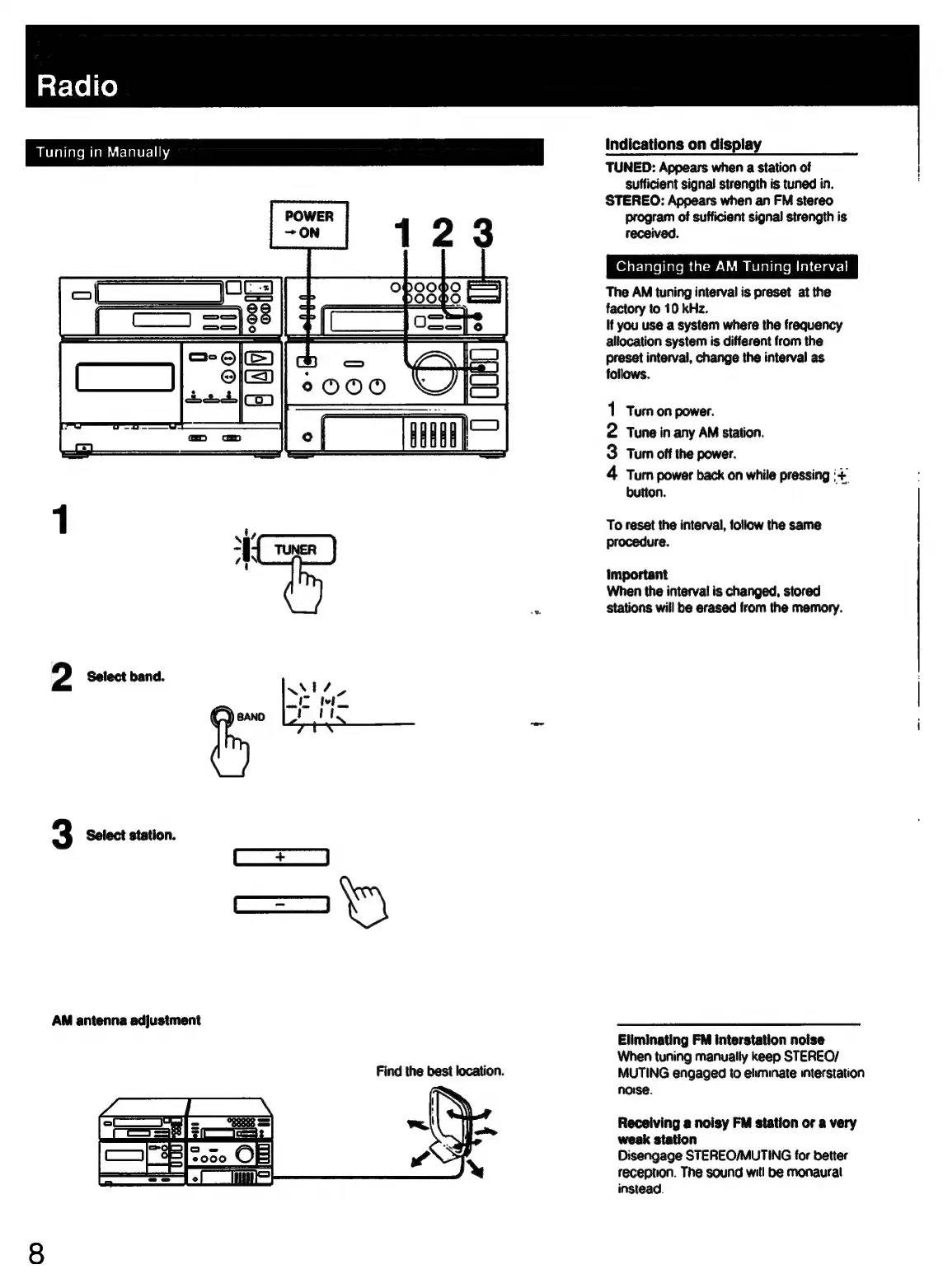
BavialiateMiamiutctalercling
2
Select
band.
3
Select
station.
AM
antenna
adjustment
Find
the
best
location.
fd
=
|S000
OF
Sree
indications
on
display
TUNED:
Appears
when
a
station
of
sufficient
signal
strength
is
tuned
in.
STEREO:
Appears
when
an
FM
stereo
program
of
sufficient
signal
strength
is
received.
Changing
the
AM
Tuning
Interval
The
AM
tuning
interval
is
preset
at
the
factory
to
10
kHz.
If
you
use
a
system
where
the
frequency
allocation
system
is
different
from
the
preset
interval,
change
the
interval
as
follows.
1
Turn
on
power.
2
Tune
in
any
AM
station.
3
Turn
off
the
power.
4
Turn
power
back
on
while
pressing
‘+
button.
To
reset
the
interval,
follow
the
same
procedure.
Important
When
the
interval
is
changed,
stored
stations
will
be
erased
from
the
memory.
Eliminating
FM
interstation
noise
When
tuning
manually
keep
STEREO/
MUTING
engaged
to
eliminate
interstation
noise.
Receiving
a
noisy
FM
station
or
a
very
weak
station
Disengage
STEREO/MUTING
for
better
reception.
The
sound
will
be
monaural
instead.

Related product manuals