EasyManua.ls Logo

Sony MHC-550 - STEP 3 | Connecting the Power

Sony MHC-550
25 pages
Print Icon
To Next Page IconTo Next Page
To Previous Page IconTo Previous Page
Loading...
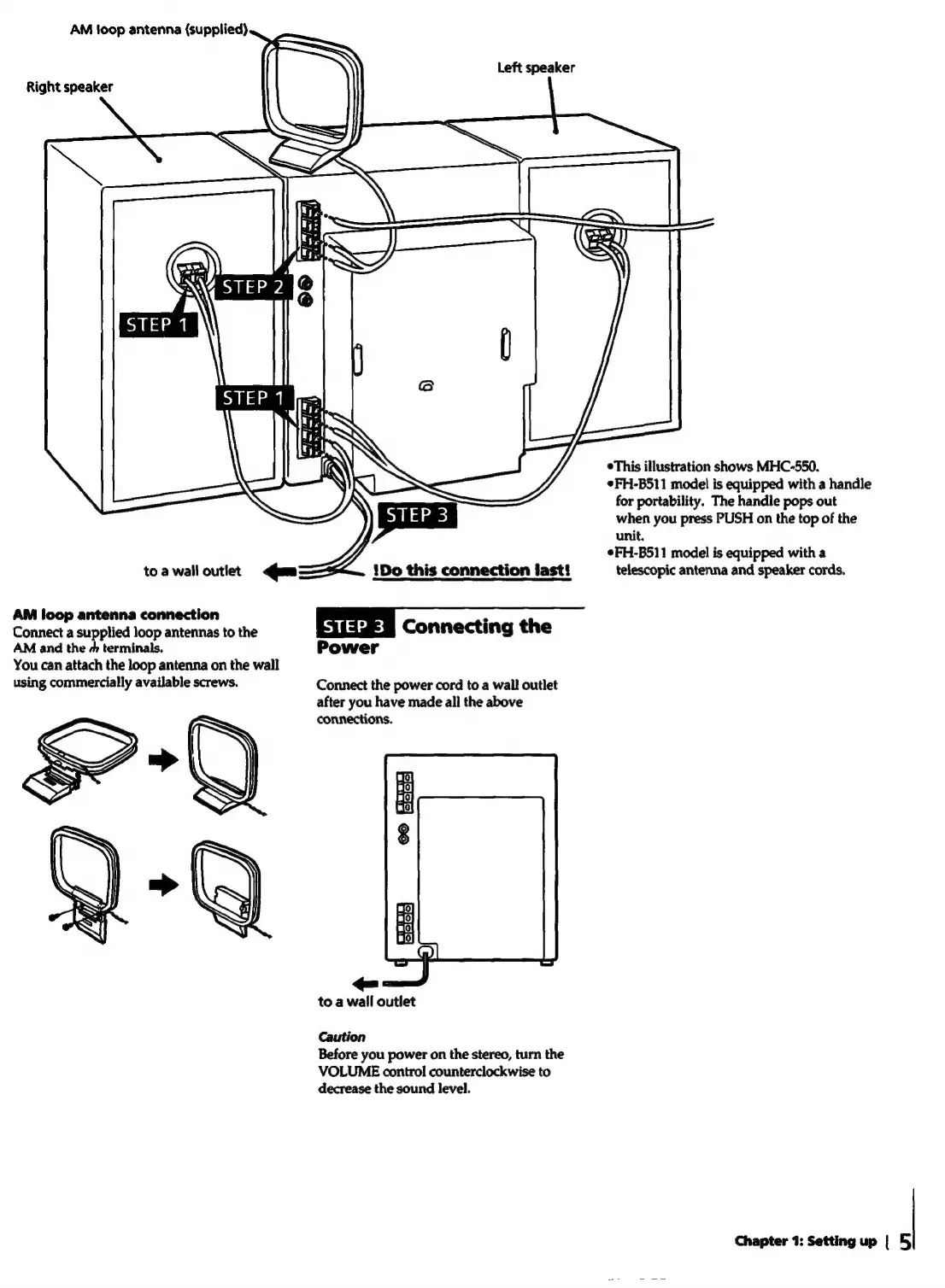
AM
foop
antenna
(supplied)
Left
speaker
Right
speaker
°This
illustration
shows
MHC-550.
¢FH-B511
model
is
equipped
with
a
handle
for
portability.
The
handle
pops
out
when
you
press
PUSH
on
the
top
of
the
unit.
¢FH-B511
model
is
equipped
with
a
toa
walloutiet
<qum
!1Do
this
connection
last!
telescopic
antenna
and
speaker
cords.
AM
loop
antenna
connection
Connect
a
supplied
loop
antennas
to
the
|
STEP
3
|
Connecting
the
AM
and
the
+
terminals.
Power
You
can
attach
the
loop
antenna
on
the
wall
using
commercially
available
screws.
Connect
the
power
cord
to
a
wall
outlet
after
you
have
made
all
the
above
connections.
19}
10;
Jo}
8
&-Q
9
to
a
wall
outlet
Caution
Before
you
power
on
the
stereo,
turn
the
VOLUME
control
counterclockwise
to
decrease
the
sound
level.
Chapter
1:
Setting
up
|
5)