HCD-EC719iP/EC919iP
6
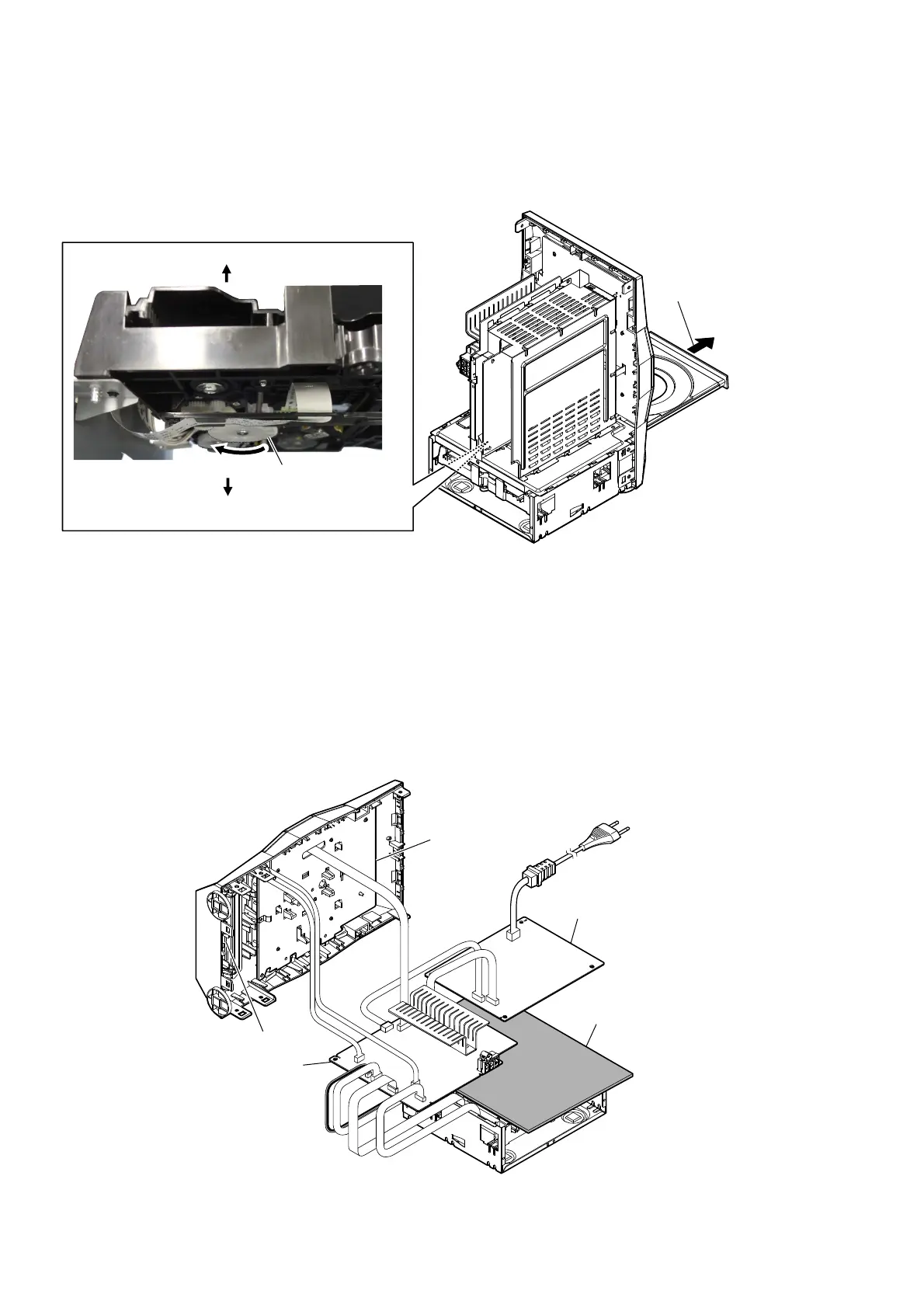
HOW TO EJECT THE DISC WHEN POWER SWITCH TURN OFF
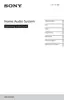
SERVICE POSITION
3 Pull out the disc tray.
1 Refer to “SECTION 2. DISASSEMBLY” (page 7), remove the side cover,
the top cover block and the rear panel block from the unit.
– Rear view –
2 Turn the traverse gear in
the direction of an arrow.
bottom side
top side
– Rear view –
MAIN board
POWER board
FRONT board
USB board
insulating sheet










 To Next Page