49
VOLUME
ALL DISCS
ß
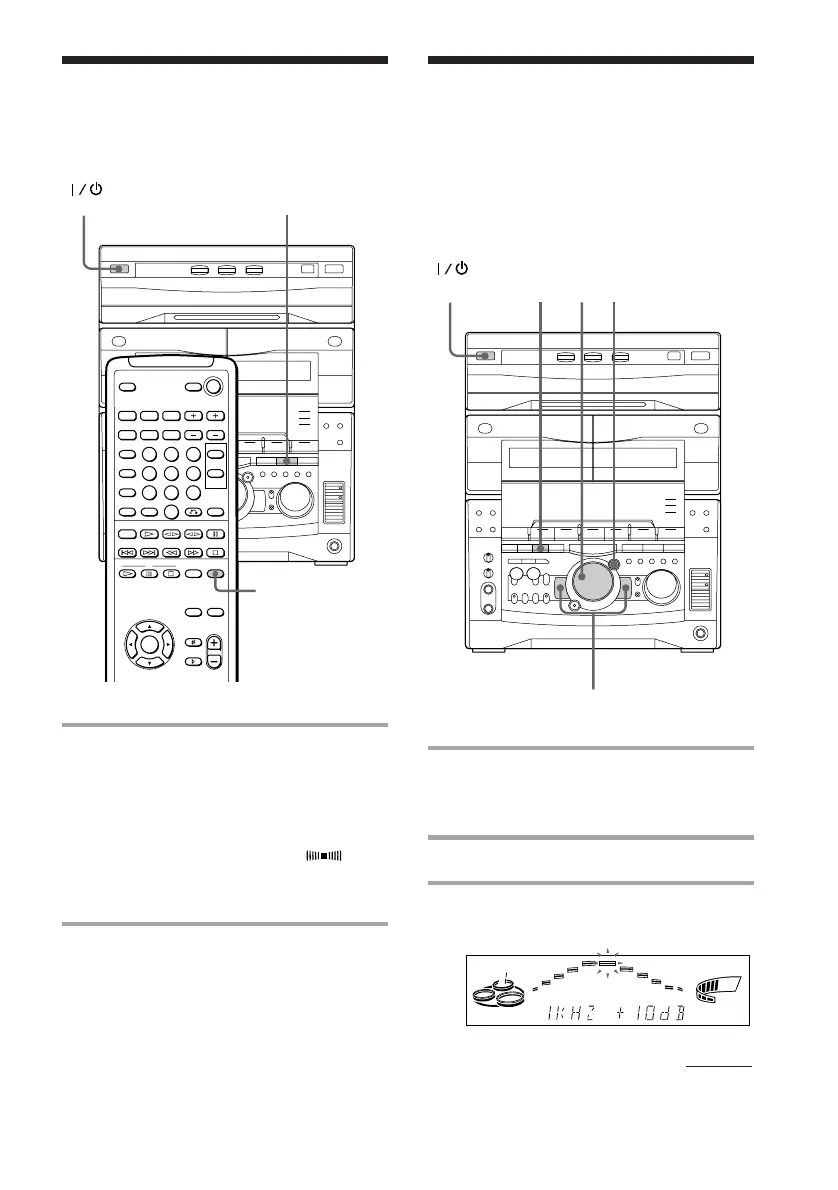
Adjusting the graphic
equalizer
You can adjust the sound by raising or
lowering the levels of specific frequency
ranges.
Before operation, first select the audio
emphasis you want for your basic sound.
2
3
4
6
Selecting surround
effects
You can enjoy surround effects.
/ Press SURROUND repeatedly to
select the surround effect you
desire.
Every time you press the button, the
display changes as follows:
SURROUND ON (SUR )
<
SURROUND OFF (off)
Tip
If you want to memorize the effect, store it into a
personal file (see “Making a personal audio
emphasis file”).
Note
When you choose other sound effects, the surround
effects will be canceled.
1 Select the audio emphasis you want
for your basic sound (see “Selecting
the audio emphasis”).
2 Press GEQ CONTROL.
3 Press + or – repeatedly to select a
frequency band.
(Power)
(Power)
SURROUND
SURROUND
continued



 To Next Page
 Loading...







