8
4 Turn the jog dial to set the minute.
5 Press ENTER/NEXT.
The clock starts working.
Tips
• If you’ve made a mistake, start over from step 1.
• Setting the time deactivates the demo mode.
If you want to display the demo mode, press
DEMO when the power is off.
Note
The previous explanation shows you how to set the
time while the power is off. To change the time
while the power is on, do the following:
1 Press CLOCK/TIMER SET.
2 Turn the jog dial to select “SET CLOCK”.
3 Press ENTER/NEXT.
4 Perform steps 2 through 5 above.
Step 2: Setting the
time
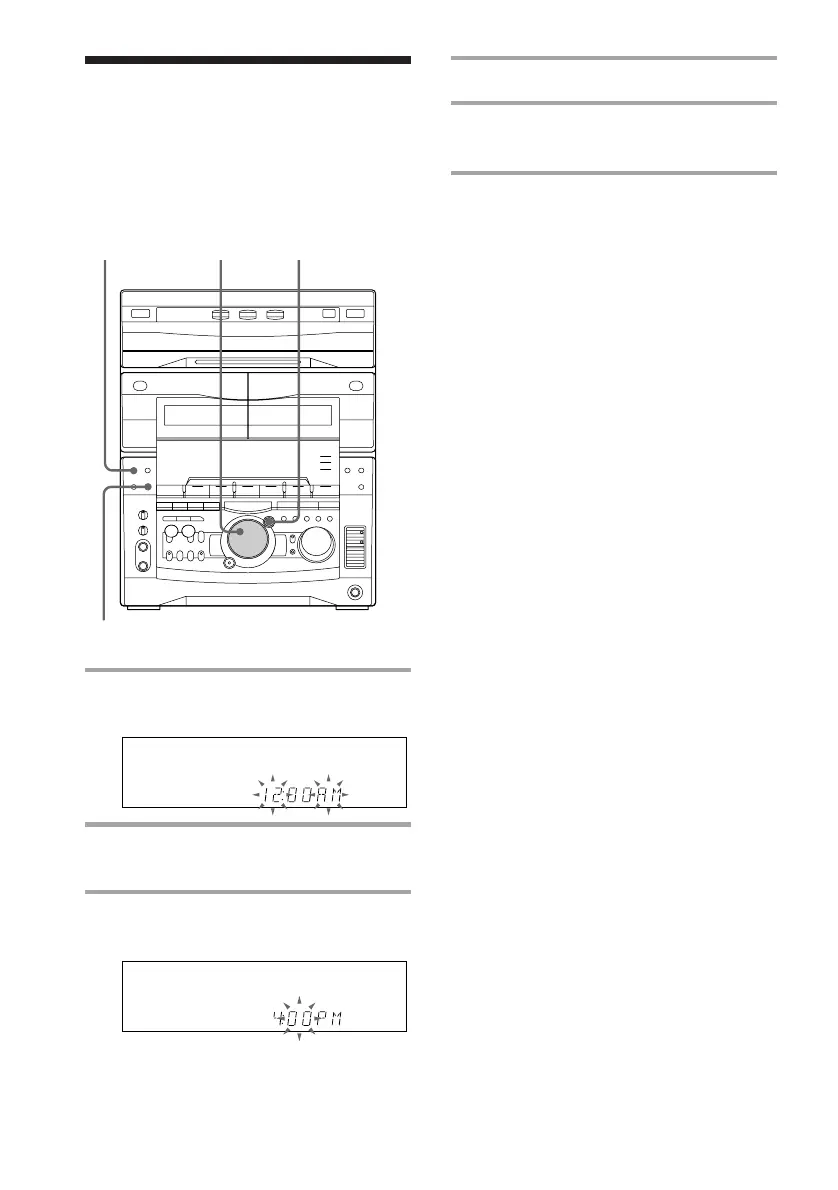
You must set the time before using the timer
functions.
1 Press CLOCK/TIMER SET.
The hour indication flashes.
2 Turn the jog dial to set the hour.
3 Press ENTER/NEXT.
The minute indication flashes.
1
3,52,4
DEMO



 To Next Page
 Loading...







