19
MHC-VX777/VX555/VX555J 4-232-651-12 (1)
Tape
Loading a tape
1 Press TAPE A/B repeatedly to select
Deck A or B.
2 Press Z on the selected deck.
3 Insert a recorded tape in deck A or B
with the side you want to play facing
forward.
Playing a tape
You can use TYPE I (normal) or TYPE II
(CrO2)* tapes.
* MHC-VX777 only
1 Load a tape.
2 Press DIRECTION repeatedly to select
g to play one side. Select j to play
both sides. Select RELAY* (relay play)
to play both decks in succession.
3 Press nN.
Press nN again to play the reverse side.
The tape starts playing.
* Relay Play always follow this cyclic sequence:
Deck A (front side) t Deck A (reverse side) t
Deck B (front side) t Deck B (reverse side)
Tape
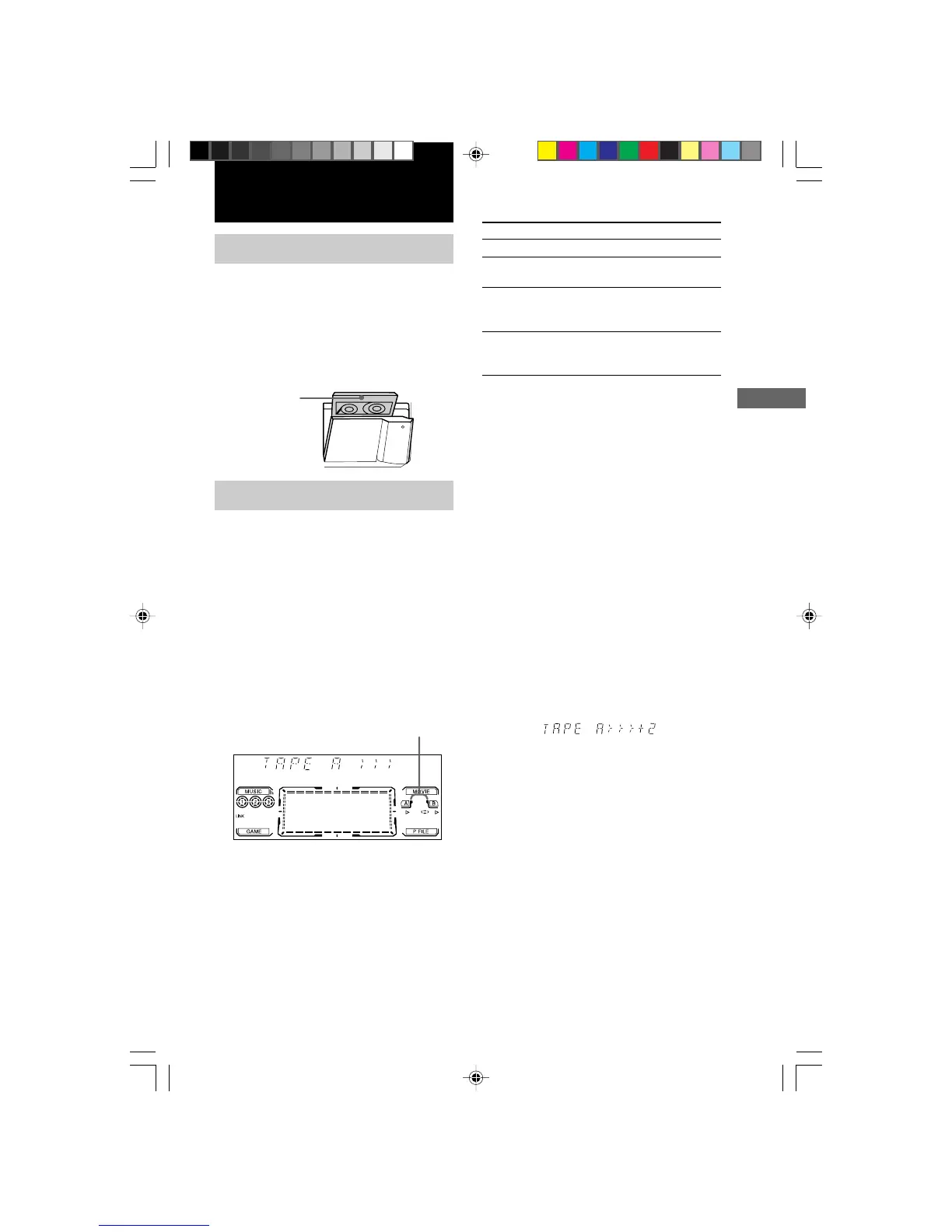
Tape presence indicator
Insert with the
side you want to
play/record facing
forward.
To
Stop play
Pause
Fast-forward
Rewind
Tips
• During Cycle or Relay Play, the deck stops
automatically after repeating the sequence five
times.
• Pressing TAPE A/B while the power is off
automatically turns the power on and TAPE is
selected as a function. When the system is in the
power saving mode, this function does not work.
• When you want to reduce the hiss noise in low-level
high-frequency signals, press DOLBY NR so that
“DOLBY NR” appears (MHC-VX777 only).
• When a tape (tapes) is (are) inserted, corresponding
presence indicators light up.
Searching for the beginning of a
track (AMS*)
During playback, press . or > repeatedly
for the number of songs you want to skip
forward (or backward).
The search direction, + (forward) or – (back),
and number of songs being skipped (1~9)
appear in the display.
Example: searching forward 2 songs
* AMS (Automatic Music Sensor)
Note
The AMS function may not operate correctly under
the following circumstances:
– When the unrecorded space between songs is less
than 4 seconds long.
– When the unit is placed near a television.
Do this
Press x.
Press X.
Press again to resume play.
Press M while playing the
front side, or press m while
playing the reverse side.
Press m while playing the
front side, or press M while
playing the reverse side.
06TAP_MHC-VX777/VX555.p65 GB 13/03/2001, 4:58 PM19



 To Next Page