MP-CL1 3-MP0-107-01
Connecting via MHL
Connect this product with an MHL-compatible device such as a smartphone or tablet,
and then project its content.
1
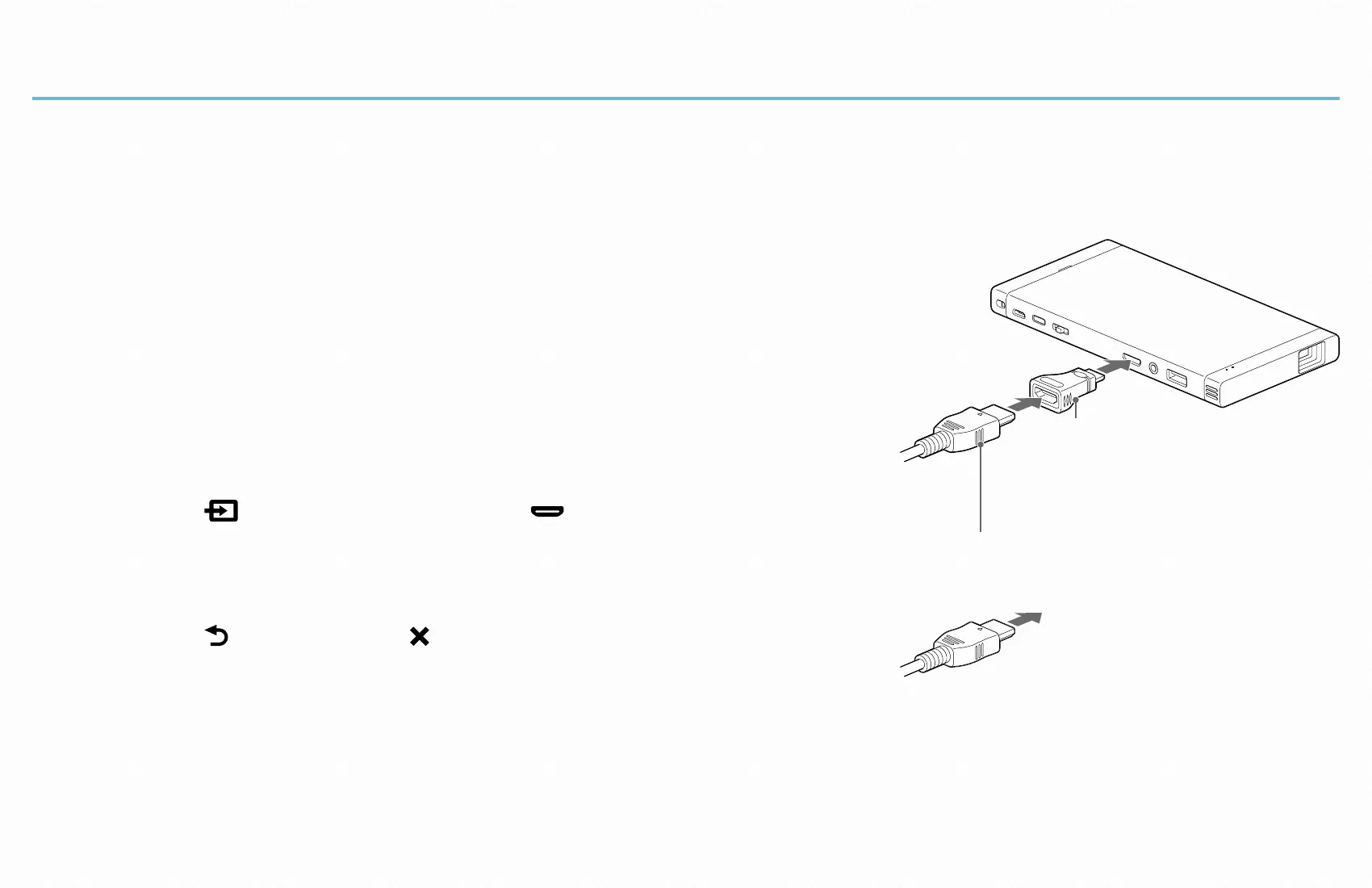
Connect this product and the MHL-
compatible device using an MHL to HDMI
adaptor (not supplied), the HDMI to Mini
HDMI converter adaptor (supplied) and an
HDMI cable (not supplied).
2
Select [ Input change] - [ HDMI/MHL] in
the menu of this product.
3
Select [ Return] - [ ] to exit the menu.
The screen of the MHL-compatible device is
projected.
Operate the device to select the content that you
want to project.
HDMI cable (not supplied)*
HDMI to Mini HDMI
converter adaptor
(supplied)
To a smartphone or
tablet via an MHL to
HDMI adaptor
(not supplied)
* Use the supplied converter adaptor as
necessary.


 To Next Page