MP-CL1 3-MP0-107-01
Biphase alignment
Adjust the synchronization timing of the input signals if the projected image is
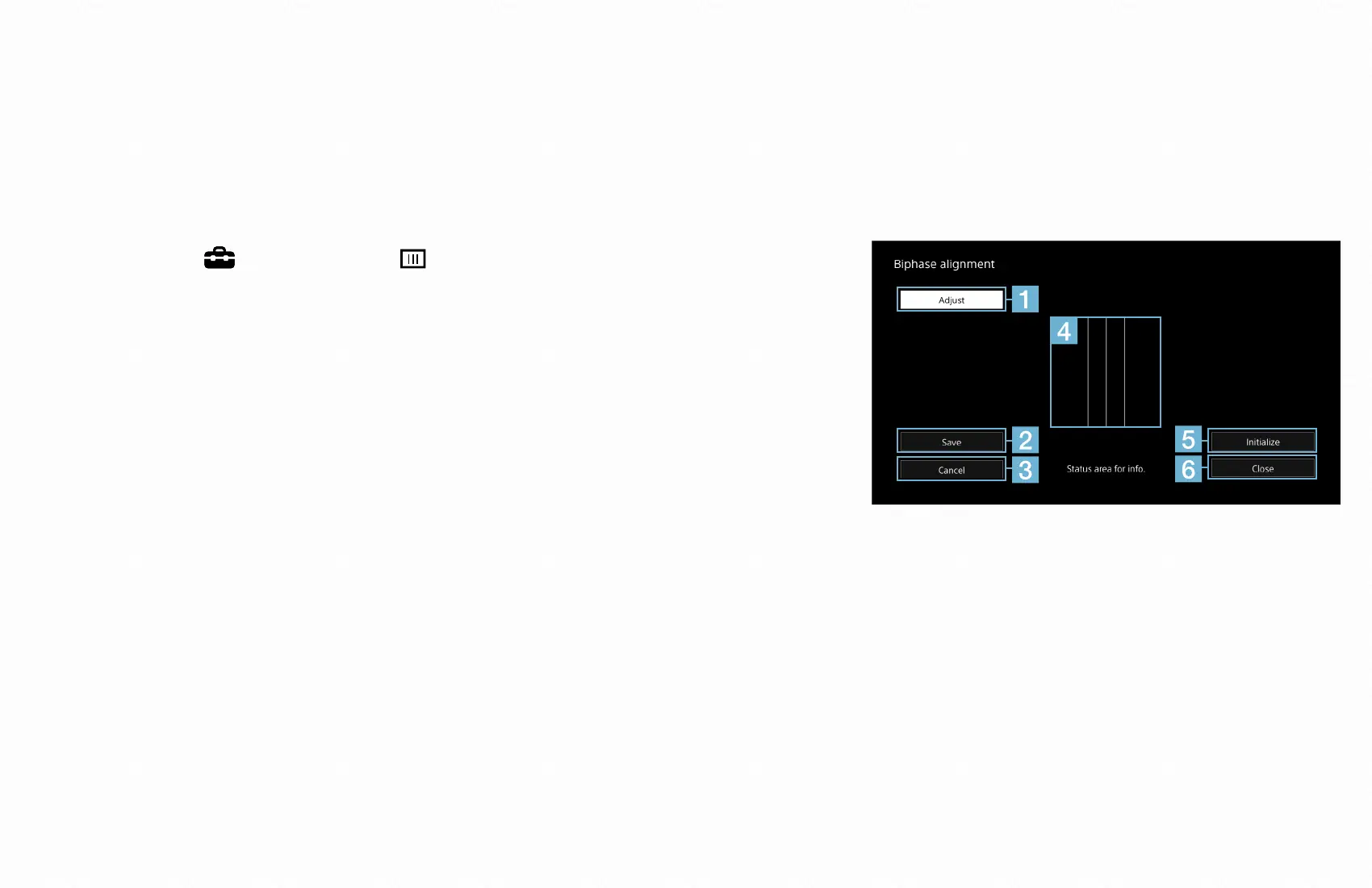
flickering or blurred. If the three white vertical lines at the center of the [Biphase
alignment] screen look blurred, you need to perform the following procedures.
1
Select [ Setup] - [ Biphase alignment].
The [Biphase alignment] screen appears. To select
an item on the screen, slide the Jog Lever to + or
−, and then press the lever with the desired item
highlighted.
Initialize
SaveToFactory
2
Select [Adjust] (
).
3
Slide the jog lever to + or − so the three lines (
) look clear without blur.
Press the jog lever when you have finished adjusting.
4
Select [Save] (
) to save the new value.


 To Next Page