19-GB
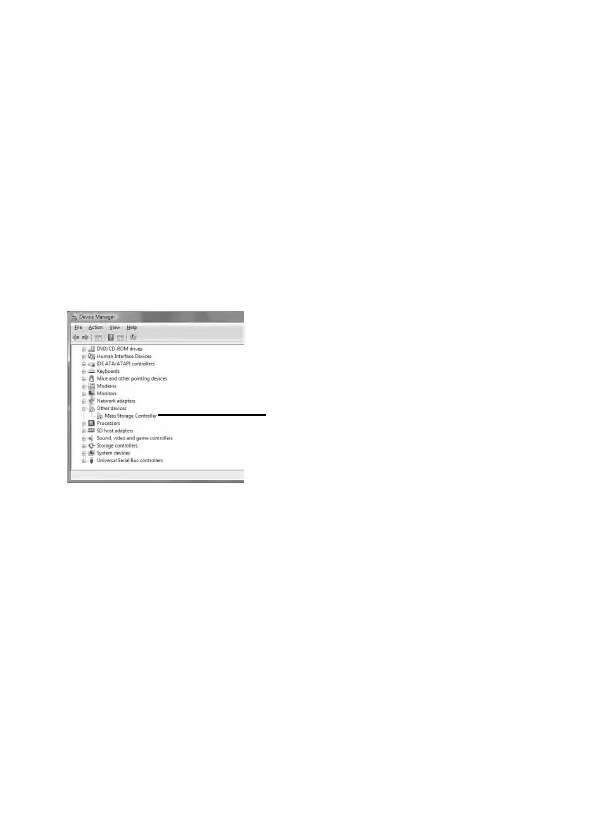
Check if [Mass Storage Controller]
preceded by the “!” symbol is shown.
When using Windows Vista
Log on as Administrator or using an user ID that has administrative
privileges. Please see the manual of your computer for process to log on
the administrative privilege.
1 Show the “Device Manager” screen.
1 Click [Start].
2 Click [Control Panel].
3 Click [Device Manager] of “System and Maintenance.”
“User Account Control” appears.
4 Click [Continue].
2 Check if the device driver has already been installed correctly.



 To Next Page