20-GB
3 If the wrong device driver is installed, reinstall the device
driver.
If you use the procedure described in Step 2 and confirm that [!Mass
Storage Controller] is shown, the device driver is not installed
correctly.
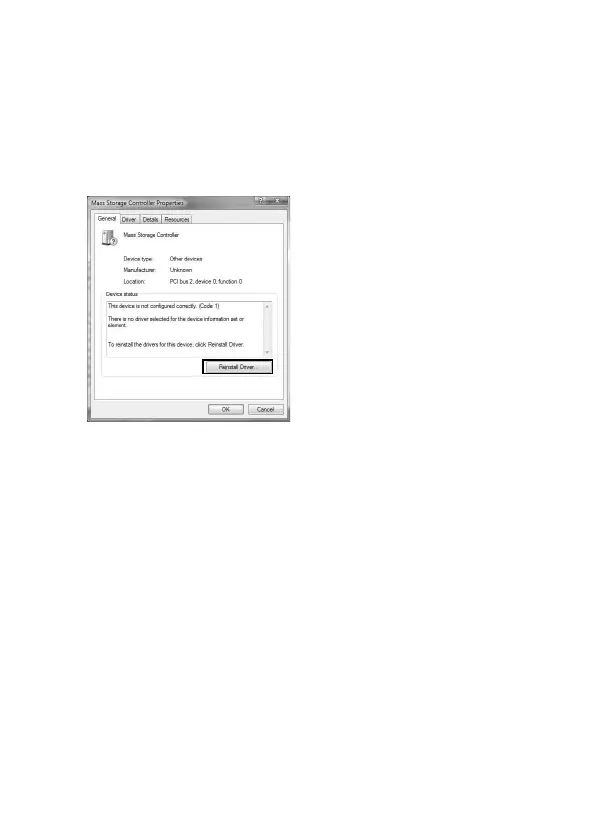
1 Right-Click [!Mass Storage Controller] and click [Properties].
The “Mass Storage Controller Properties” screen appears.
2 Click [Reinstall Driver].



 To Next Page