Chapter 4 Recording, Playback and File Transfer
4-10 Chapter 4 Recording, Playback and File Transfer
2 When the adjustment is completed, release the
PLAY button.
The tape transport returns to normal speed, and the
SERVO indicator comes on again.
To perform continuous capstan override
playback
1 Set setup menu item 111 (TSO PLAY) to TSO.
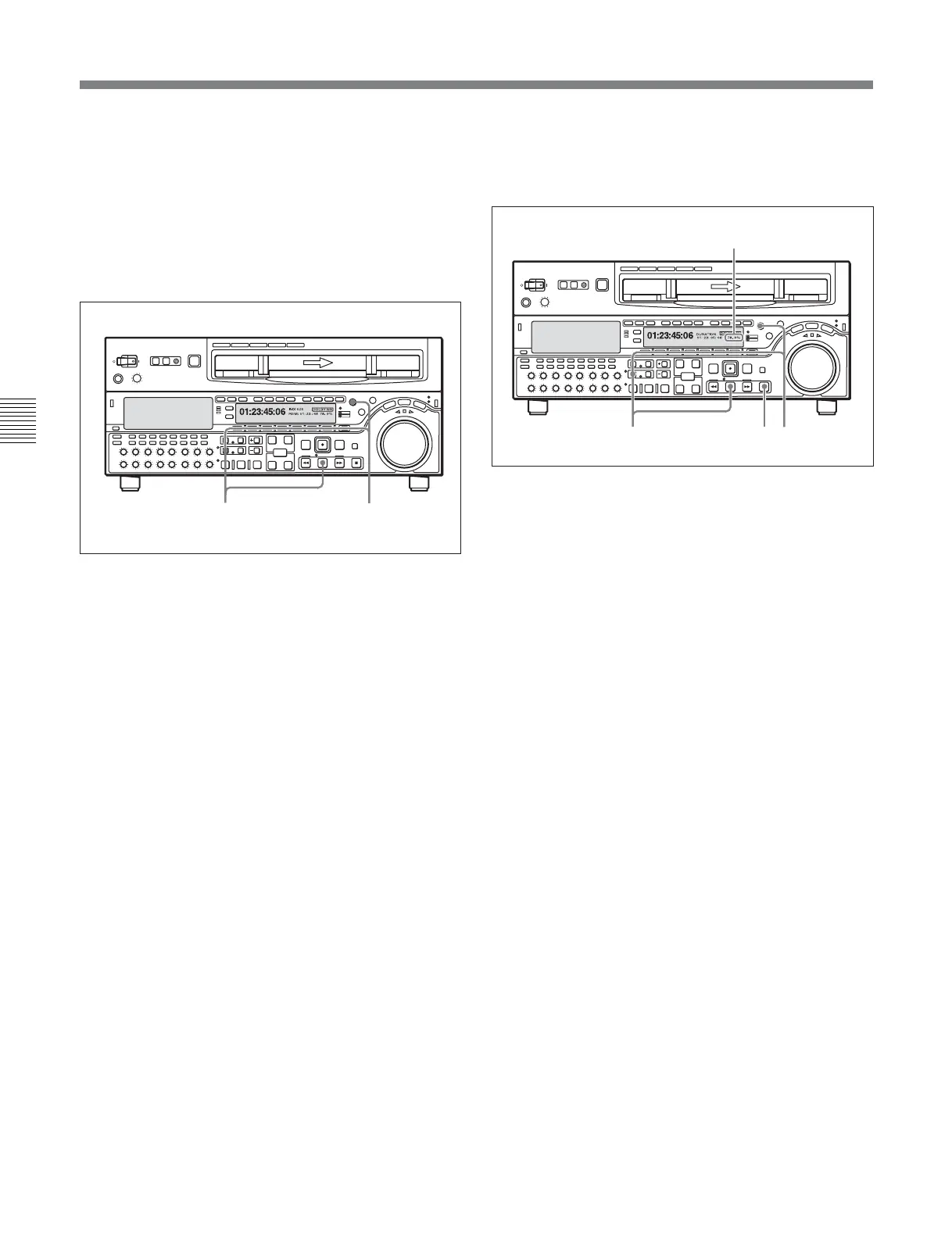
2 Hold down the DMC/FEED button and turn the
MULTI CONTROL knob to select the playback
speed.
The selected playback speed is displayed in time
data display area 2 on the lower control
panel of this unit as well as in the character
information display on the monitor screen.
3 Press the PLAY button while holding down the
DMC/FEED button.
4 Press the PLAY button or perform any other
operation to exit the tape speed override mode.
See Section 12-2 “Setup Menu Operations” (page 12-2) for
details of setup menu operations.
For details of character information displayed on the video
monitor screen, see the descriptions of F4 (CHARA) in
function menu page 4 (page 11-7) and setup menu item 005
(page 12-5).
Z
32
4-2 Playback
Carrying out playback in feed mode
Use the following procedure to carry out feed mode
playback.
1 Set setup menu item 111 (TSO PLAY) to FEED.
If the system supports double speed feed mode
playback, in MPEG IMX playback, you can set the
feed mode playback speed to 1 or 2 times normal
speed by rotating the MULTI CONTROL knob
with the DMC/FEED button held down. If the
option is not installed, feed mode playback speed
is 1 times normal speed.
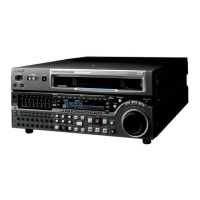
2 Hold down the DMC/FEED button, and press the
PLAY button.
Both buttons light, and playback in feed mode
starts.
3 Where you wish to stop playback, press the STOP
button.
Playback stops.
Z
2 31
Speed display area







 To Next Page