EasyManua.ls Logo

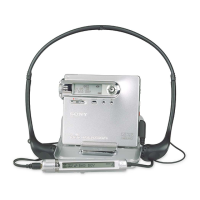
Sony MZ-N1 - User Manual

Sony MZ-N1
208 pages
Print Icon
To Next Page IconTo Next Page
Loading...
3-239-099-14(1)
Portable
MiniDisc Recorder
Operating Instructions
_
_______________________
_
Mode d’emploi
_
_____________________________
_
Manual de instrucciones_______________________
_
GB
FR
ES
© 2002 Sony Corporation
MZ-S1
WALKMAN is a trademark of Sony Corporation.
Portable MiniDisc Recorder MZ-S1

Table of Contents

Other manuals for Sony MZ-N1

Questions and Answers

  • D
    Dale CooperAug 17, 2025
    What to do if no sound comes through the headphones on my Sony Minidisc Recorder?
    • N
      Natasha VillarrealAug 18, 2025
      If your Sony Minidisc Recorder isn't producing sound through headphones or earphones, first, ensure the headphone/earphone plug is fully inserted. If it is, check the volume level and adjust it using the VOL +/– buttons. Also, verify that the plug is clean, as a dirty plug can cause sound issues.
  • K
    Kristopher PetersonAug 22, 2025
    What to do if the lid on my Sony Minidisc Recorder does not open?
    • M
      Mrs. Paige Escobar DVMAug 22, 2025
      If the lid of your Sony Minidisc Recorder won't open, ensure that the power sources are correctly set or replace exhausted batteries with new ones. Also, make sure the lid is fully closed until it clicks; then, pull the OPEN switch to open it.
  • D
    davidrogersAug 26, 2025
    Why does the playback sound skip on my Sony Minidisc Recorder?
    • Z
      Zachary ParkerAug 26, 2025
      If your Sony Minidisc Recorder is skipping during playback, ensure it is placed on a stable surface to avoid continuous vibration. Also, avoid creating tracks shorter than one second, as very short tracks may cause skipping.
  • K
    Kelly ReyesAug 27, 2025
    What to do if the display window on my Sony Minidisc Recorder is not normal?
    • V
      Vicki PetersenAug 27, 2025
      If the display window on your Sony Minidisc Recorder is not normal, let the recorder sit for a while, or disconnect and reconnect the power source. Then, press any of the operation buttons.
  • A
    Ariel AyalaAug 30, 2025
    Why does my Sony Minidisc Recorder sound have a lot of static?
    • J
      Joseph LeeAug 30, 2025
      If the sound from your Sony Minidisc Recorder has a lot of static, strong magnetism from devices like televisions might be interfering with its operation. Move the recorder away from the source of strong magnetism.
  • R
    Roberta ThomasSep 1, 2025
    Why won't my Sony Minidisc Recorder play an MD from the first track?
    • M
      Monica WongSep 1, 2025
      If your Sony Minidisc Recorder isn't playing an MD from the first track, press N for 2 seconds or more to start playing. Also, check if group mode is turned on; if so, turn it off and then press N for 2 seconds or more to start playing from the beginning.
  • J
    Jamie EspinozaSep 4, 2025
    What does 'No SIG' mean on my Sony Minidisc Recorder when recording from a CD player?
    • L
      Lynn ClaySep 4, 2025
      If your Sony Minidisc Recorder displays “No SIG” when recording from a portable CD player, use the AC power adapter and disable the anti-skip function (such as ESP) on the CD player.
  • A
    Amanda WilliamsSep 6, 2025
    Why is my Sony Minidisc Recorder not working when connected to my computer?
    • S
      Shawn LozanoSep 6, 2025
      If your Sony Minidisc Recorder is not recognized by the computer, verify that the recorder is correctly connected. Ensure that you have installed the driver correctly on your computer. Also, install the OpenMG software before connecting the recorder.
  • N
    nwebsterSep 9, 2025
    How to find track marks on my Sony Minidisc Recorder?
    • R
      Randy NewtonSep 9, 2025
      If you cannot find the track marks on your Sony Minidisc Recorder, make sure you press X before pressing . or >.
  • D
    Darlene McphersonSep 12, 2025
    Why is there momentary noise on my Sony Minidisc Recorder?
    • J
      James EllisonSep 12, 2025
      If you are hearing momentary noise on your Sony Minidisc Recorder, it may be due to the digital audio compression technology used in LP4 stereo mode. This can sometimes occur with certain sound sources. Try recording in normal stereo or LP2 stereo mode instead.

Summary

Overview

MD Walkman Capabilities

Explains the capabilities of the MD Walkman in transferring and enjoying digital audio files.

Getting Started

Battery Installation

Step-by-step guide to inserting the battery.

Synchro-Recording Guide

Inserting an MD for Recording

Instructions for inserting a recordable MD.

Making Recording Connections

Guide for connecting audio sources and power.

Initiating Synchro-Recording

Step-by-step procedure for initiating recording.

Computer Transfer (Check-out)

Install OpenMG Jukebox Software

Instructions for installing the necessary software for computer transfer.

Connect for Data Transfer

Steps to connect the recorder to the computer for data transfer.

Playing an MD

Playback Operations

Steps to start and control playback of an MD.

Recording Methods

Analog Recording Procedure

Detailed steps for recording using analog input.

Long-Time Recording (MDLP)

Explains how to select LP modes for extended recording times.

Editing Recorded Tracks

Other Operations

Additional Information

Precautions for Safe Use

Important safety, water resistance, and handling guidelines.

System Limitations

Troubleshooting

Specifications

Sony MZ-N1 Specifications

General IconGeneral
BrandSony
ModelMZ-N1
CategoryMiniDisc Player
LanguageEnglish

Related product manuals