EasyManua.ls Logo

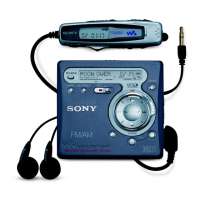
Sony MZ-NHF800 - User Manual

Sony MZ-NHF800
132 pages
Print Icon
To Next Page IconTo Next Page
Loading...
3-266-571-91(1)
Portable
MiniDisc Recorder
Operating Instructions
Recorder Operation
_
____________________________
_
Software Operation
_
____________________________
_
page 12
page 102
© 2004 Sony Corporation
MZ-NHF800
“WALKMAN” is a registered trademark of Sony Corporation to
represent Headphone Stereo products. is a
trademark of Sony Corporation.
Portable MiniDisc Recorder MZ-NHF800

Table of Contents

Other manuals for Sony MZ-NHF800

Questions and Answers

  • W
    William HenryJul 31, 2025
    How to fix Sony CD Player when the first few seconds of a track cannot be recorded?
    • I
      imillerJul 31, 2025
      If the first few seconds of a track are not being recorded on your Sony CD Player, it might be because you started recording while the disc indication was still rotating. Data will not be recorded in that case. Wait until the disc indication stops rotating before you start recording.
  • B
    brian26Aug 10, 2025
    What to do if Sony CD Player shows 'NotENOUGH POWER TO REC'?
    • S
      Shannon BridgesAug 10, 2025
      If your Sony CD Player displays 'NotENOUGH POWER TO REC' and you can't record on a 1GB Hi-MD disc, it means the recorder estimates that there's not enough battery power due to the high power needed for recording on 1GB Hi-MD discs. To solve this, connect the AC power adapter to the recorder or insert a new alkaline dry battery.
  • J
    Jessica NovakAug 21, 2025
    Why does my Sony CD Player always create a new group when recording?
    • K
      Katrina RamirezAug 21, 2025
      Your Sony CD Player might be creating a new group every time you record because the group recording setting (“ :REC”) is set to “ : REC On”, which prevents overwriting tracks. To fix this, set the group recording setting to “ :REC Off”.

Summary

Operating Instructions

Recorder Operation

Covers recorder controls, display, and basic functions for MiniDisc operation.

Software Operation

Guides for installing and using MD Simple Burner and SonicStage software.

Getting Started

Powering and Connecting the Recorder

Instructions for connecting AC power, batteries, and accessories.

Recording a Disc

Making Connections and Starting Recording

Steps for connecting audio sources, inserting discs, and initiating recording.

Troubleshooting Recording Issues

Solutions for common problems that prevent recording from starting.

Playing a Disc

Inserting and Starting Playback

Instructions for inserting recorded discs and initiating playback.

Troubleshooting Playback Issues

Solutions for common problems encountered during disc playback.

Using Menus

Navigating Menu Options

Explains how to access and navigate menu options on the remote control.

Navigating Menus on the Recorder

Explains how to access and navigate menu options directly on the recorder.

Editing Tracks

Adding Titles and Labels

Adding names to tracks, groups, and discs.

Managing Groups and Tracks

Assigning, releasing, moving, erasing, dividing, and combining tracks/groups.

Troubleshooting

Recorder Operation Issues

Solutions for issues with recording, playback, editing, radio, and computer connection.

Software and Connection Issues

Resolving problems with software installation and computer connectivity.

Error Messages

Interpreting System Messages

Lists and explains common error and status messages displayed by the recorder.

Technical Specifications

Recorder and Radio Specifications

Details on audio system, laser, recording times, inputs/outputs, and radio frequencies.

Limited Warranty

Sony MZ-NHF800 Specifications

General IconGeneral
Frequency Response20 Hz - 20 kHz
USB InterfaceUSB 1.1
DisplayLCD
Storage Capacity1 GB
MediaMiniDisc
Recording ModesSP, LP2, LP4
Recording FormatATRAC, ATRAC3, ATRAC3plus
Playback FormatATRAC, MP3
Signal-to-Noise Ratio90 dB
Headphone Output5mW + 5mW
Battery Life (Recording)20 hours
PC ConnectivityYes

Related product manuals