Basic Operations
15
Refer to the instructions
supplied with your disc.
Notes
• If the disc is not
inserted correctly, it
may cause a
malfunction.
• The power is
automatically turned
off whenever,
– a disc is not being
played.
– you do not operate
the player or the
remote for more
than 30 minutes
when using the AC
power adapter (10
minutes when
using the optional
battery pack).
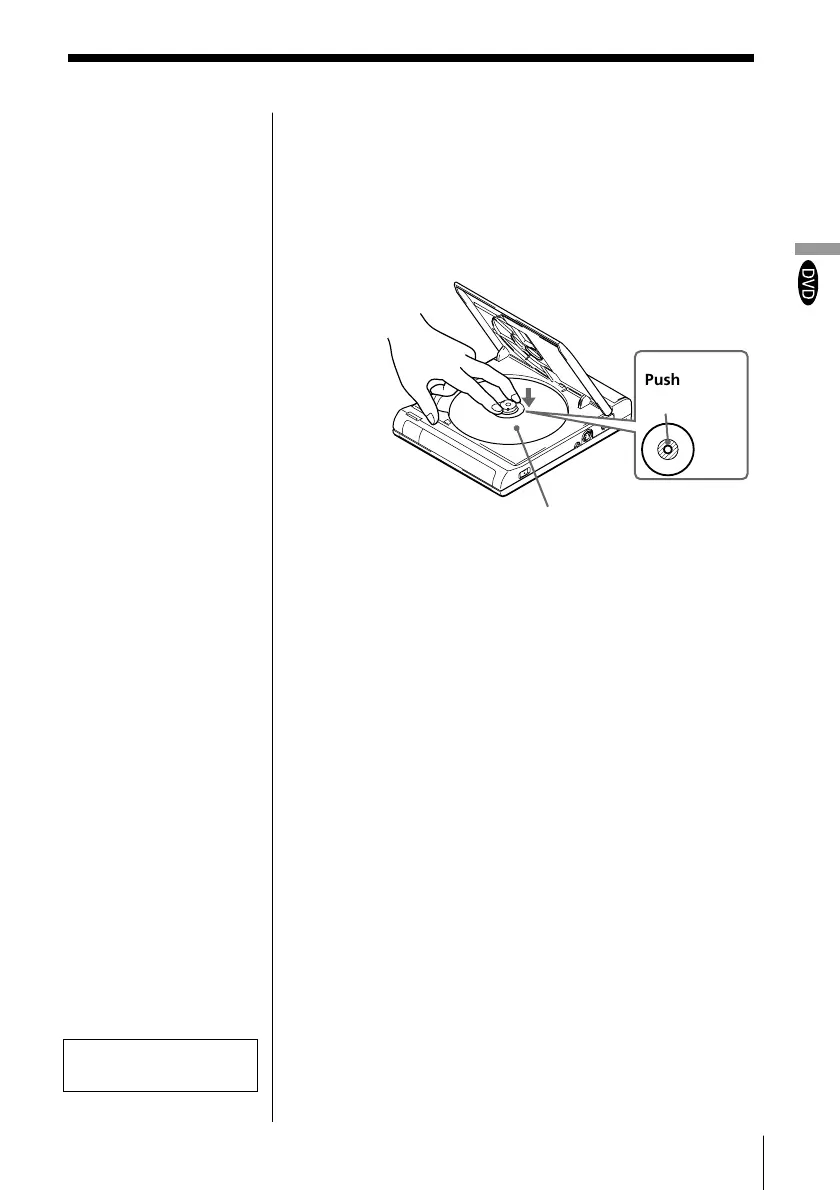
4 Insert a DVD VIDEO disc.
When inserting a disc, please take note of the
following.
• Insert the disc in a horizontal position.
• Push down gently with two fingers.
• Make sure the disc clicks into the position.
5 Close the disc cover, then press ·.
The player starts playback (Continuous Play).
Adjust the volume on the TV or the amplifier.
After doing Step 5
A DVD menu or title menu may appear on the TV
screen (see page 18 or 19).
To stop playback
Press π.
With the playback side
facing down
Push on the
disc here.



 To Next Page