56
Playing some DVD VIDEOs can be limited depending
on the age of users. The Parental Control function
allows you to set a playback limitation level.
Setting the Parental Control
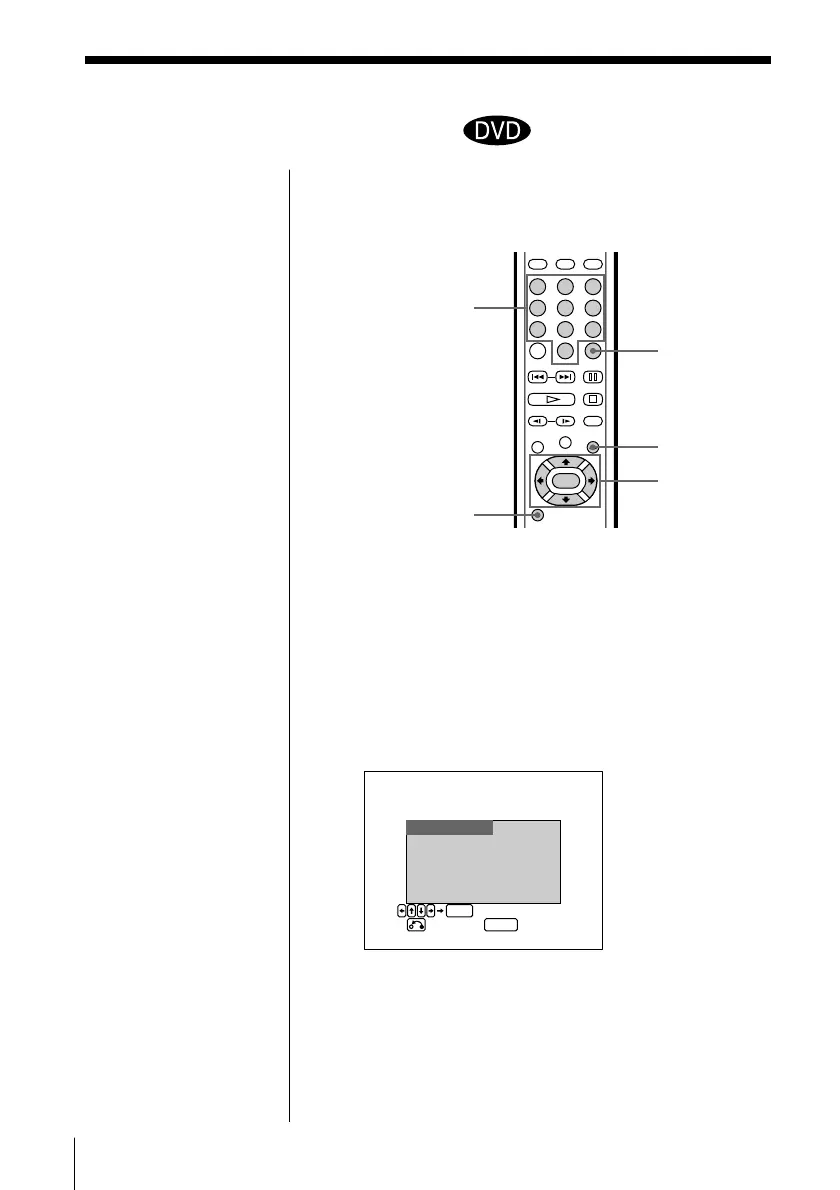
1 Press SETUP during stop playback.
The INITIAL SETUP menu appears on the TV
screen.
2 Select “PARENTAL” using >/., then press / or
ENTER.
The PARENTAL CONTROL menu appears.
Number buttons
SETUP
ENTER
?/>/.///
ENTER
Limiting playback by children
(Parental Control) Z
ˆ RETURN
312
645
978
0
SETUP
ENTER
APRENTALCONTROL
SELECT LEVEL .
OFF
84.PG-13
7.NC-17 3.PG
6.R 2
51.G
COUNTRY : USA
EST
RPEV QUIT
Note
If you change a country as
the standard for playback
limitation level, select
“COUNTRY” using
?/>/.//, then press
ENTER. When you select
“OTHER,” select and
enter the country code
from the list using the
number buttons (page 58).



 To Next Page