11
Hooking up the
system
Note
Do not connect this player
to a VCR. If you view the
pictures on your TV after
making connections
shown below, picture
noise may appear.
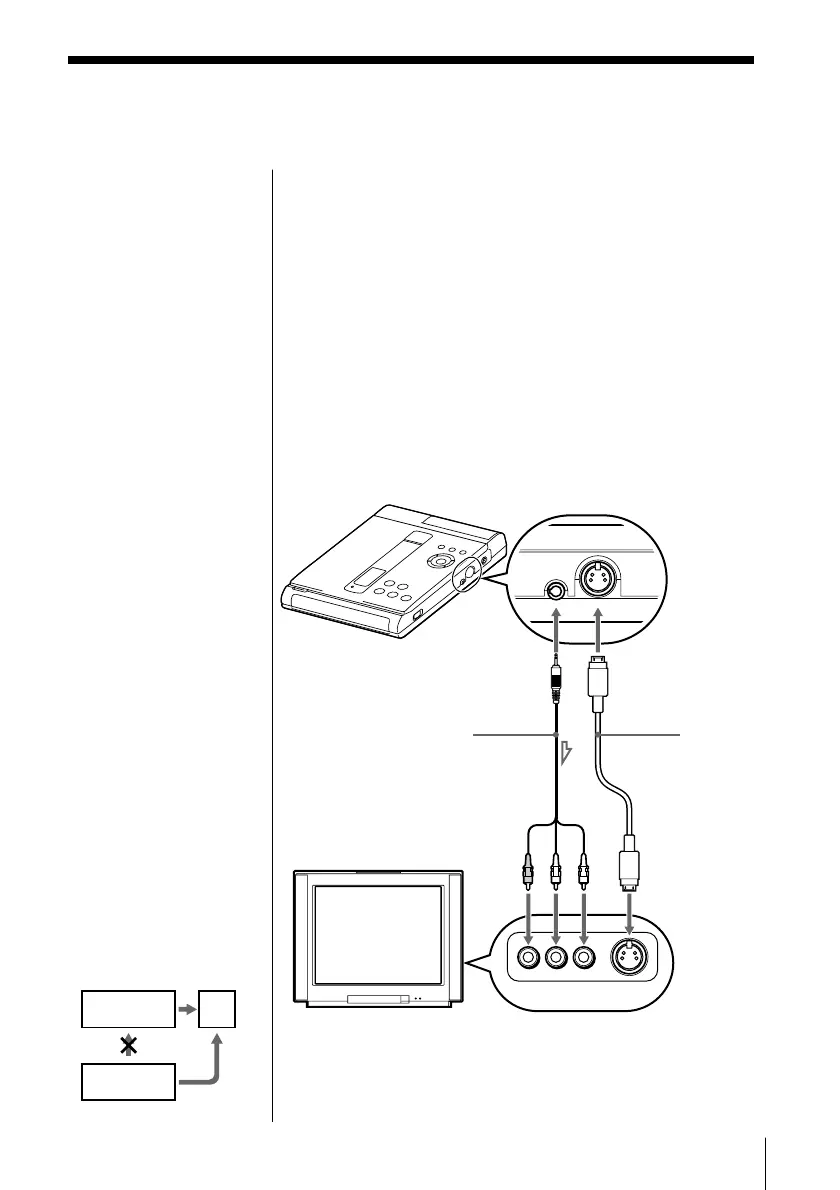
S video
cable (not
supplied)
Audio/video cable
(supplied)
TV
DVD player
R-AUDIO-L VIDEO S VIDEO
VCR
This player
TV
This section describes how to hook up the player to a
TV (with audio/video input connectors) and/or an
amplifier. You cannot connect this player to a TV
without a video input connector. Be sure to turn off
the power of each component before making the
connections.
1 Hookups
When connecting the cord, be sure to match the
colour-coded cord to the appropriate connectors on
the components: Yellow (video) to Yellow, Red (right)
to Red, and White (left) to White. Be sure to make
connections firmly to avoid hum and noise.



 To Next Page